
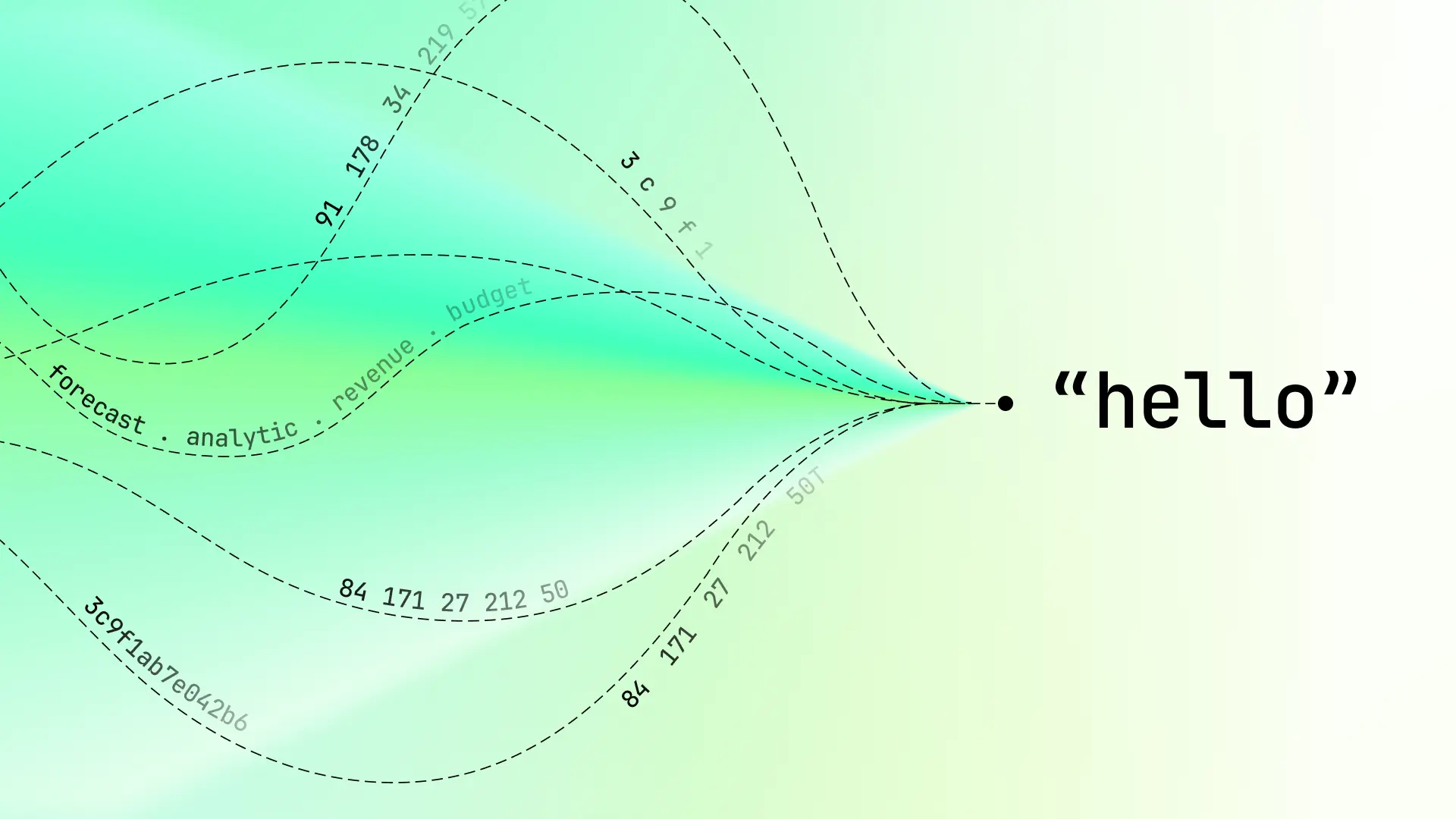

We recently came across a phishing attack that, while the social engineering aspects were sloppy, the obfuscation schemes used were quite complex. The obfuscation started with an SVG disguised as an HTML attachment and only got more complex from there.
The use of HTML and SVG attachments has become a popular phishing tactic, as both of these attachment types can facilitate sophisticated credential harvesting attacks. Both file types launch in web browsers by default, and each can contain (smuggle) auto-executing JavaScript that redirects to fake login pages that are pre-populated with the victim’s email address to imply credibility.
HTML and SVG smuggling attacks are not new, but this one took a very unique approach. Instead of the typical Base64-encoded blob or JavaScript unpacker, the attackers built a custom steganographic encoding system using business terminology as a cipher alphabet. The result is malicious code that looks like financial analytics metadata to casual inspection – and to many email security scanners. Let’s take a look.
Classic BEC with a twist
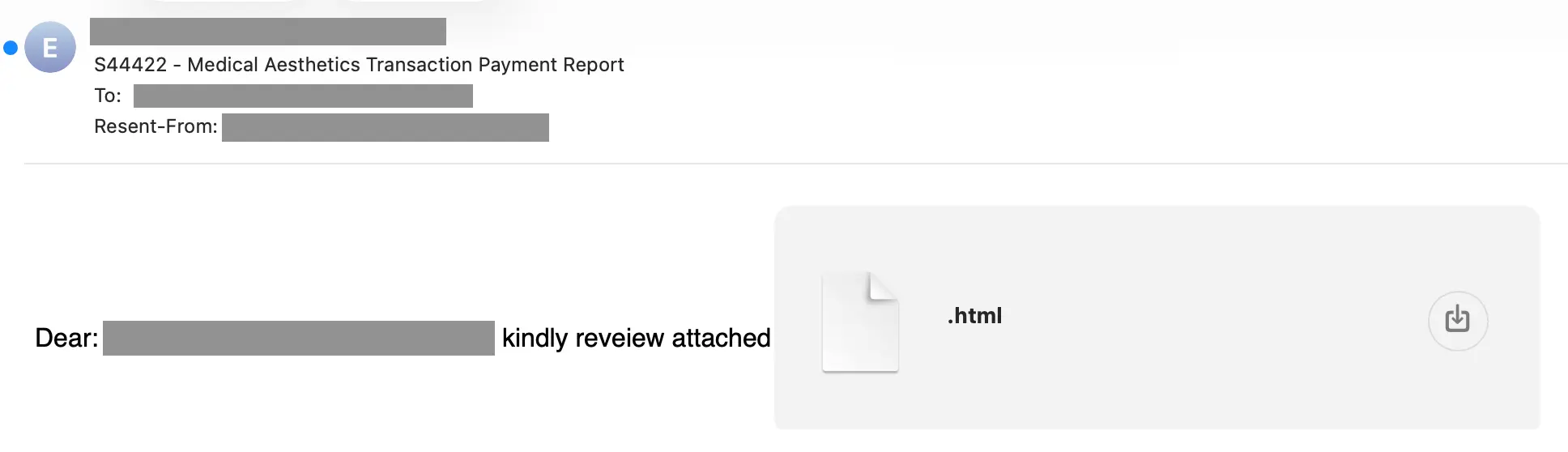
The email itself follows a familiar pattern. It arrived from a domain that's been registered since 2019 through GoDaddy with privacy protection. The age indicates that this is most likely a compromised legitimate domain, rather than one created by the attacker. Its age gives it a reputation that newly registered domains lack.
Like many attacks, this one uses a fake financial document as its bait. Curiously, though, the attachment doesn’t appear to have a filename
Not what it appears
The attachment is named simply .html – just a dot followed by an extension. On many systems, this renders as a blank or hidden filename. The file is 16KB and the content type is application/octet-stream with an HTML extension.
Here's where it gets interesting. Attachment analysis revealed that the filetype is not HTML at all. It's an SVG file. Here’s the second line from the file:
Why SVG? Just like HTML files, SVG files launch in a web browser by default and can contain embedded JavaScript within <script> tags. But unlike HTMLs, SVGs are often more trusted because many email gateways and sandboxes treat image formats with less scrutiny than executable code.
SVG files, though, are actually just XML files. Here’s the first line of this SVG:
Invisible business dashboard
When examining the SVG content, the first thing that can be seen is what appears to be a legitimate business chart:
Notice that every single visual element has opacity="0", visibility: hidden, or fill="transparent". The "Business Performance Dashboard" with monthly bar charts exists only as metadata, rendering as a completely blank image. This is camouflage designed to fool automated analysis tools that scan for visual content.
Business term steganography
Now we get to the clever part. Buried in the SVG is a <text> element with an interesting attribute:
That data-analytics attribute contains the actual payload, encoded using a custom scheme we’ll call business term steganography.
Here's how it works. The attackers defined a vocabulary of 64 common business and financial terms:
Each pair of concatenated terms encodes a single byte. The encoding formula is:
So earningsannual becomes one character, riskannual becomes another, and so on. A string like earningsannualriskannualsharesannual decodes to three bytes of binary data, but to a content scanner, it looks like someone's financial report metadata.
For example, when these terms are decoded it looks like:
With this genuinely creative evasion tactic, the attacker is attempting to evade keyword filters by delivering the malicious payload using only legitimate business vocabulary. No suspicious strings like "eval", "unescape", or "document.write" appear in the encoded data.
Multi-layered de-obfuscation chain
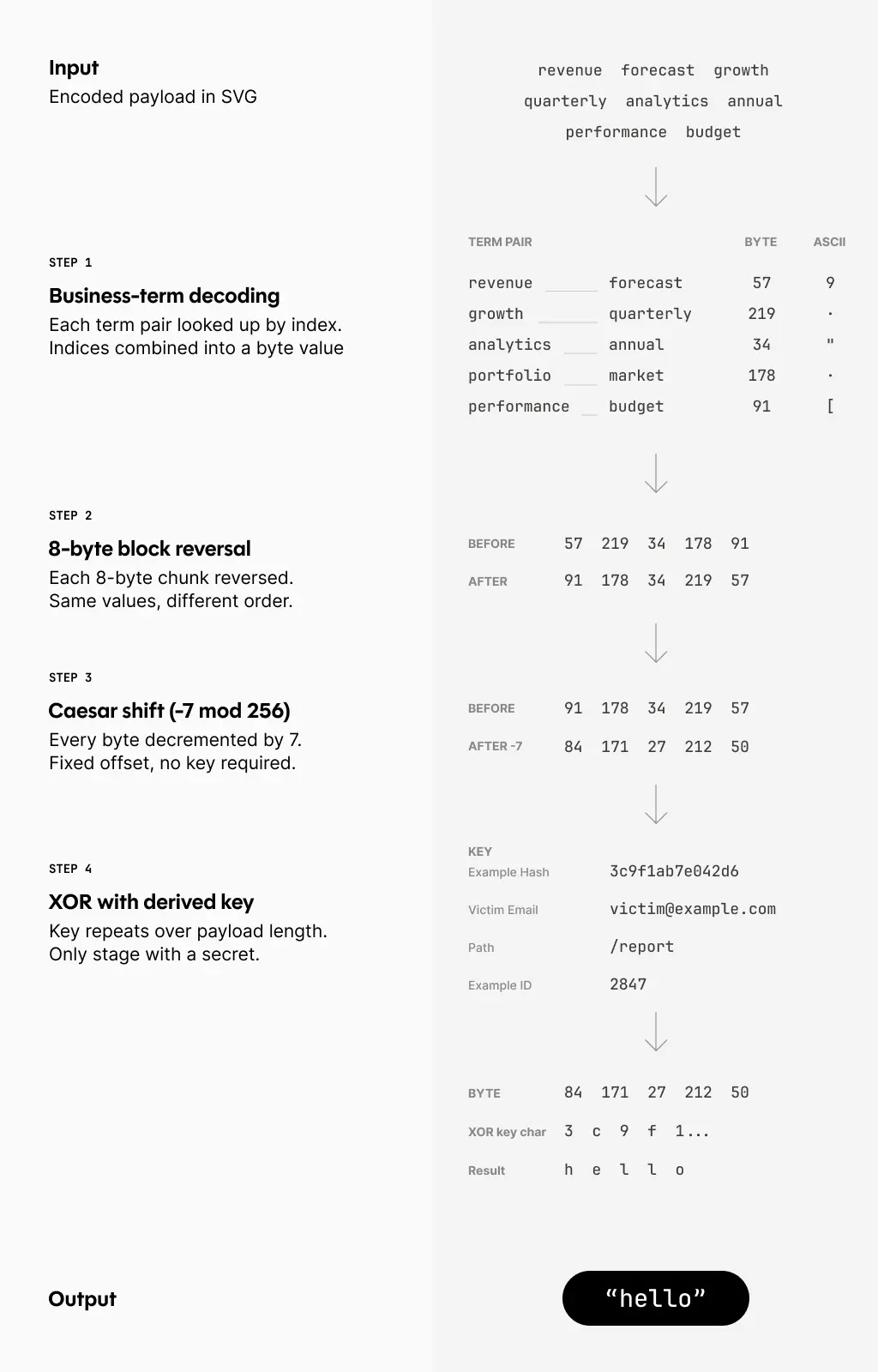
The encoded data doesn't decode directly to the final payload. The attackers implemented a four-stage de-obfuscation chain that we’ll walk through (diagram provided after step 4):
Stage 1: Term-pair decoding
First, the business term pairs are converted to raw bytes using the encoding scheme:
Stage 2: Block reversal
The resulting byte array is then processed in 8-byte blocks, with each block reversed:
This is a simple transformation, but it breaks pattern matching on the intermediate output.
Stage 3: Character offset (Caesar cipher)
Each byte is then adjusted by subtracting 7 (modulo 256):
For example, if I was to translate this to Python it would look like:
or in other words:
Stage 4: XOR cipher
Finally, the data is XORed with a composite key built from multiple sources:
The XOR key incorporates a hardcoded hash (fb2a4eddd2e063dc), decoded metadata from the payload header, and a numeric transaction ID. This makes the cipher unique per campaign. This means you can't just extract a static key from one sample and use it to decode others.
Here’s an example diagram of the workflow:
Dynamic code execution
After all four de-obfuscation stages, the resulting string is validated and executed:
Notice how even the string window.location.href is constructed using String.fromCharCode() to avoid static string detection. The validation check ensures the decoded payload is a redirect instruction before executing it.
The userIdentifier0445 variable contains the victim's email address. This gets passed to the redirect URL, allowing the phishing page to pre-fill the email field and track which recipients clicked.
Additional evasion techniques
Beyond the obfuscations covered above, the attackers employed several other evasion techniques:
- Randomized identifier: Every function and variable name includes random hex suffixes like
processBusinessMetrics8f1154ordataSections9f95. This defeats signature-based detection that looks for known function names. - Delayed execution: The payload runs after a 213ms
setTimeout()delay. This can bypass sandboxes that only monitor immediate execution. - Legitimate-looking comments: The code is peppered with comments about "business intelligence," "analytics processing," and "report configuration." To a quick human review, it looks like legitimate analytics code.
Detection signals
Sublime's AI-powered detection engine detected this attack. Some of the top detection signals were:
- Attachment from first-time sender: The sender has not previously communicated with the recipient.
- SVG disguised as HTML: File typed as HTML, but MIME is
image/svg+xml. - Dynamically constructed payload: Malicious payload is built after the message has been delivered.
- Excessive 'const' declarations: The JavaScript contains numerous
constvariable declarations, which is atypical for simple HTML files. - Multi-layer obfuscation: Terminology encoding → block reversal → offset correction → XOR decryption
- Business term density: The email has an unusual concentration of financial terminology in non-body content (attributes, scripts).
- setTimeout: Attack delayed by 213ms to evade sandbox detection.
- Hardcoded security hash: Hash (
fb2a4eddd2e063dc) as XOR key component, consistent with a campaign-specific tracking/keying system. - Invisible SVG rendering: Zero visual content for security scanners.
- Authentication failure: DMARC failed, no SPF.
- BEC indicators: Context mismatches between the sender, subject, and recipient. Generic message with typo.
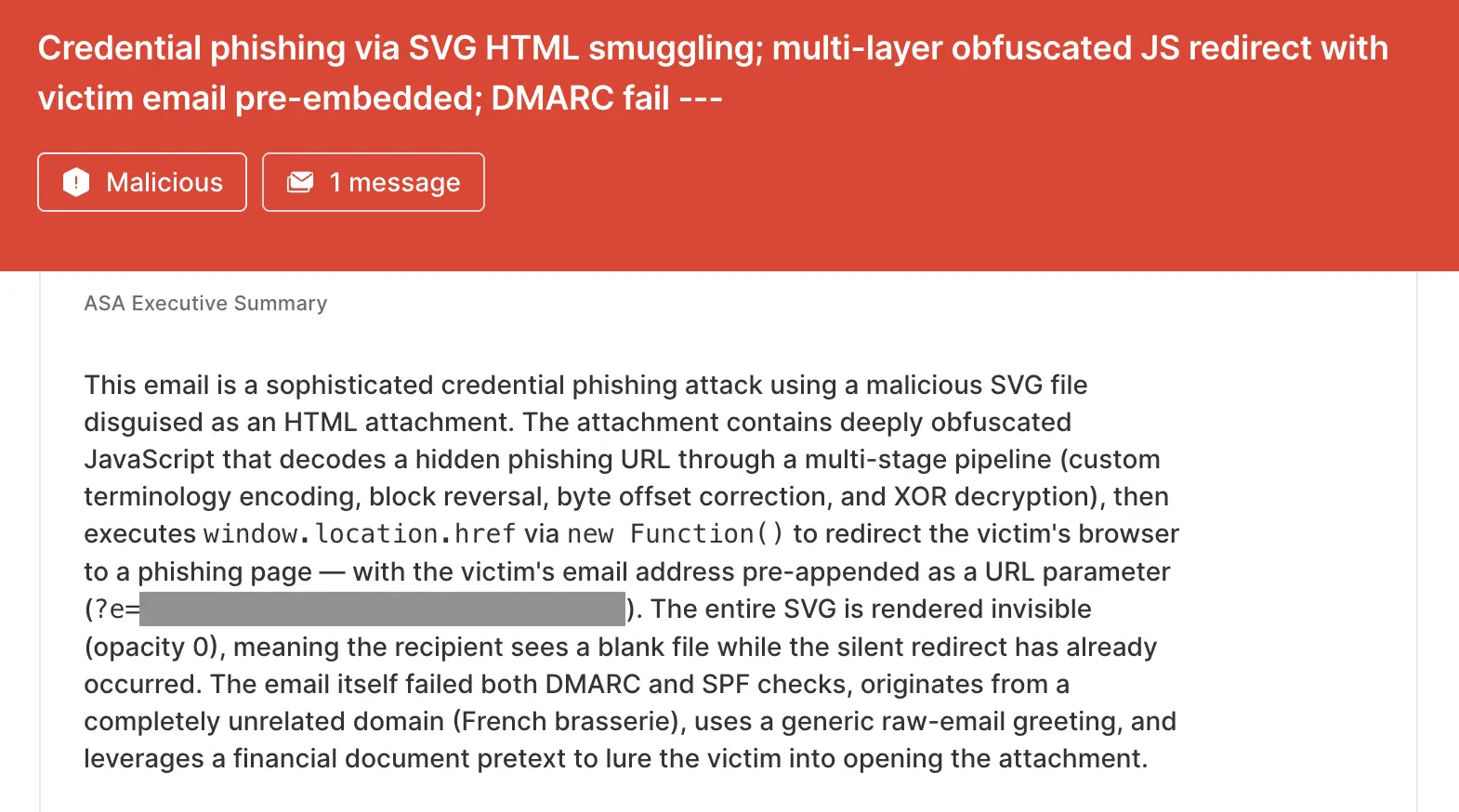
ASA, Sublime’s Autonomous Security Analyst, flagged this email as malicious. Here is ASA’s analysis summary:
Phishing attack with an MBA in evasion
This sample represents an evolution in phishing attachment techniques. The attackers invested significant effort in creating a novel obfuscation scheme that:
- Uses legitimate vocabulary to encode malicious payloads
- Employs multiple transformation layers to bypass static analysis
- Leverages SVG format to bypass HTML focused detection
- Includes campaign specific encryption keys
The lesson here is defense in depth. No single detection method catches everything, but layered analysis – email authentication, sender reputation, file type validation, attachment analysis, and behavioral patterns – provides multiple chances to catch attacks like this one.
That’s why the most effective email security platforms are adaptive, using AI and machine learning to shine a spotlight on the suspicious indicators of the scam.
If you enjoyed this Attack Spotlight, be sure to check our blog every week for new blogs, subscribe to our RSS feed, or sign up for our monthly newsletter. Our newsletter covers the latest blogs, detections, product updates, and more.
Read more Attack Spotlights:
Get the latest
Sublime releases, detections, blogs, events, and more directly to your inbox.
.svg)



.avif)
