

.svg)
The temperatures may be dropping, but Meta scams are only getting hotter. We've recently observed a dramatic increase in Meta for Business scams being used to steal credentials. These attacks fit into a broader increase in Meta/Facebook credential phishing scams that we’ve covered recently, including one using a fake Meta Ads Manager app and another using fake job recruiter outreach.
With access to these Meta accounts, bad actors could run their own ads to propagate attacks, resell ad space, gain access to any system that allows authentication via Meta login, and more. Let’s take a look at how this popular scam operates.
Phishing for Meta account credentials
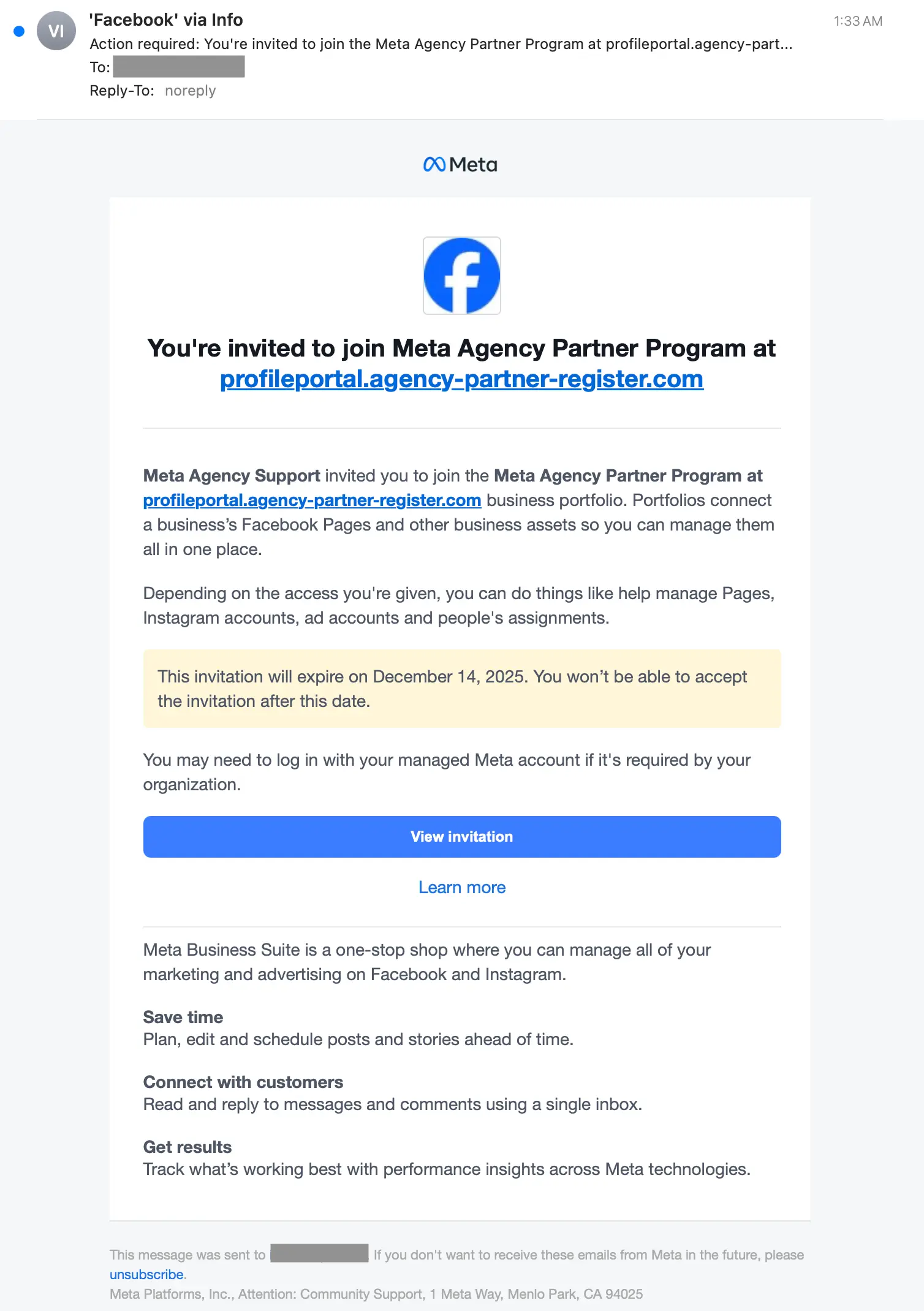
This attack starts with an email sent from a legitimate Meta domain, like business.facebook[.]com or facebookmail[.]com. This message invites the target to join a legitimate (stolen) or legitimate-sounding (fake) business program like the Meta Professional Partner Program, Meta Media Agency, Meta Agency Credit Program, or similar.
Since the message is an actual invitation automatically sent from Meta for Business, the adversary puts the payload link early in the email. This is because the View invitation button link cannot be modified to be used as a payload delivery mechanism, so the target needs to be drawn to malicious link first. If the message were a spoof using a lookalike domain, they could put the malicious link right in the View invitation button.
The link at the top of the message is to a legitimate-sounding malicious domain, like profileportal.agency-partner-register[.]com, campaigns.agency-meta-program.com, and more.
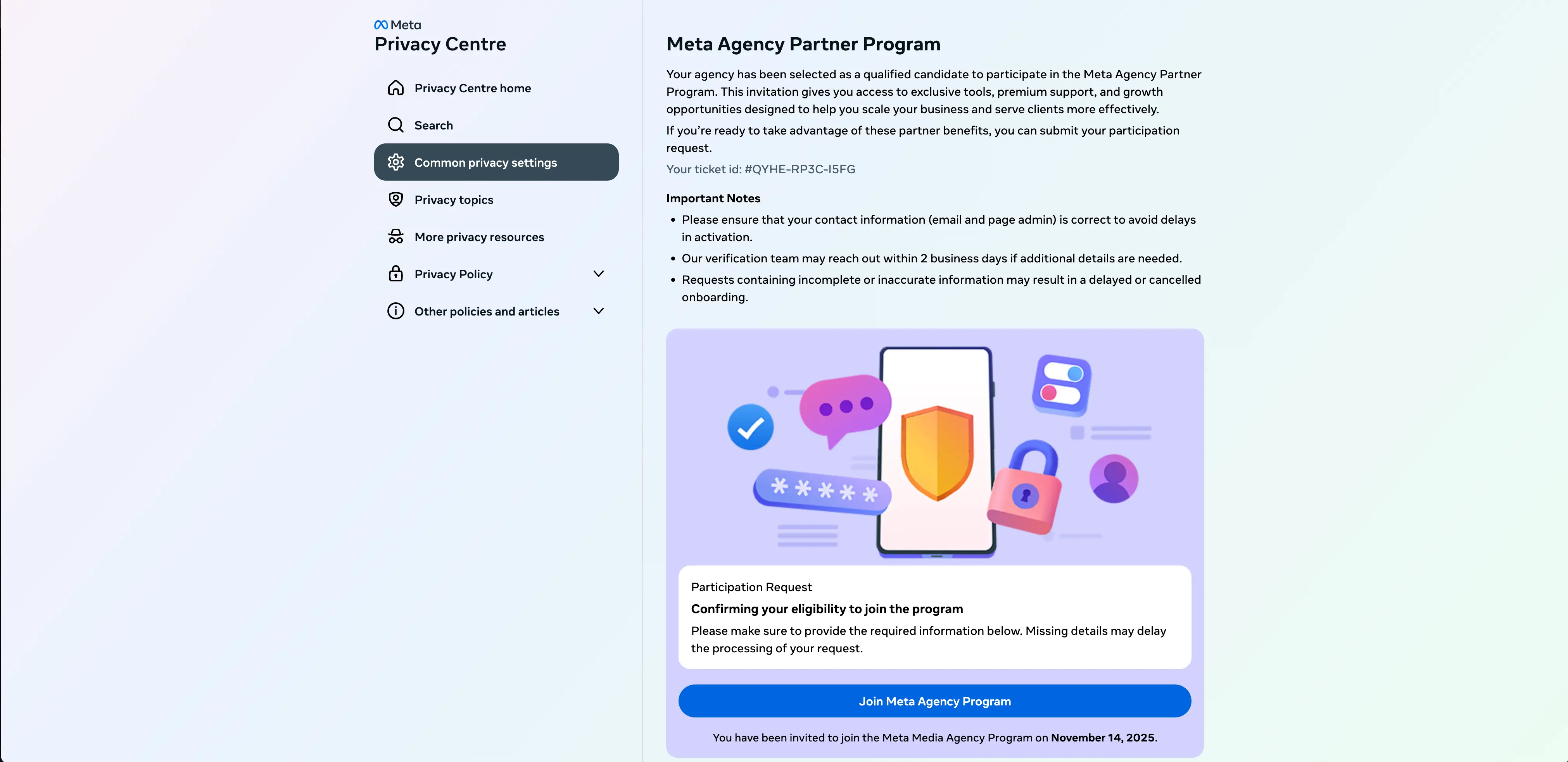
If the target clicks the link at the top of the email, they’re first taken to a Facebook/Meta splash screen, then to a landing page that emulates a Meta for Business page. In this example, the attacker uses a Meta Privacy Centre template. Notice that “Centre” is not en-US.

In this version of the attack, none of the links work on the page other than Join Meta Agency Program button. Clicking this brings up a fake “Partnership Registration Form” for harvesting user information.
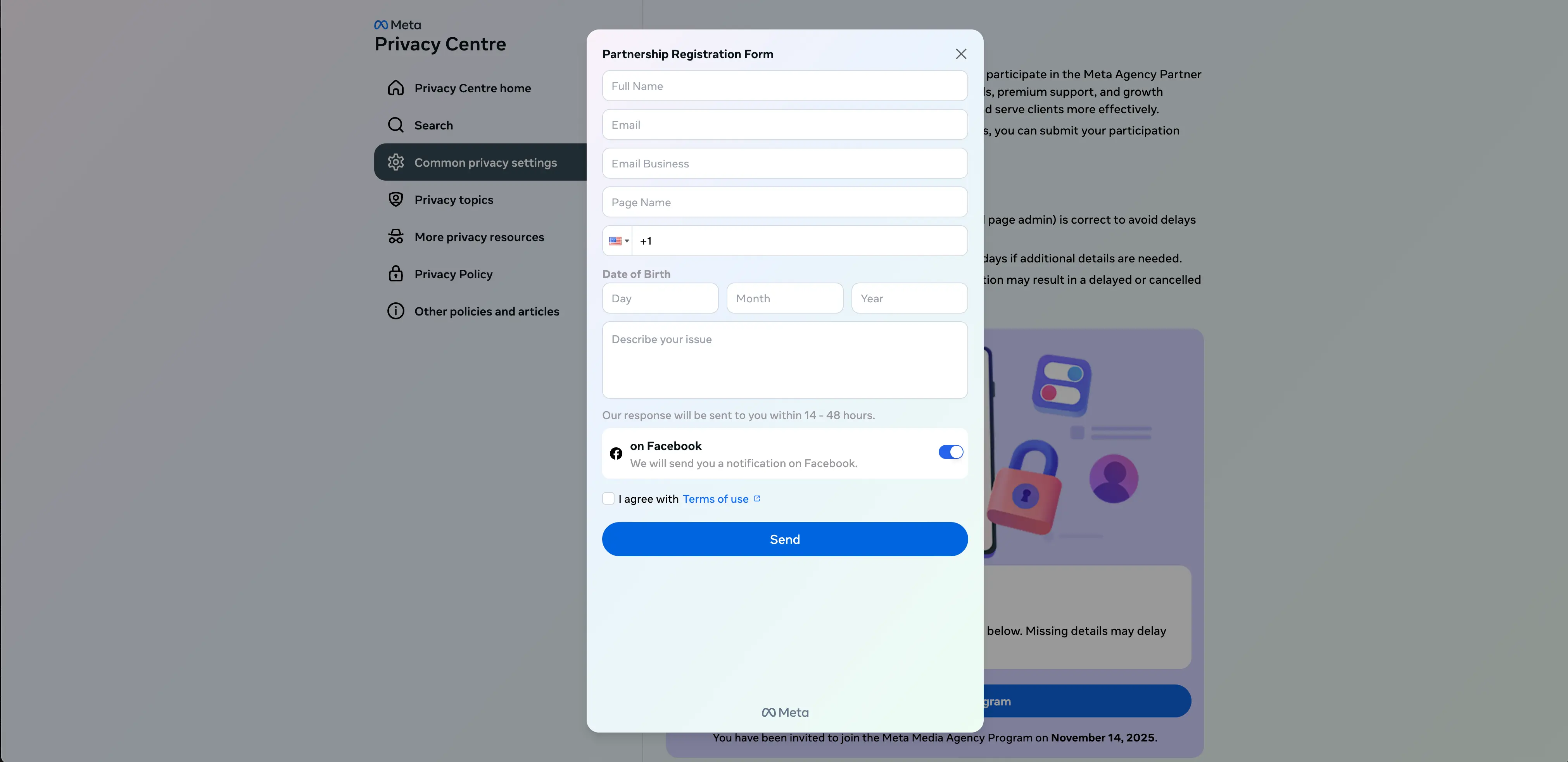
This form does not perform account verification, which means this is not an adversary in the middle (AITM) attack, just simple harvesting.
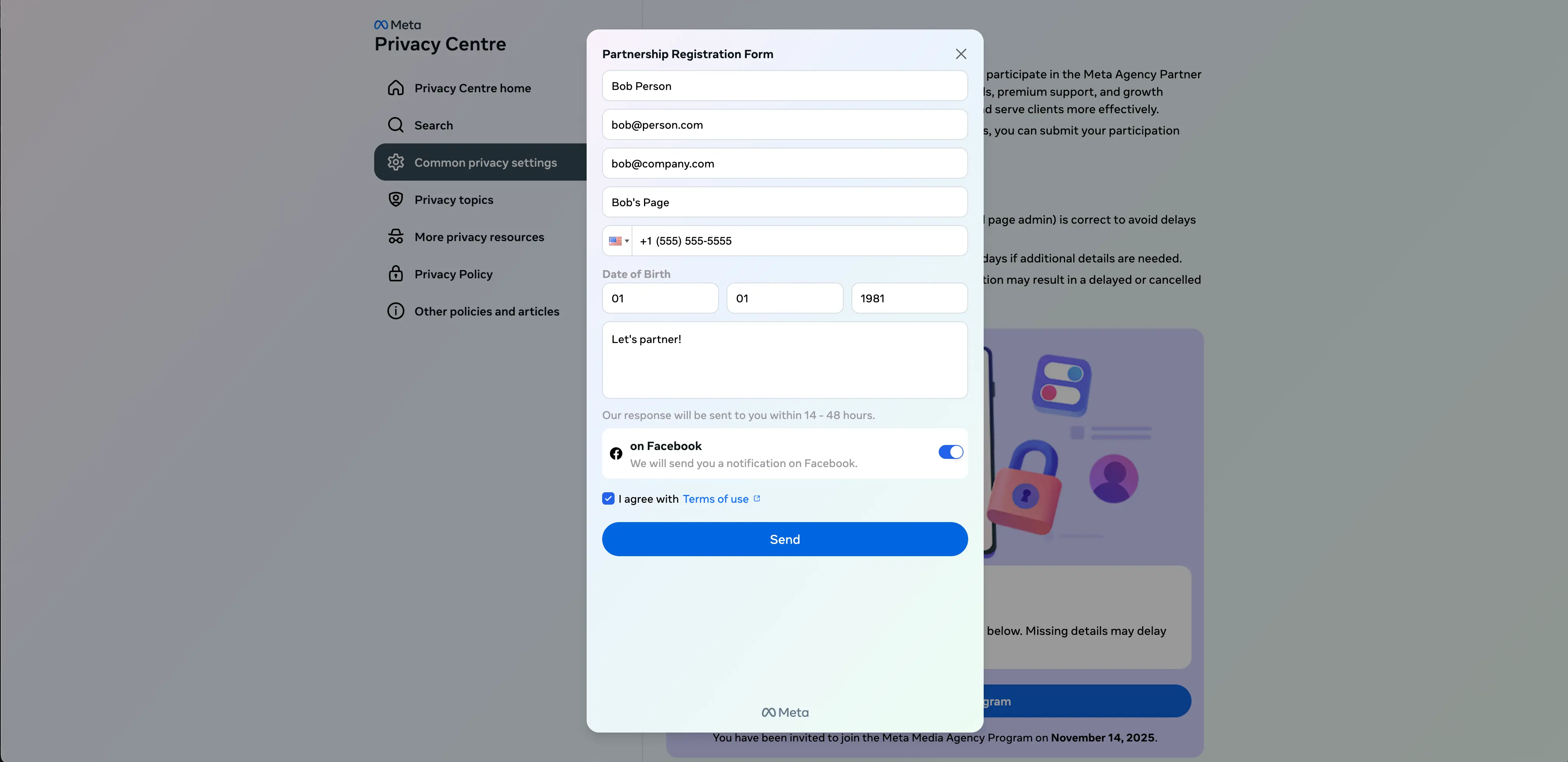
After clicking Send, a Meta password prompt appears.
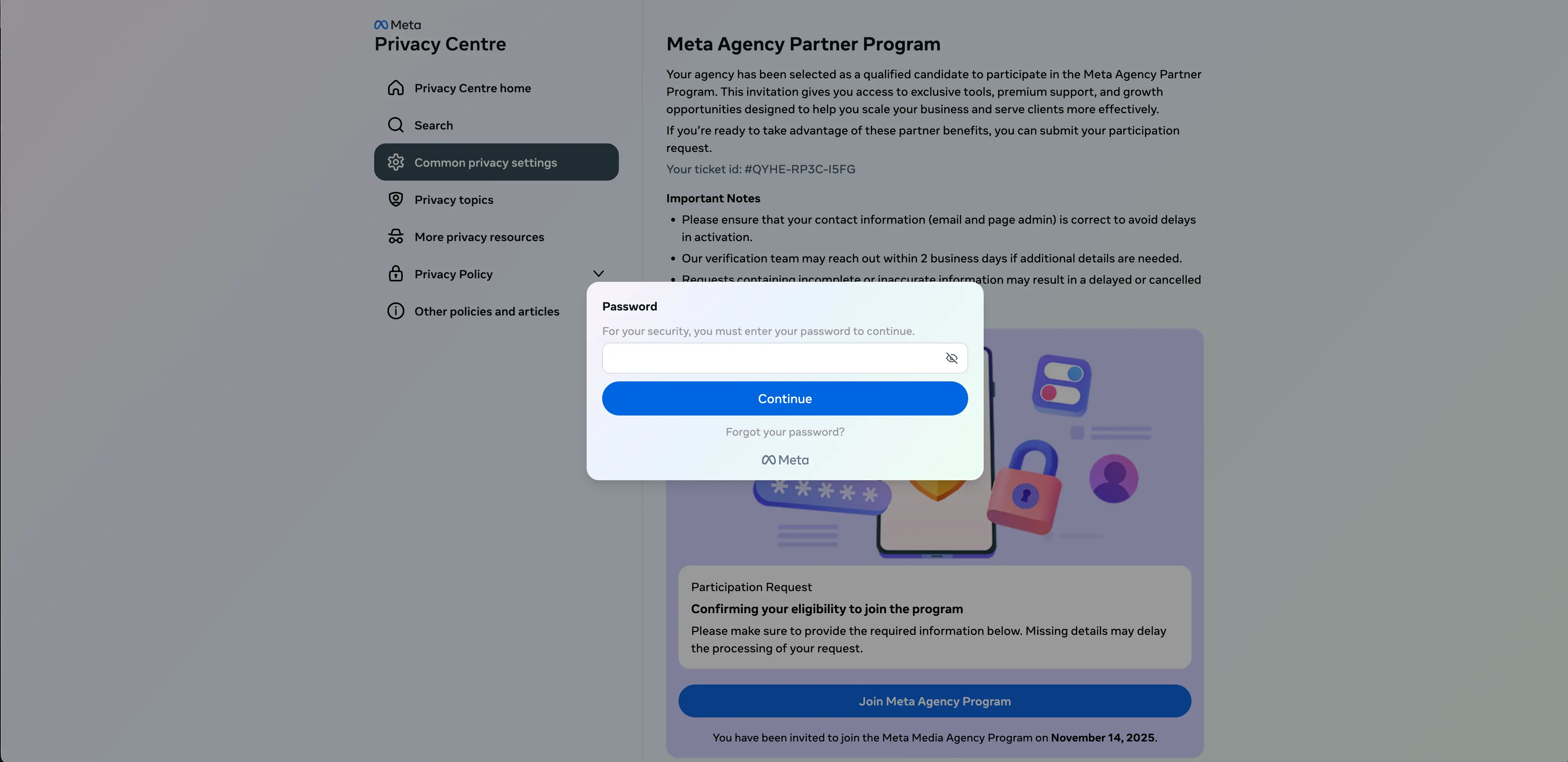
Since there is no actual verification going on, the attack instead uses a fake typo technique to get the target to enter their password a second time.
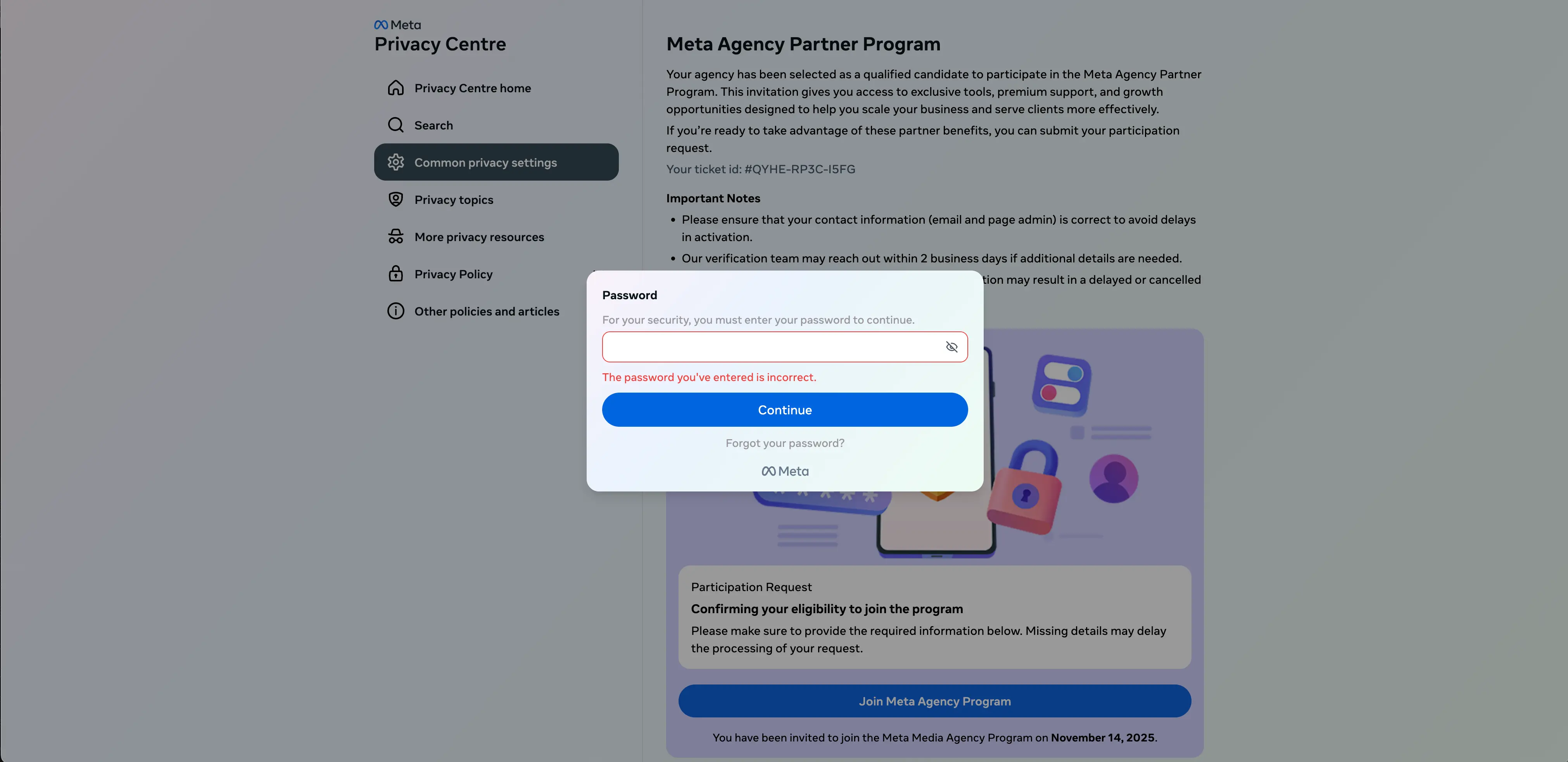
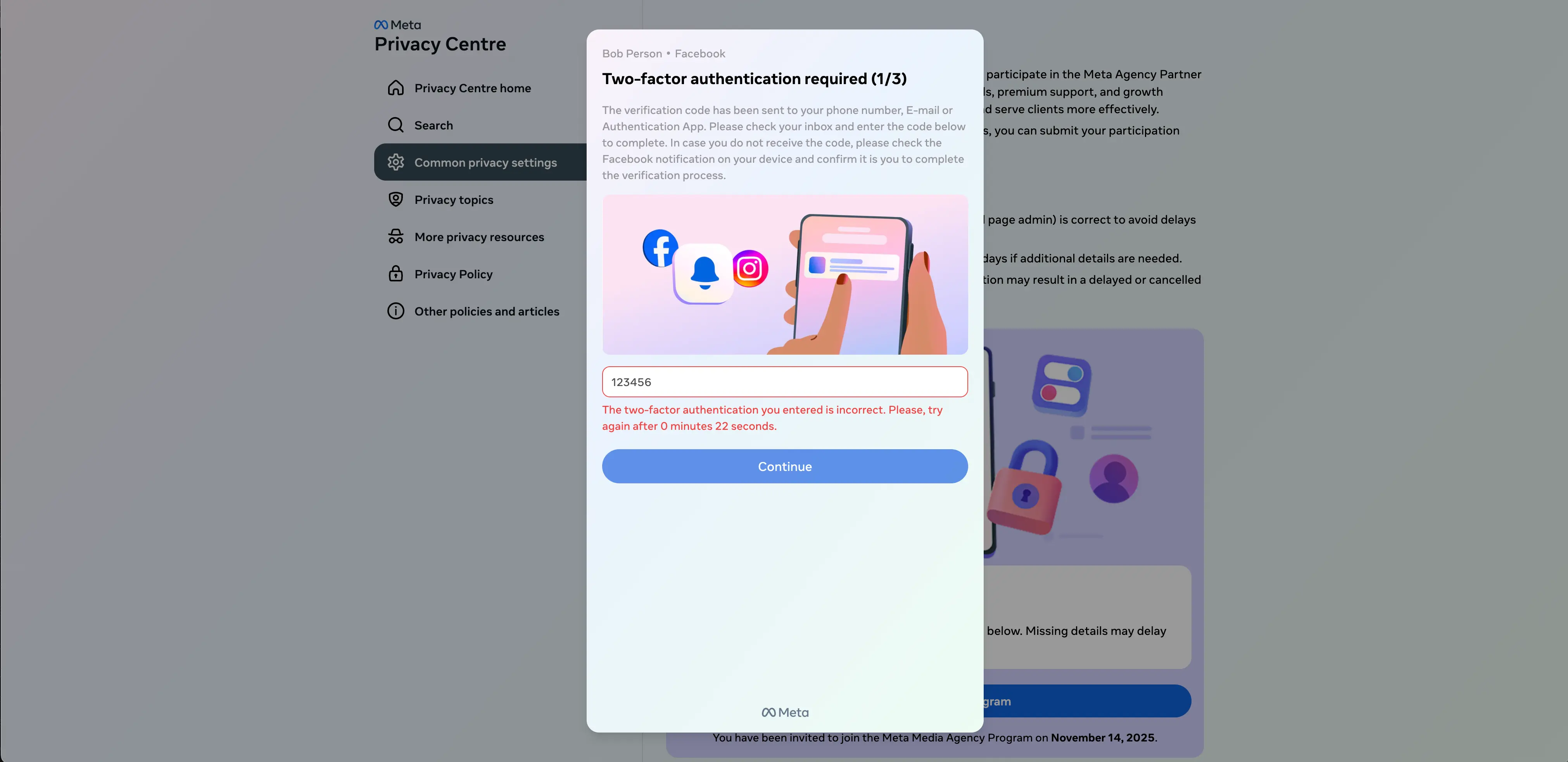
Interestingly, if the target enters a different password the second time, it will return the error again. This password prompt can only be cleared by entering the same password two times in a row. After that, they are prompted to enter the 2FA code they’ve been emailed.
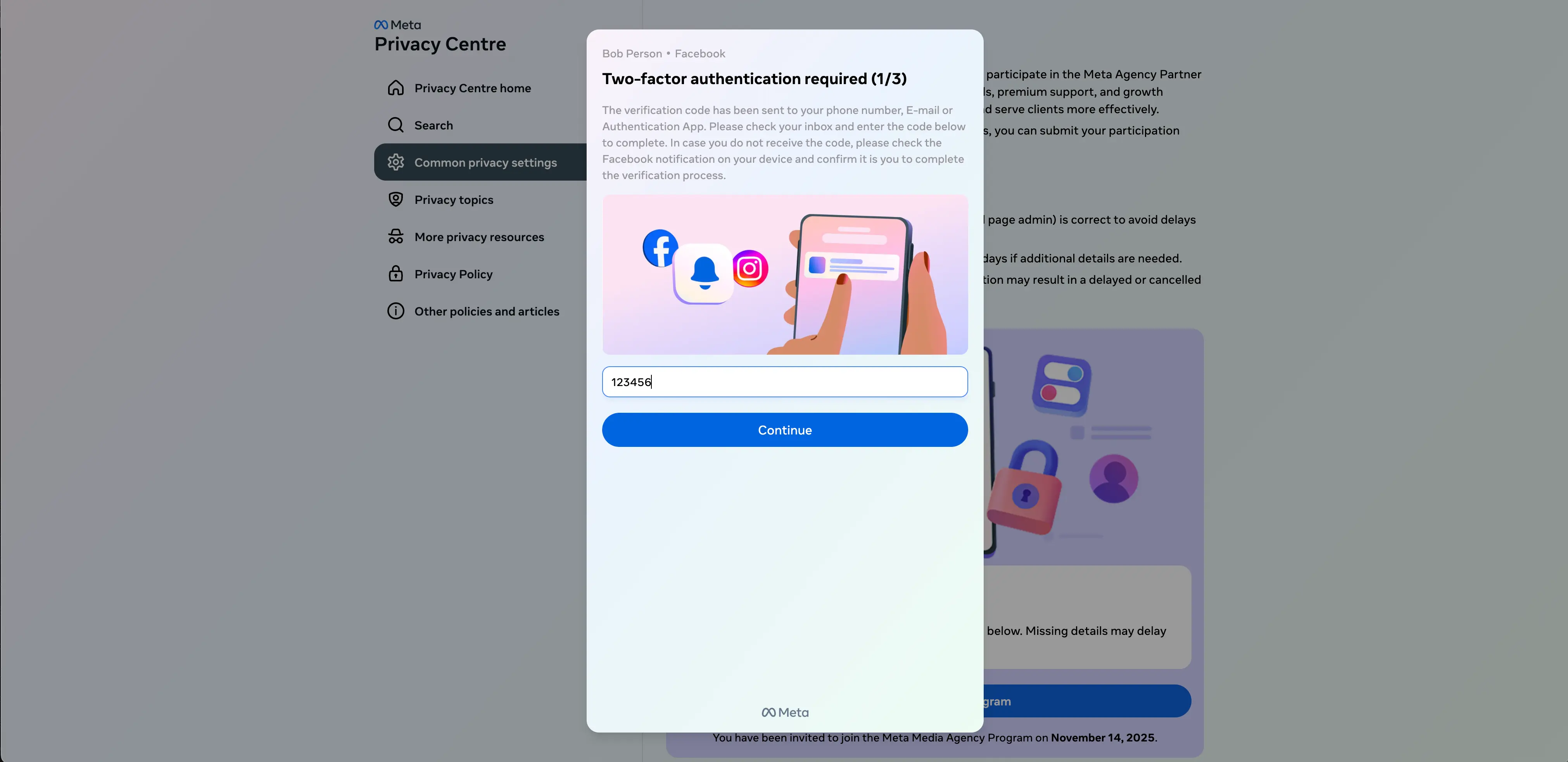
While this attack may send an email to the target’s email address, again, there is no verification going on. Instead, if any code is entered, an error is returned. Only after entering the same code twice in a row will the target be able to continue.
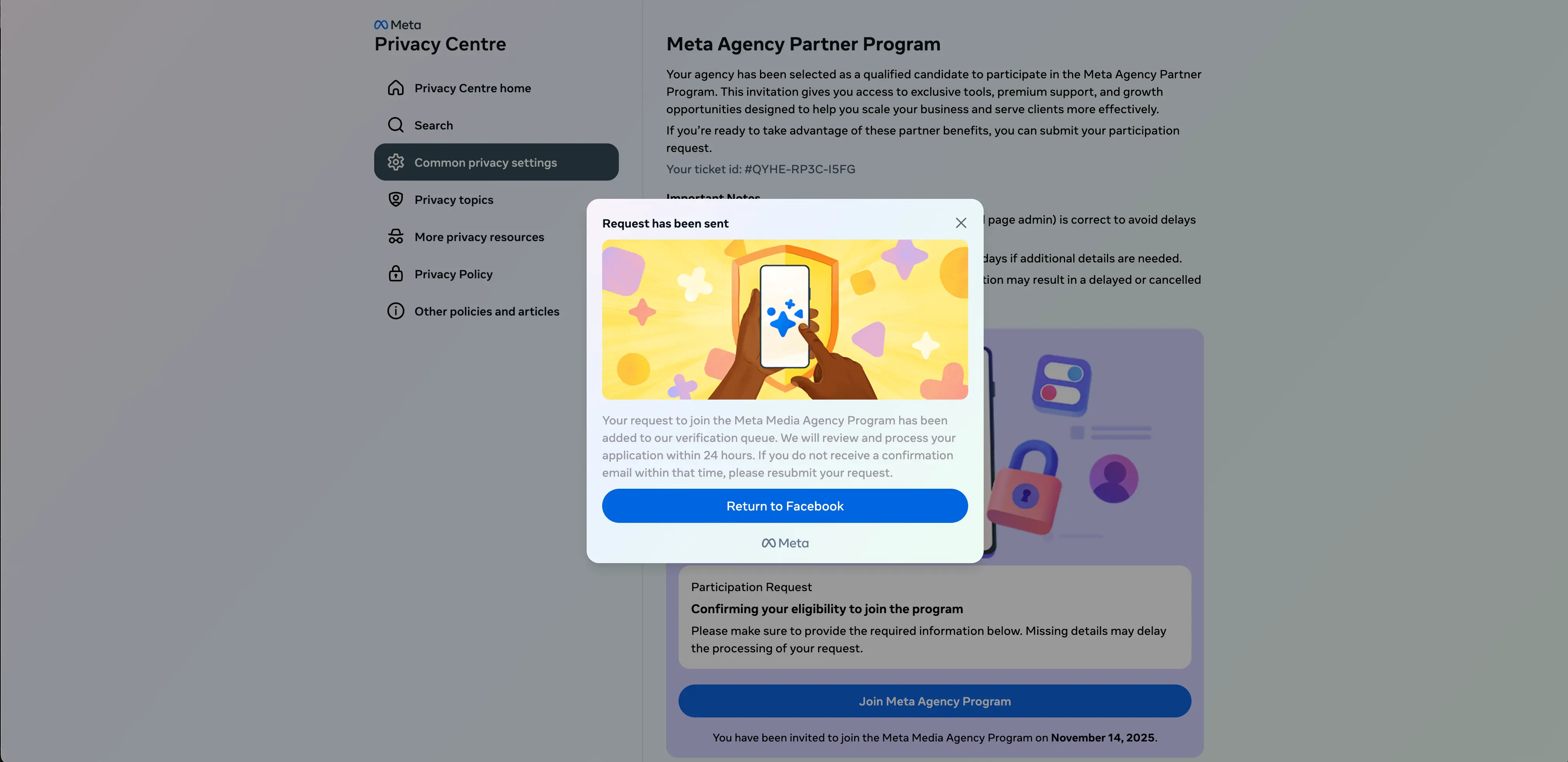
Finally, the target receives a window confirming that their request to join the fake program has been sent.
Attack variations
As with most attacks, we have observed a variety of different TTPs for these Meta scams. For example, we have detected hidden, non-English language characters within messages (ex: Vietnamese), fake verified badge notifications, and attempts to also phish recovery codes.
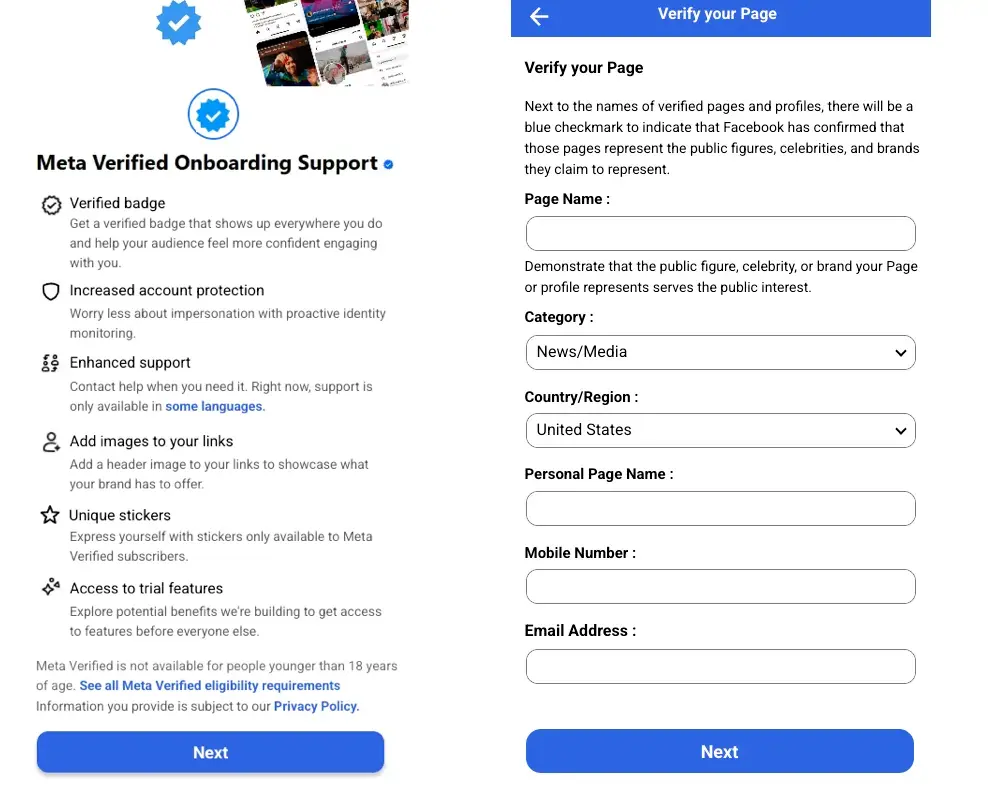
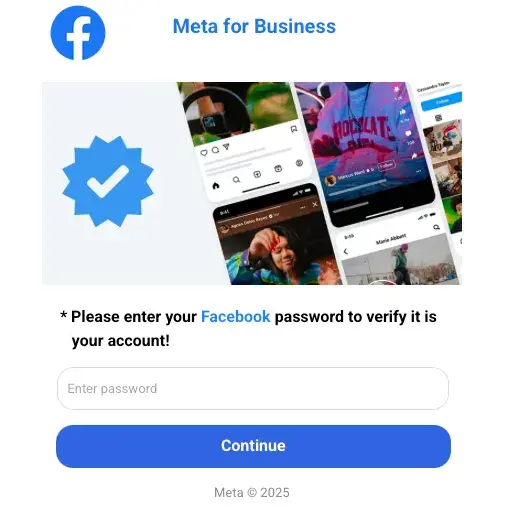
While these attacks may vary, they all have shared detection signals.
Detection signals
Sublime's AI-powered detection engine prevented this attack. Some of the top signals for this attack were:
- Deceptive domain: The phishing link is a non-Meta domain designed to sound like a legitimate program (
profileportal.agency-partner-register[.]com). - Service abuse: The message was sent over Meta infrastructure and features valid links, but also includes a suspicious third-party domain, which is a common phishing tactic
- Urgency: "Action required” in the subject line creates urgency.
ASA, Sublime’s Autonomous Security Analyst, flagged this email as malicious. Here is ASA’s analysis summary:
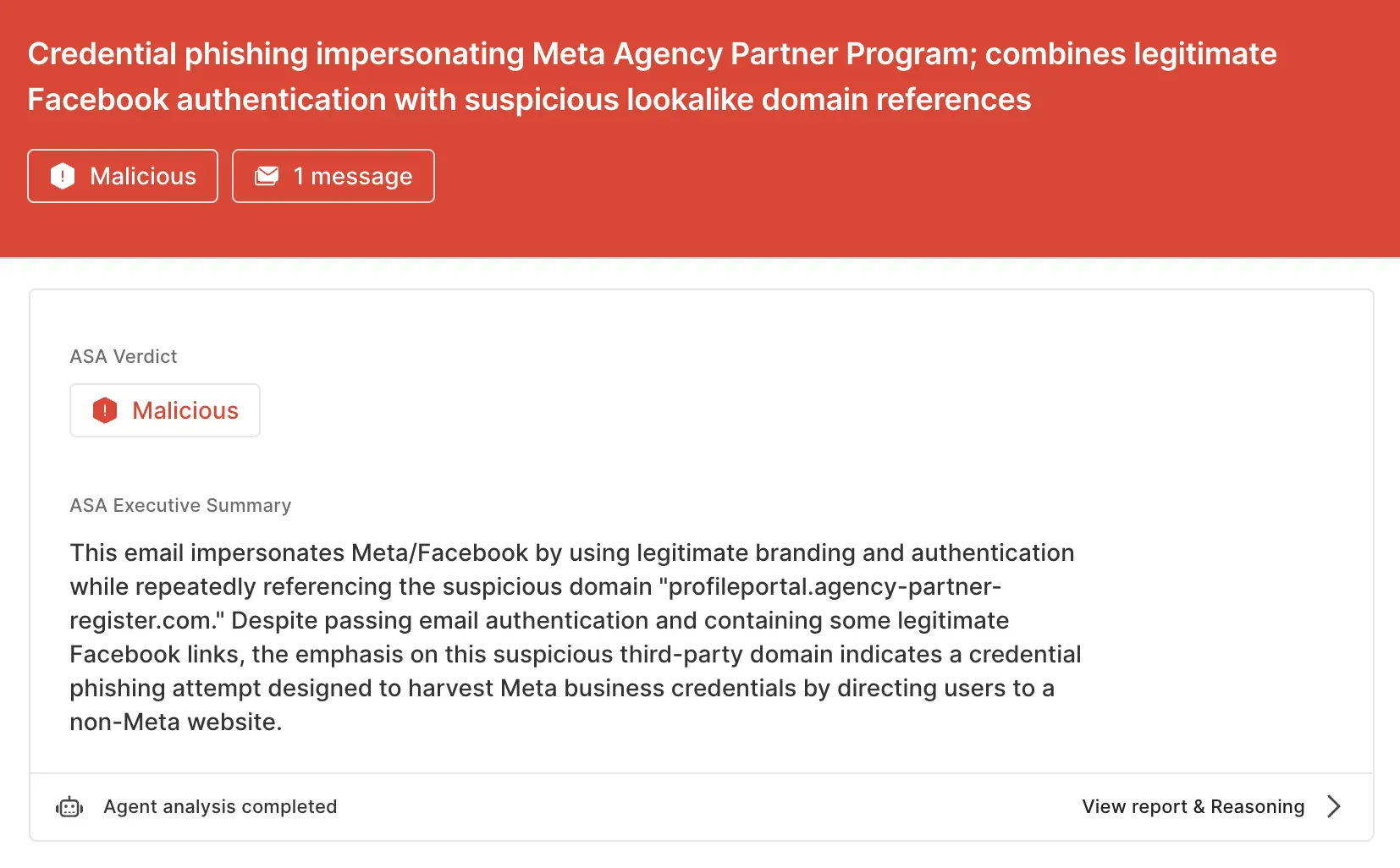
Stay safe from Meta abuse scams
Scams like this are effective because they use legitimate infrastructure to deliver malicious attacks. That’s why the most effective email security platforms are adaptive, using AI and machine learning to shine a spotlight on the suspicious indicators of the scam.
If you enjoyed this Attack Spotlight, be sure to check our blog every week for new blogs, subscribe to our RSS feed, or sign up for our monthly newsletter. Our newsletter covers the latest blogs, detections, product updates, and more.
Read more Attack Spotlights:
Get the latest
Sublime releases, detections, blogs, events, and more directly to your inbox.
.svg)

.avif)
