.svg)

.svg)
.svg)
.png)
.svg)






Sublime’s Attack Spotlight series is designed to keep you informed of the email threat landscape by showing you real, in-the-wild attack samples, describing adversary tactics and techniques, and explaining how they’re detected. Get a live demo to see how Sublime prevents these attacks.
EMAIL PROVIDER: Microsoft 365, Google Workspace
ATTACK TYPE: ICS phishing
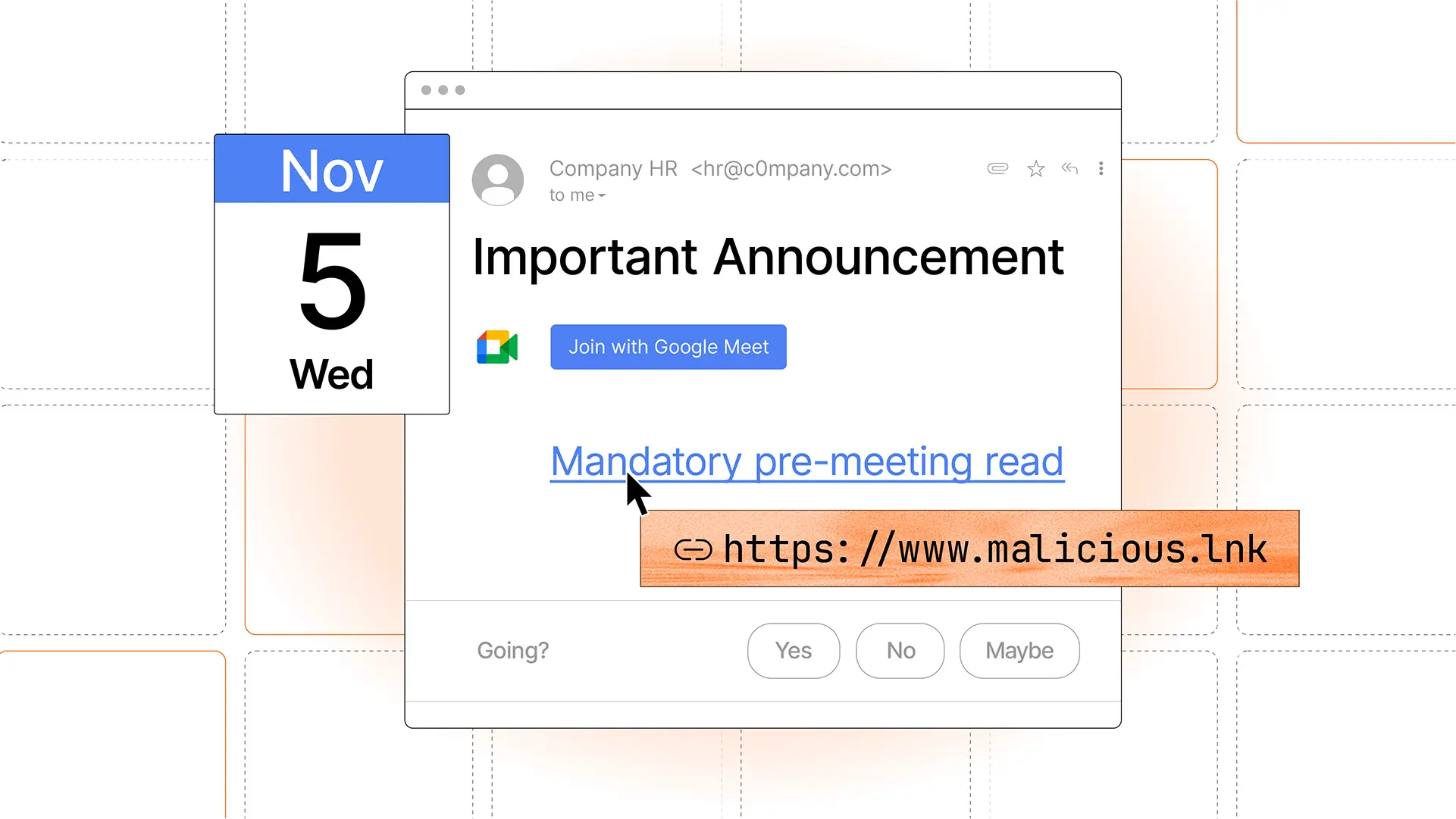
Over the past few weeks, we have observed a significant influx in phishing attacks that leverage calendar invitations (.ics attachments) to evade security solutions. What makes these attacks unique is that, depending on the settings of the target’s calendar, even if the email message is automatically quarantined by an email security solution, the calendar entry often remains on the targets calendar. We call this technique ICS phishing.
To prevent this new type of attack, we’ve released new ICS phishing functionality that removes malicious calendar invites from calendars just like we remove malicious emails from inboxes. More on that later.
How does ICS phishing work?
ICS phishing takes advantage of functionality provided by Google Workspace and Microsoft 365 to automatically add invitations to calendars. In the case of Microsoft 365, it will also bring attachments from the email into the invitation. This gives attackers two payload delivery methods: the email itself and the calendar entry. We’ll look at a few examples below.
What makes ICS phishing more difficult to prevent and remediate?
ICS phishing doubles the chance of attack success by putting both an email in the target’s inbox and a meeting on their calendar. In fact, calendar invites are still created even if the email message gets blocked by a secure email gateway or is sent to the Junk folder by an API email security solution. This creates a security gap, as removal of malicious calendar entries is not a common feature in email security solutions.
How Sublime stops ICS phishing
Sublime now supports automatic deletion of malicious or unwanted calendar events during message remediation. When a message is sent to quarantine, spam, or trash, Sublime will also delete corresponding events from Calendar – no setup required.

ICS phishing examples
We’ll look at a few examples of ICS phishing, one with callback information in the body of the invitation and the others with various attached payloads.
ICS phishing in the body of a calendar entry
This first message shows service abuse of FreeConferenceCall[.]com. In this attack, the threat actor has included specific instructions in the body of the message for the target to not use the legitimate conference call automatically generated by Free Conference Call and instead call the phone number within body message. This is a common technique used to deliver malicious instructions through a trusted service.

What makes this unique is the attached .ics file that was automatically attached by Free Conference Call. The meeting that it automatically puts on the target’s calendar contains all of the exact same phishing information, so even if the message is deleted, the attack continues.

ICS phishing with a QR code in an attachment
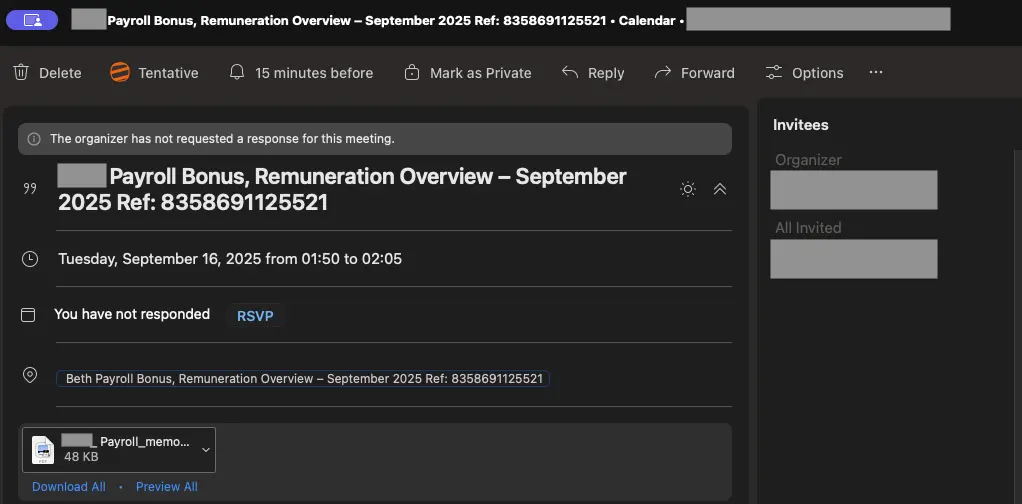
In this next example, the financial-themed attack email contained a meeting invite, an attached PDF, and no body copy. When the meeting was automatically added to the target’s calendar, the PDF was automatically attached.
If the target opens the attached PDF, they are presented with a QR code that leads them to a credential phishing page.
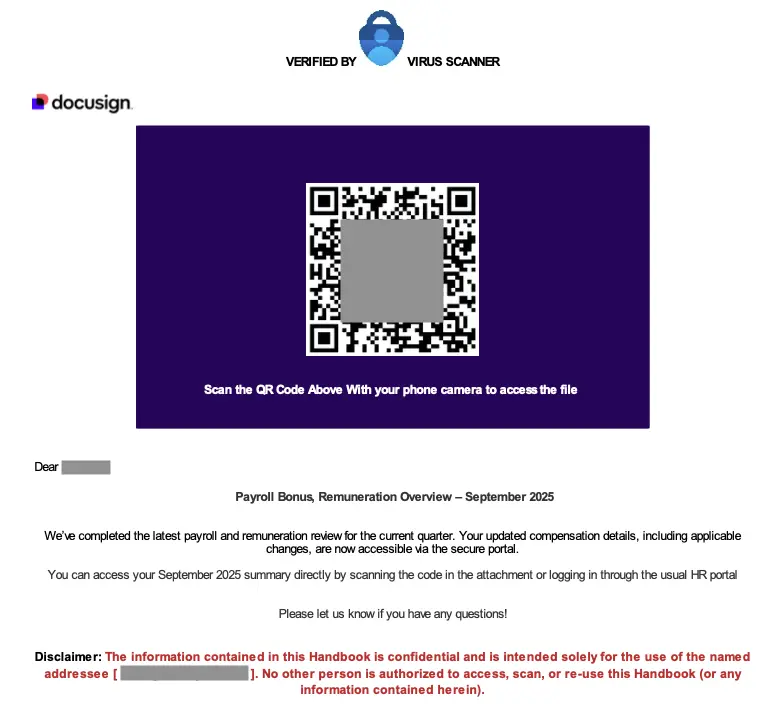
With the exception of the meeting invitation delivery technique, all of the other tactics for evading detection (malicious QR code, Docusign impersonation, etc.) and driving interaction (financial gain, urgency, etc.) are standard for phishing attacks.
ICS phishing with attached HTML
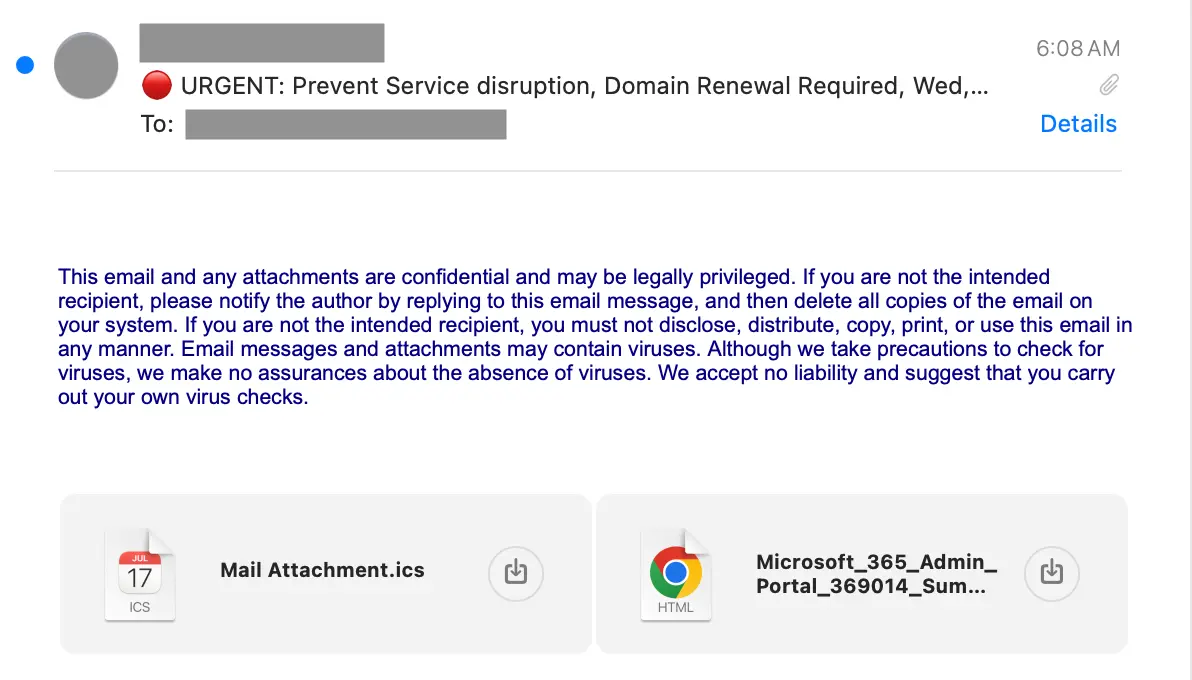
This last example features a malicious attached HTML file that was created with a phishing kit. The attack starts with a mostly empty message that contains a boilerplate confidentiality notice, a meeting invitation, and an attached HTML file. The message lets the target know that a domain they own is about to expire and they need to act urgently to prevent that.
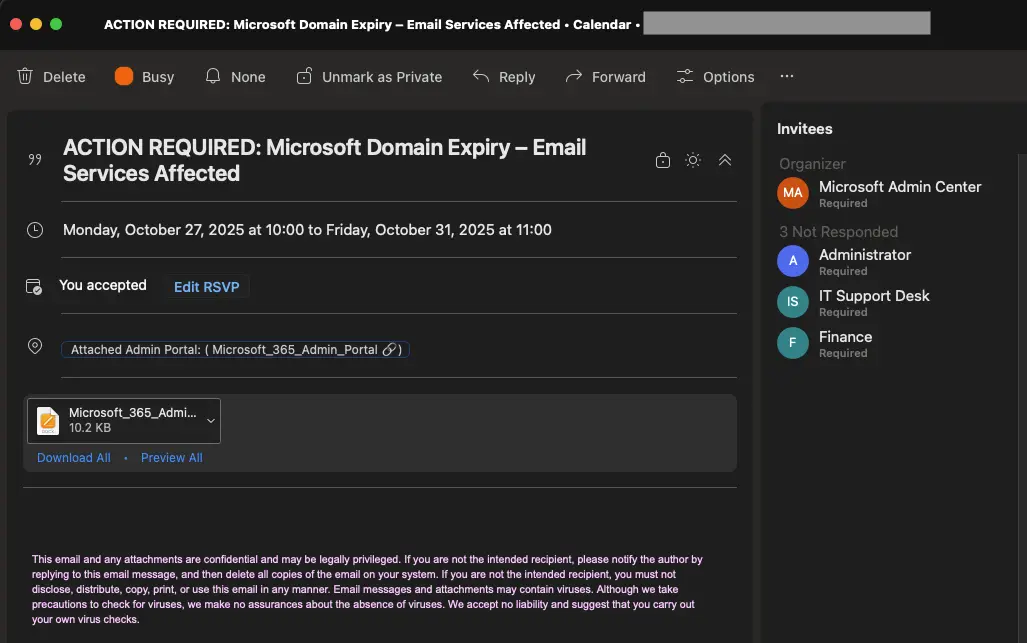
The calendar entry that gets created in this case reinforces the potential impact by spanning the entire week of the outage.

The meeting has the same confidentiality notice and attached HTML file. That file is the malicious credential phishing payload. Interestingly, the meeting also contains fictional additional invitees, Administrator, IT Support Desk, and Finance to increase the sense of urgency.
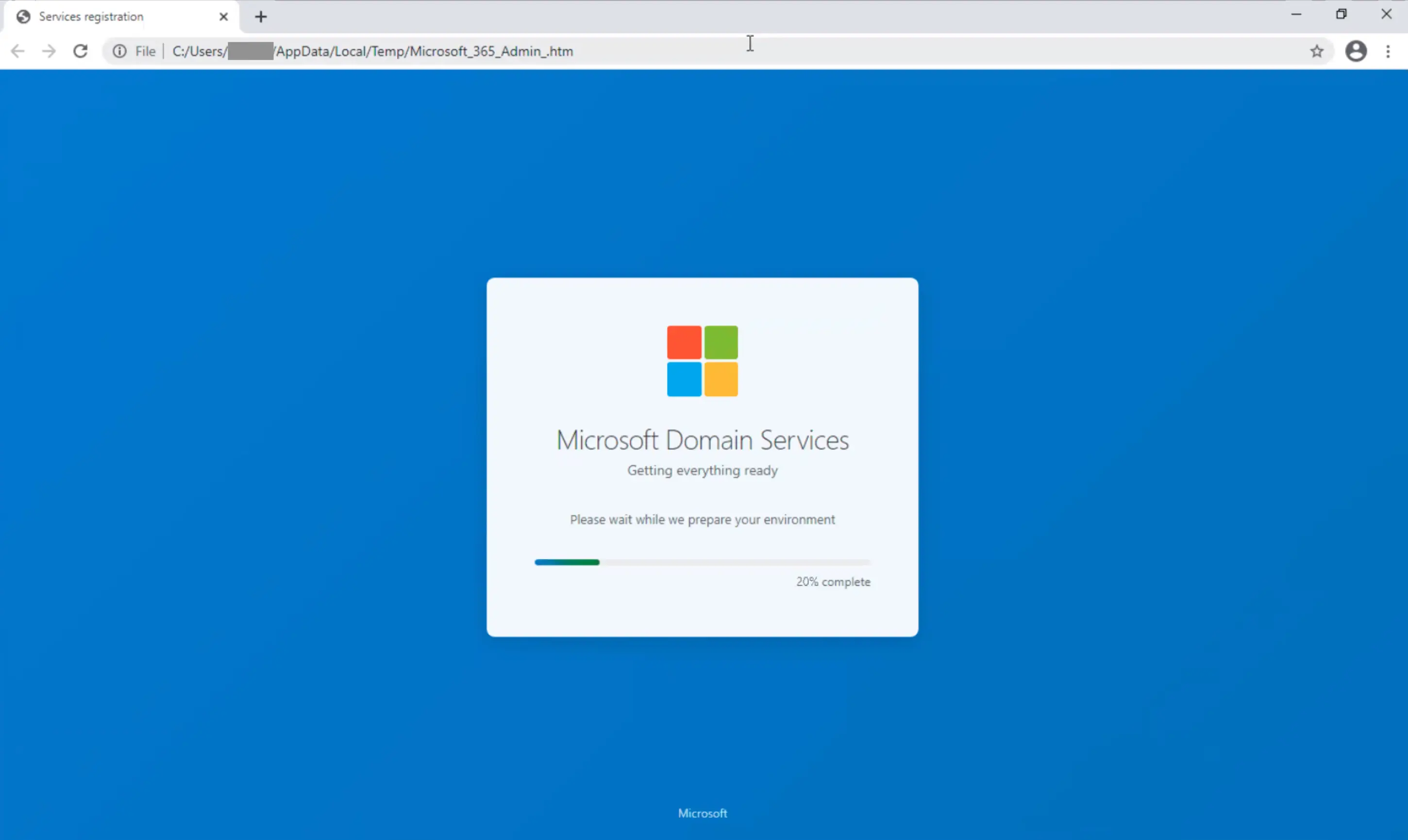
If the target launches the HTML file, they are first taken to a fake Microsoft Domain Services splash page (since this message was about domain expiry). This is the phishing kit in use. It is hosting that page within the target’s /temp directory rather than sending them to a standard phishing site. All of the activity within the page is from JS code within the HTML file.
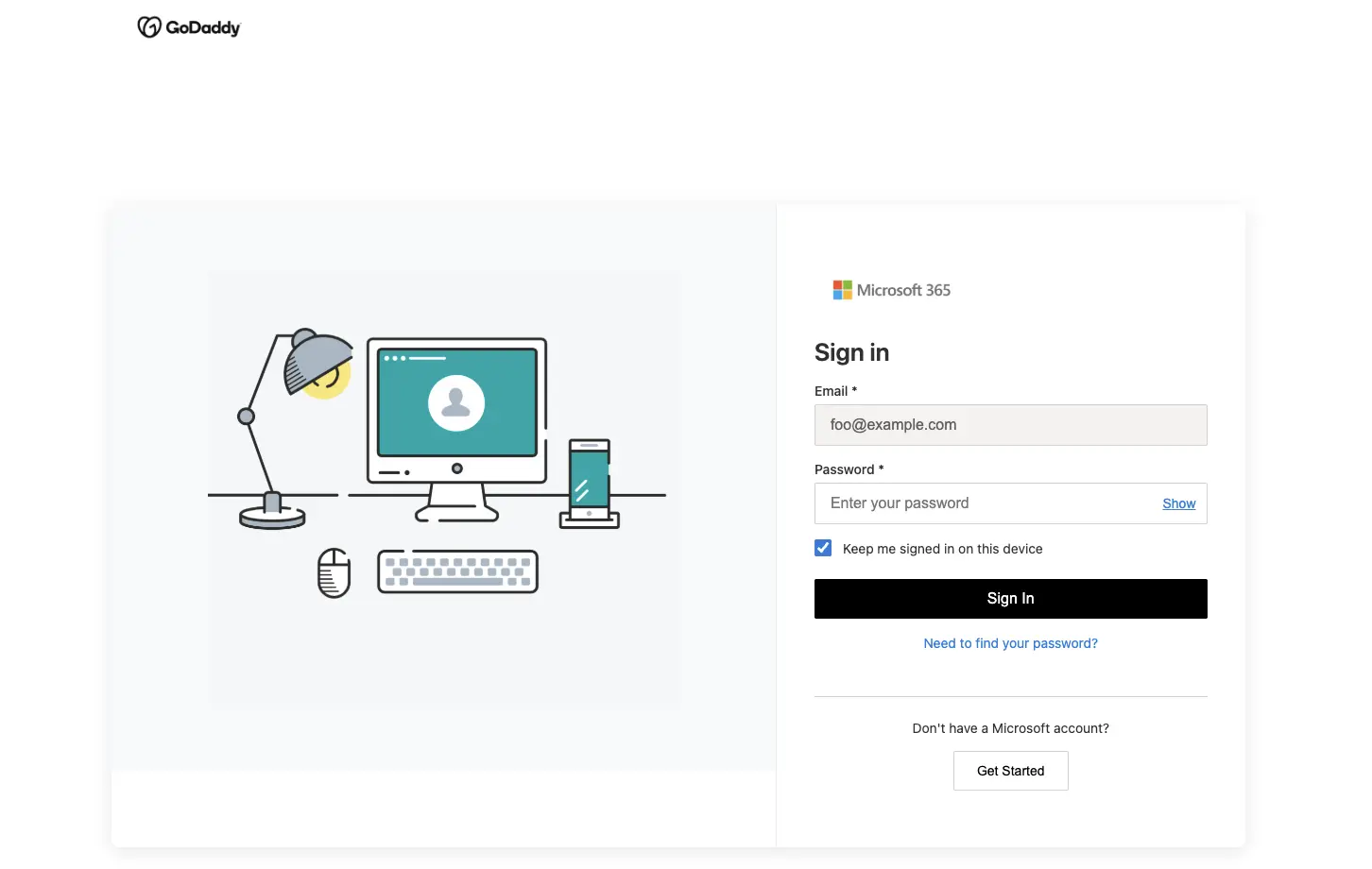
Then they finally land on a credential phishing page that impersonates a Microsoft-powered GoDaddy login page.
Detection signals
Sublime's AI-powered detection engine prevented the above attacks, keeping them out of inboxes and off of calendars. Here are some of the top signals from the attacks:
- Malicious QR code: QR code within attachment points to tinyurl.
- Brand impersonation: Various brands impersonated across attacks (PayPal, Docusign, Microsoft, etc.).
- Suspicious attachments: HTML attachment with excessive 'const' declarations and abnormally long timeouts.
- Manipulative language: Attacks use warning, urgency, and financial incentives to increase engagement.
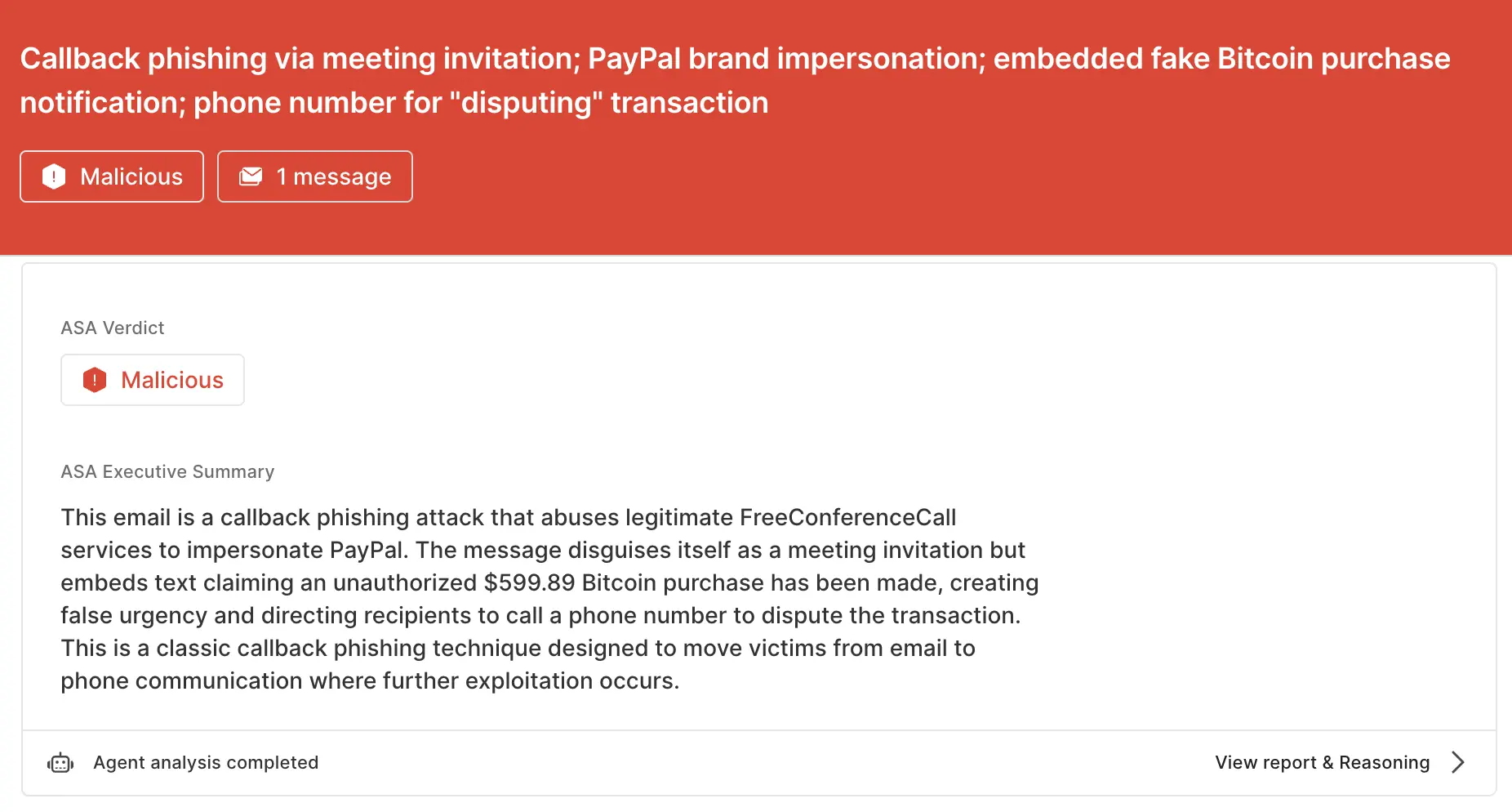
ASA, Sublime’s Autonomous Security Analyst, flagged these emails as malicious. Here is ASA’s analysis summary for the Free Conference Call example:
Tips for securing your Google calendar
Depending on how Google Workspace is configured, attackers may be able to add meetings to calendars without sending an email. To prevent these “silent” invitations, you can change the following org-wide settings. In Google Workspace Admin Console, go to Apps → Google Workspace → Calendar → Advanced settings. Set Add invitations to my calendar to “Invitations from known senders” or “Invitations users have responded to via email”.
As of publication, we have not verified a similar mitigation strategy for Microsoft 365.
Keep ICS phishing off your calendar
ICS phishing is novel and on the rise – and it presents a unique challenge to email security solutions due to its two-pronged approach. To see how Sublime can keep these attacks out of your inboxes and off of calendars, get an expert demo today. To hear more about ICS phishing, listen to Sublime CEO and Co-Founder Josh Kamdjou's appearance on the Risky Business News Podcast.
If you enjoyed this Attack Spotlight, be sure to check our blog every week for new blogs, subscribe to our RSS feed, or sign up for our monthly newsletter. Our newsletter covers the latest blogs, detections, product updates, and more.
Read more Attack Spotlights:
Get the latest
Sublime releases, detections, blogs, events, and more directly to your inbox.
.svg)
.png)
.png)
.png)