

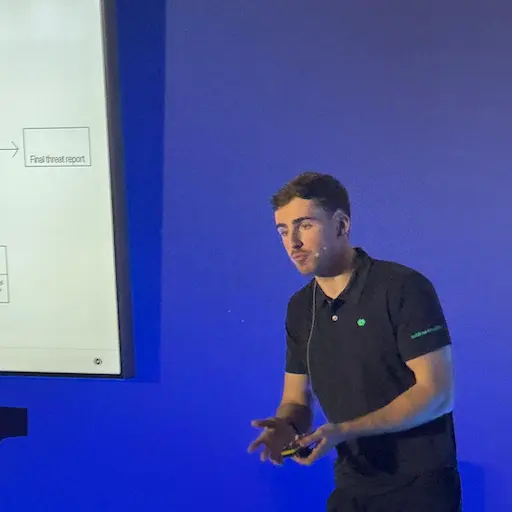
What a week. RSAC 2026 did not disappoint!
It was my first RSAC, and the sheer scale of the event was mind boggling. While 20+ hour trips are not usually my thing, the conversations I had (and those I eavesdropped on) at the Sublime booth made it all worth it. It was also nice to get so many compliments for my British “accent” (I don’t hear it, personally).
My booth mates and I were happy to answer tons of “what’s Sublime?” and “why Sublime?” questions (ones I used to have myself), but my favourites were the ones where I could get nerdy. As a former Support Engineer turned Solutions Engineer, I always crave going into detail. 🤓
But even with the wide range of people, backgrounds, and companies, there were some common questions that kept popping up. Since you might have the same questions, we’ve turned our booth “hot takes” into blog “best takes” for those that couldn’t attend. Here we go…
How are you different from your competitors?
You’ll get a more thorough answer if you ask during a demo, but we’ll go through the biggest difference here: organisation-specific coverage.
With other email security solutions, you share the same coverage (AI model or ruleset) with every other customer. This one-size-fits-all approach is great for catching the majority of attacks, but leaves gaps when it comes to the specific threats targeting your organisation. This means that your edge cases may never get proper coverage, allowing for missed attacks and false positives that can have a big impact on your brand, bottom line, and security team.
With Sublime, our customers have organisation-specific coverage via a Distributed Detection Model (DDM). Every deployment starts with its own copy of our core coverage, but from the very first email, the deployment customises itself for your organisation. Our machine learning models learn what’s normal and outlier for your org and its individuals, and our AI agents detect novel threats and generate custom coverage that’s specific to you. This means that gaps are closed autonomously – no vendor tickets, no wait times, no denied requests.
Does Sublime stop a malicious email before it hits my inbox?
There are a few ways to answer this one. By default, Sublime is API-based email security which means that an email will hit an inbox for a few milliseconds before Sublime processes it. From a human perspective, this is fast enough that you cannot tell it technically hit the inbox first. API-based security is a modern approach that allows for post-delivery remediation (meaning you can threat hunt and remediate novel threats right out of inboxes) and there is no need for an MX update.
Additionally, Sublime also offers an inline deployment that processes all messages prior to inbox delivery. This deployment offers the same features and efficacy, it just processes first using transport rules (Microsoft 365) or routing rules (Google Workspace) – still no MX update needed.
How does Sublime use AI?
Sublime builds all of its AI agents with customer data safety as a forethought. We’re going to be putting out a blog specific to this in the next few weeks, so come back for a more thorough response then (follow us on LinkedIn and/or X to see it in your feed, or subscribe to our blog RSS feed.)
The other way we use it is to dramatically reduce workload on security practitioners. We currently offer two AI agents to autonomously manage most email security:
- ASA (Autonomous Security Analyst): AI agent that remediates suspicious and user-reported messages. On average, this agent removes ~99% of the messages a security analyst would need to review (of which most are benign, generally).
- ADÉ (Autonomous Detection Engineer): AI agent that creates coverage for novel threats discovered by ASA. This agent takes ASA results for novel attacks and closes the gap they snuck in through. Security teams can run ADÉ as fully autonomous or have it present it coverage recommendations to a human for review and approval.
Aside from AI agents, machine learning is a core component of our Attack Score model and enrichment functions, such as natural language understanding, computer vision, link analysis, topic modelling, intent classification, and more.
Do I have to learn a new language or write rules?
No. ADÉ will generate all the detections you need. It can even be set to operate autonomously within thresholds to close coverage gaps.
With that said, if you’re a detection engineer that really wants to write your own custom detections, we offer a full detection engineering workbench with a VS Code-style editor (with autocomplete) and backtesting functionality. But even in these cases, you’ll likely start with an existing detection as your base and modify the detection logic as needed. On top of that, we have a Sublime Slack workspace where you can collaborate with our team and the broader community on detection ideas.
Is Sublime for individuals or enterprises?
While the free version of Sublime is great for individuals and small businesses that want a view of their email risk posture, the full Enterprise platform is designed for orgs that want to dramatically decrease their mean time to resolution (MTTR) while reducing work for their Security team. Here are some Enterprise features:
- ASA & ADÉ: See the How does Sublime use AI? section above for details on these agents.
- Automations: Detecting attacks is great. Automating workflows to remediate them is better. Configure automatic handling and alerting to reduce work for Security teams.
- Automated abuse mailbox: ASA autonomously analyses and triages the messages that users report as suspicious.
- Enhanced reporting: Get a bird’s-eye view and then drill down as deep as you want.
- Email bomb protection: Shut down the DDoS of email.
- SOAR/SIEM integrations: Make email a part of your overall security ecosystem.
- Inline security: If your org prefers inline security over API-based security.
- Email DLP: Protect your org by preventing data loss at the outbox.
These features (and more that aren’t listed) are designed for enterprises and businesses that are serious about email security.
Can I try Sublime for free?
Absolutely. There are two different ways and both are available from our Get Started page:
- Start a free account and use it as long as you want. We call this the Core plan while you can secure up to 100 mailboxes, you’ll have access to a smaller set of features. This plan is great for getting a deeper look at the risks you're facing via email and shutting them down across mailboxes – without the hassle and brittleness of manually configured email filters. To see all the features, you can start an Enterprise trial by booking a live demo.
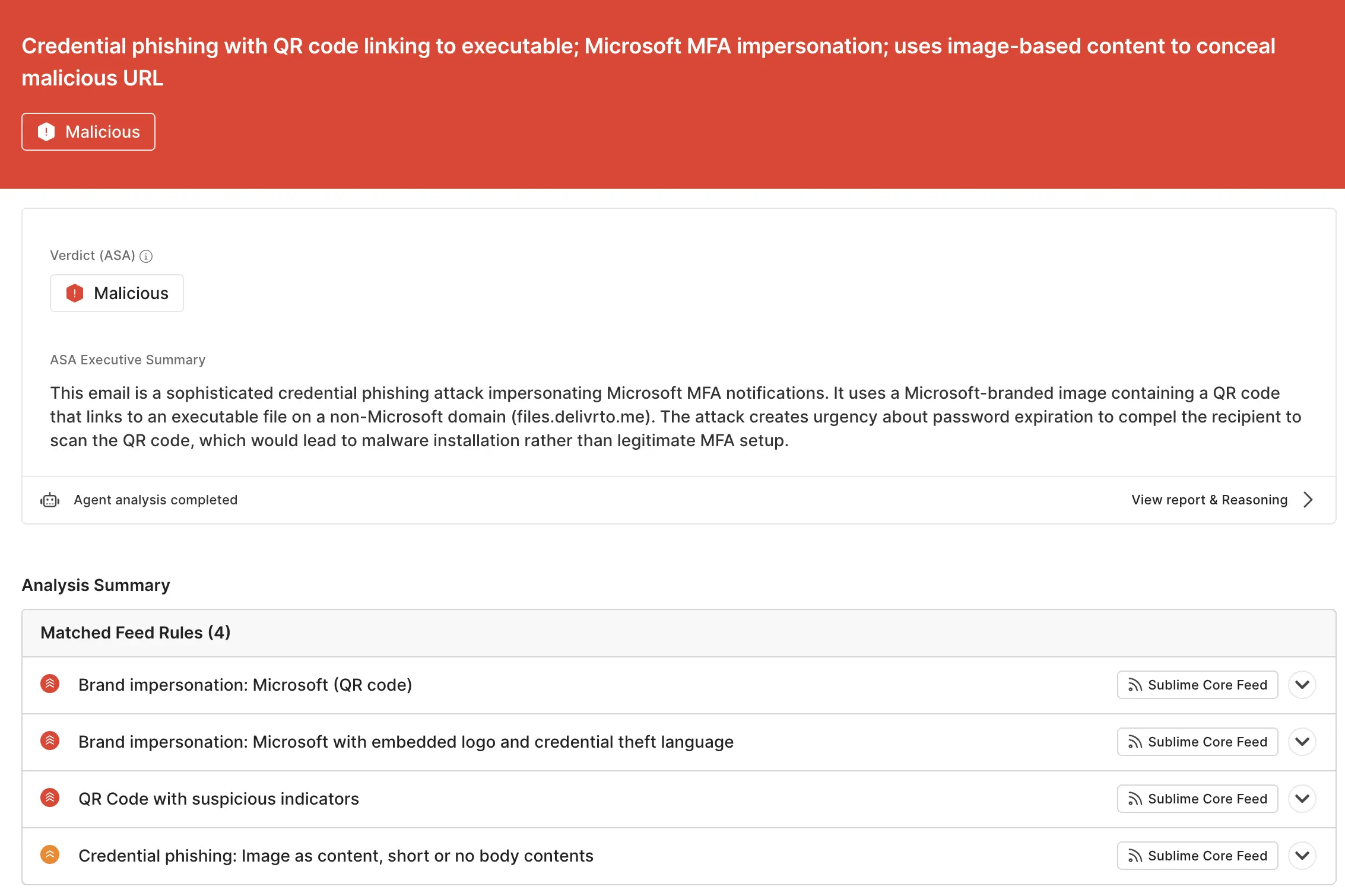
- Use our EML Analyzer to scan individual .eml files. This unauthenticated tool lets you run .eml files through Sublime for free. An authenticated version of EML Analyzer is also available within your free plan, allowing Sublime to include historical context for more thorough analysis. Here’s what the output from EML Analyzer looks like:
See you at the next
Sublime will be attending a lot of events this year, so check out our Events page to see when we’ll be where you are. Our booth is always staffed with knowledgable people, so bring your toughest questions about email security, and we’ll be happy to answer. If you attend an event in the London area, find me at the booth and let me know that you made it to the end of this blog!
Have questions and not heading to an event? Book a live demo and bring the toughest you’ve got. Trust me, we've heard it before 😀
Get the latest
Sublime releases, detections, blogs, events, and more directly to your inbox.
.svg)

.avif)
