

.svg)
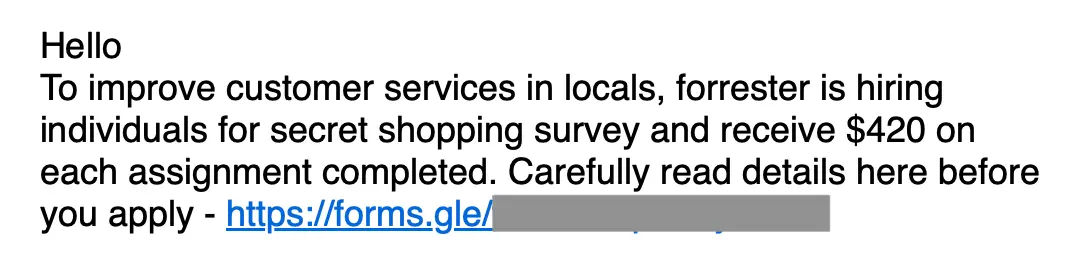
One of the cool things about threat hunting with Sublime is that sometimes you find threats you weren’t even looking for. We’d recently seen an uptick in Living off Trusted Services (LOTS) attacks abusing GoDaddy infrastructure, so we’ve been running hunts to find the different signals/TTPs that are indicative of this abuse. The hunts uncovered a wide variety of attacks, including phishing, extortion, and more. For example, here’s a callback phishing message sent via GoDaddy abuse:
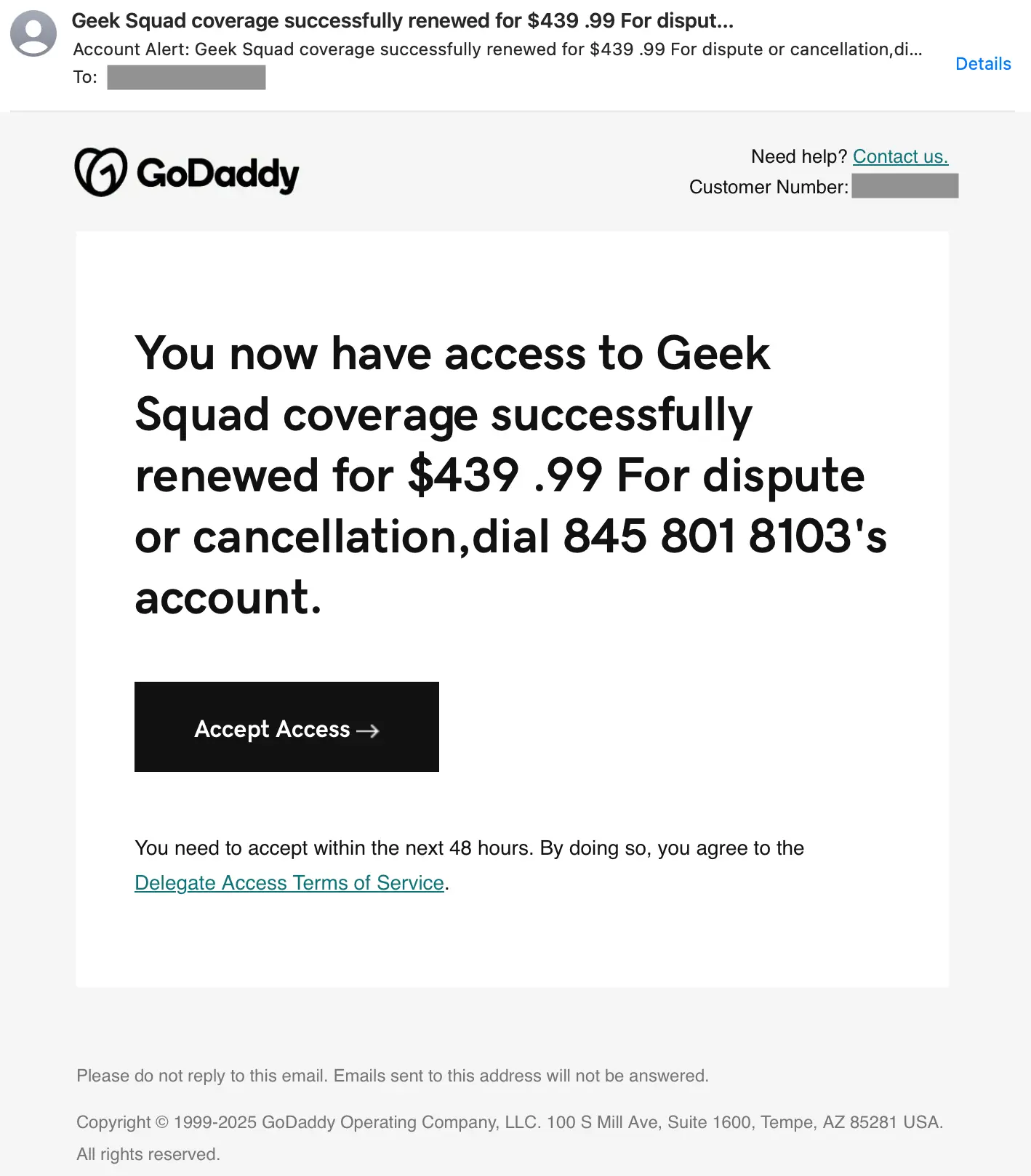
This is a textbook Geek Squad impersonation scam featuring a callback number in the body. Both the price and phone number use spacing as an evasion tactic and the number includes an apostrophe which may indicate the field it was filled into was meant for a name. These are all standard callback phishing signals.
During one of these hunts, we came across a message that was an impersonation rather than abuse. In this case, it was a malicious SVG credential phishing attack disguised as a voicemail.
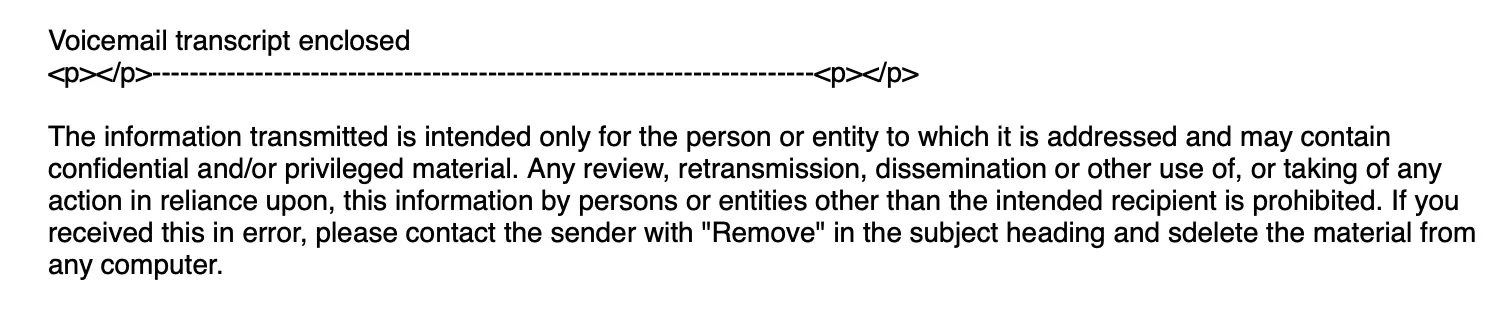
But while it the sender address was from a godaddy[.]com address, the message failed both SPF and DMARC authentication, meaning it was a spoof. Looking at the header information of the message, we could see that the message was sent from 192.3.183.94. You would not believe our surprise when a WHOIS lookup indicated that IP belonged to… HostPapa.
We had not previously heard of this Canadian web hosting service (and I’m Canadian) that has a name suspiciously similar to GoDaddy, but it made us curious to see how rampant this sort of abuse was. It also gave this detection engineer a chuckle.
Our HostPapa hunt turned up some surprising results. As expected, we didn’t see abuse at the level we see in major service providers (X, Microsoft, etc.), but interestingly, we observed an unexpectedly high level of variety across the attacks Sublime detected. Let’s look at a few.
Credential theft with HTML evasion
In this first example, we see a standard benefits scam (popular at the end of the year) that leads to a credential phishing site. This one utilizes an interesting evasion tactic, though.
For starters, the Review & Sign button is not linked, making it unclickable. This leads the recipient to follow the “If this button doesn’t work…” instructions under the button. But why “copy and paste” and not “click”?
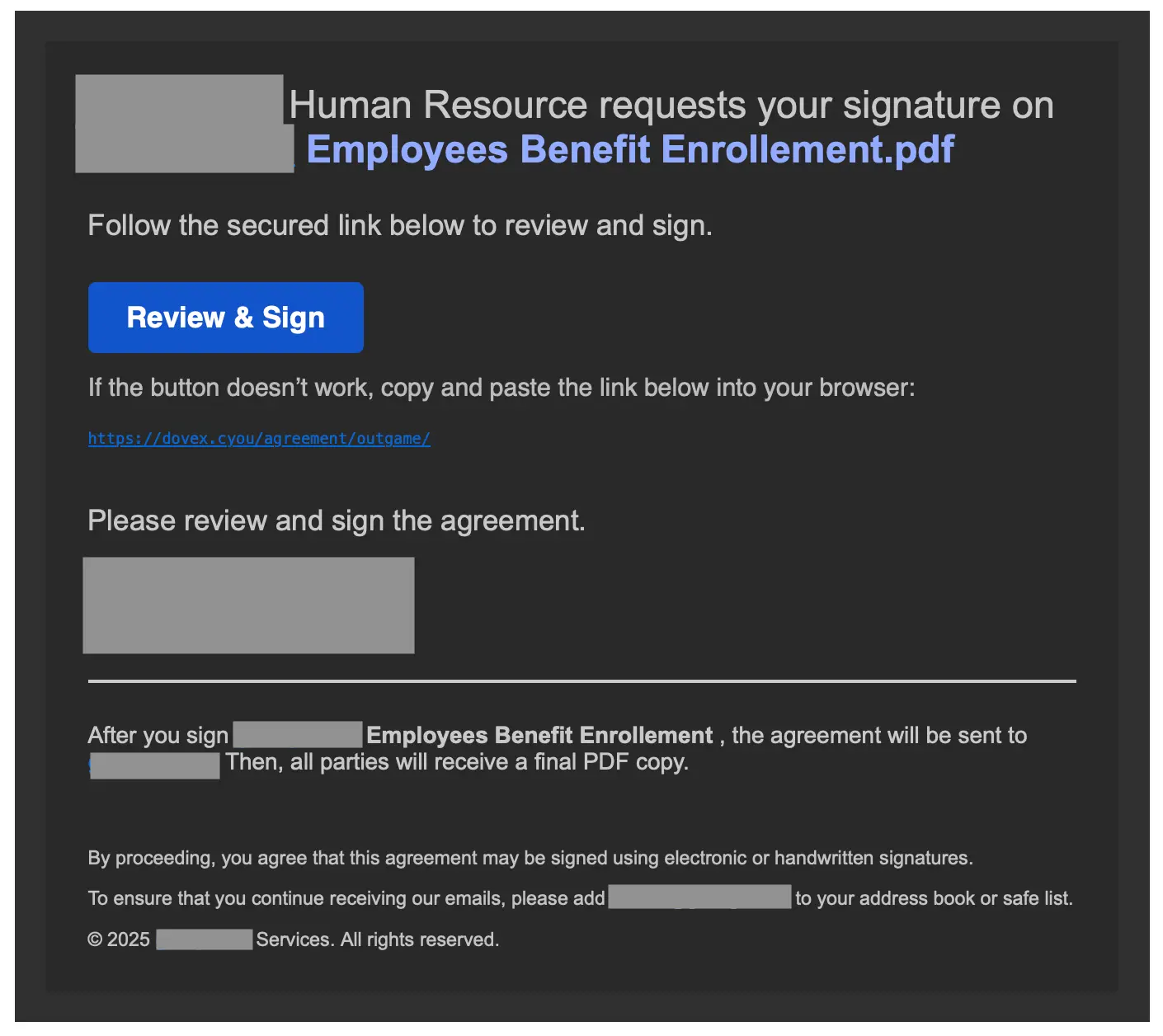
While that address looks like a hyperlink, it’s not. It’s a series of <span> elements formatted and combined to look like a link.
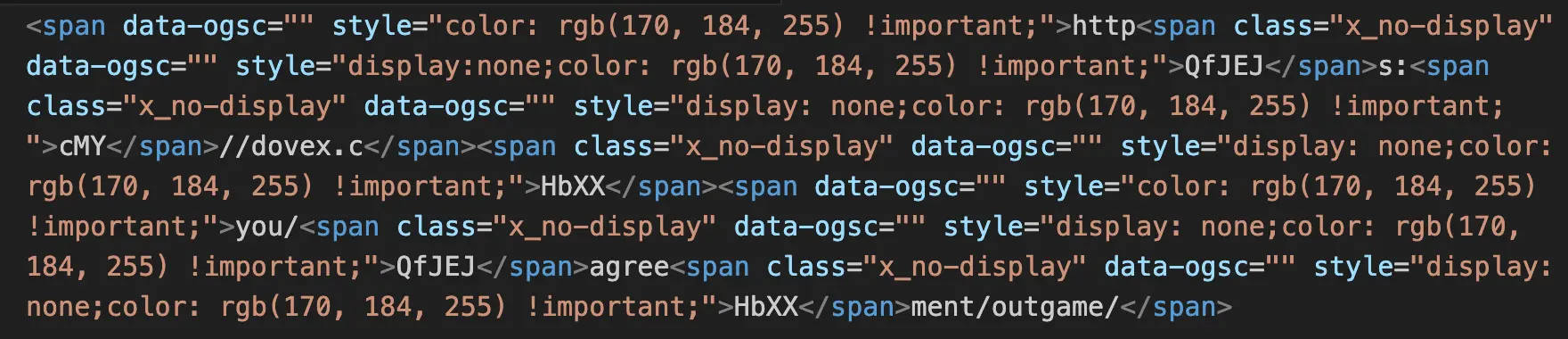
This is a nifty evasion tactic used to evade traditional body scanners that are looking for malicious URLs. This is also just one more reason why Sublime takes a snapshot of every message and performs OCR analysis of the image. So while the HTML of the message was well-obfuscated, Sublime still saw https://dovex[.]cyou/agreement/outgame/.
Personal data harvesting + financial scam with a Google Form
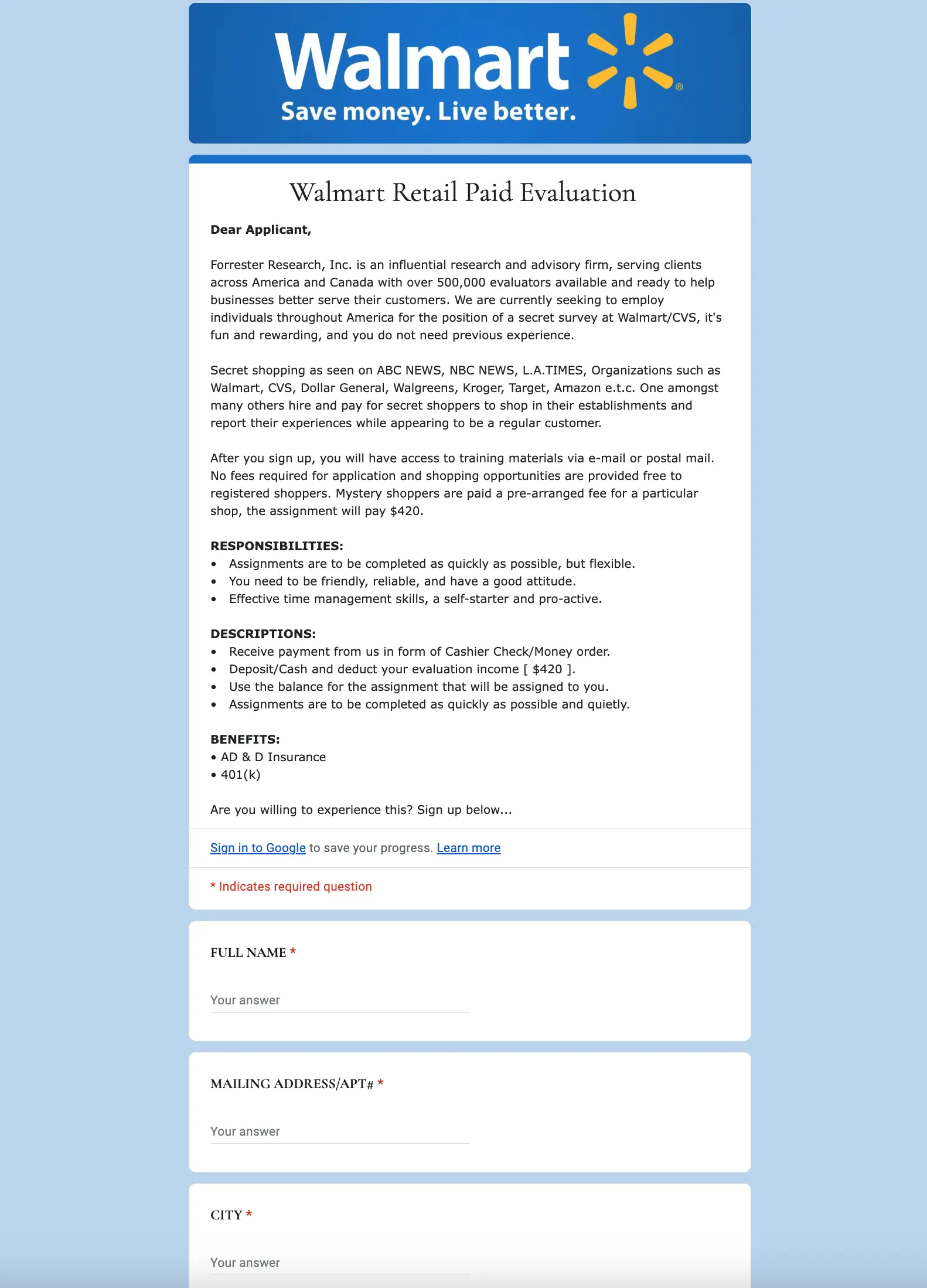
Up next is a completely different type of attack. This one doesn’t bother with any interesting evasions, opting instead for financial incentives ($420 is always a scam).
After clicking on that Google Form link, the target is taken to a spoofed Forrester “secret shopping” form for Walmart. This form asks for a lot of personal information and opens the door for a serious financial scam.
Unique CAPTCHA for AITM phishing
This one is a real “kitchen sink” attack. First, the sender’s email address:
Why is it so long? Based on the pipe delimiters (|), it looks like the attack script botched regex-formatted data used by the threat actor. Both it_service and infodonotreply are standard impersonations, while department should probably have a prefix appended programmatically (if the script worked). The full Zoom link contains an ICS token (calendar invite), which likely was intended as an attached invite, not a sender address. In other emails from this same threat actor we noticed other values here, showing that their attacks do vary between victims.
The message also includes a long fake thread that is wildly off-topic from the current thread, which makes sense since it was lifted from an entirely different company than the target’s.
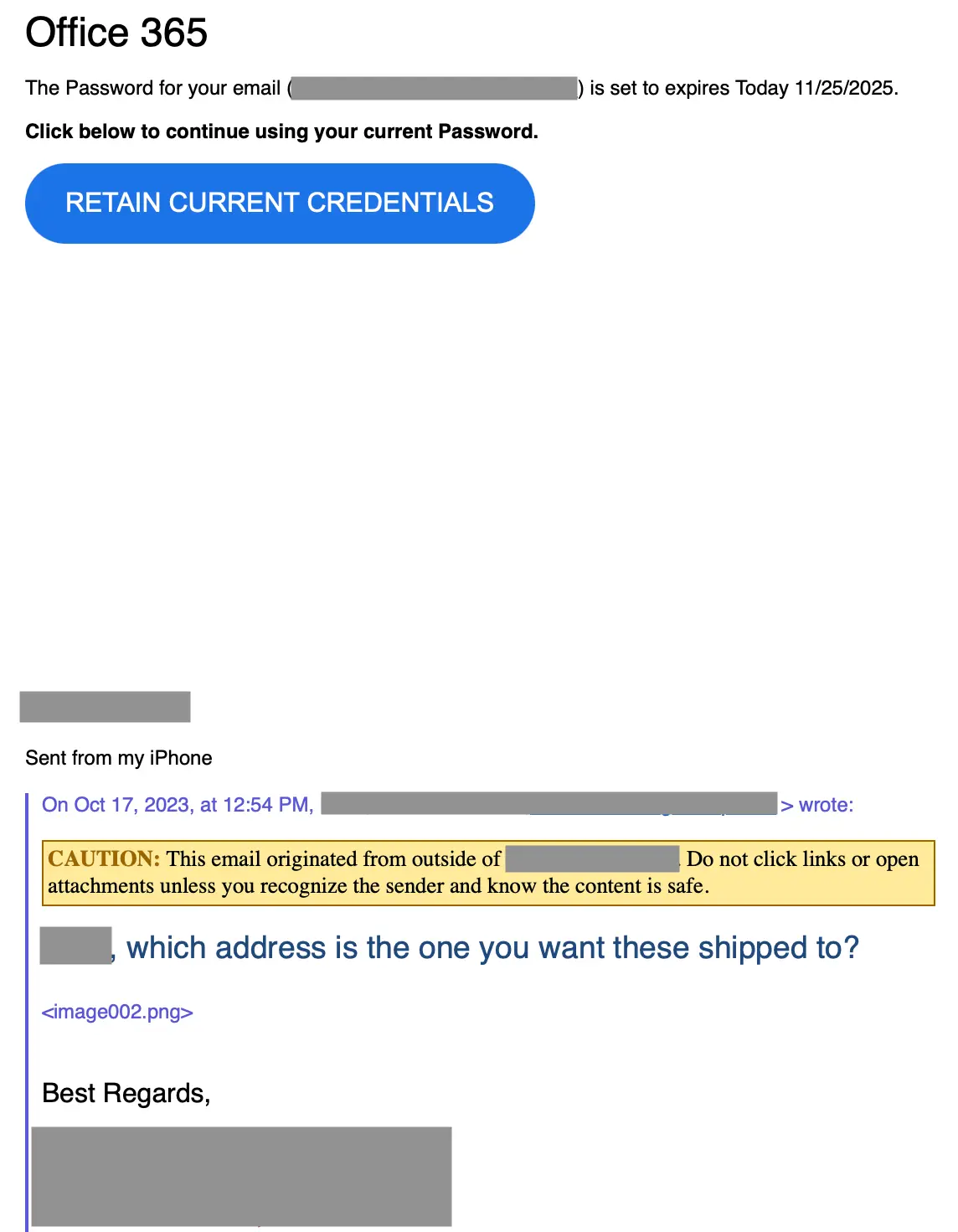
If the target clicks the RETAIN CURRENT CREDENTIALS button, they are taken to a non-standard CAPTCHA to confirm that they are not a bot.
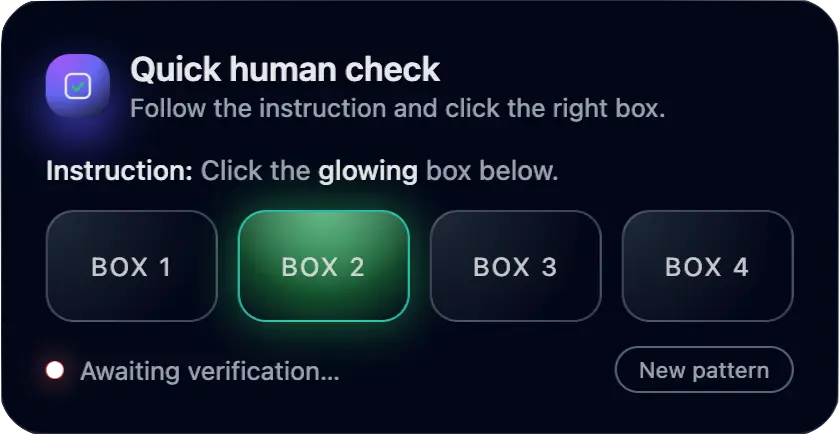
If the target can successfully determine which of the four boxes is glowing, they are then taken to a fake Outlook splash page that leads to an adversary in the middle (AITM) Microsoft 365 credential phishing login.

The link on the RETAIN CURRENT CREDENTIALS button is hardcoded with the recipient's actual email address as Base64-encoded text. Clicking it sends the target through a series of redirects before reaching the phishing page. The first redirect, though, briefly shows the target’s decoded email address embedded in the URL:
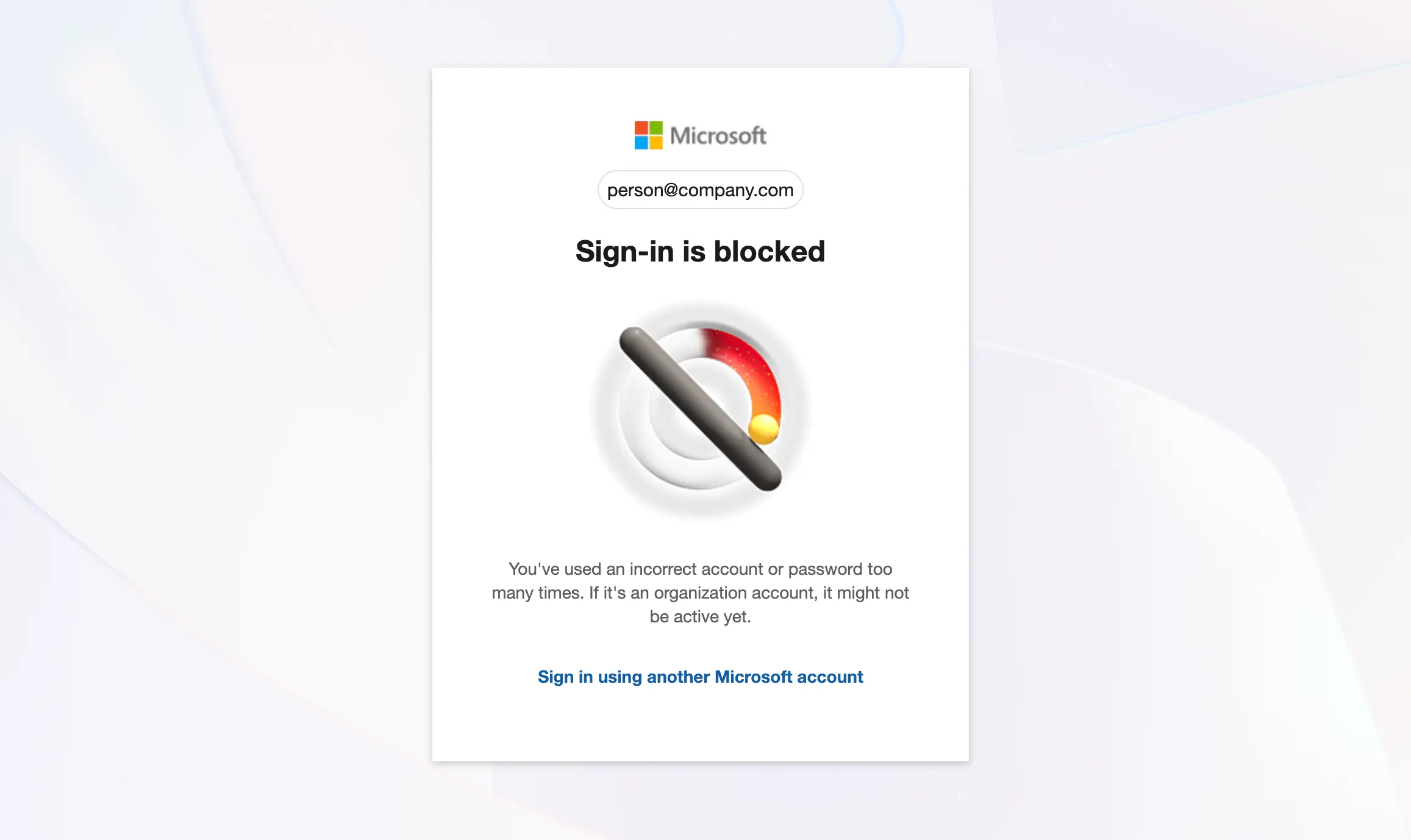
The attacker uses this embedded email address to prepopulate the username in the AITM login page, imitating the behavior expected with authentication. As this is an AITM phishing page, all credentials are actually passed through Microsoft authentication for validation, with the response from Microsoft informing the response of the AITM page. For example, here’s what happened with a dummy account:
SVG with malicious embedded JS
Our last example is similar to the attack involving the GoDaddy spoof and the credential phishing attacks we’ve covered in the past. In this case, we see the same spoofing behavior, but with a different domain.
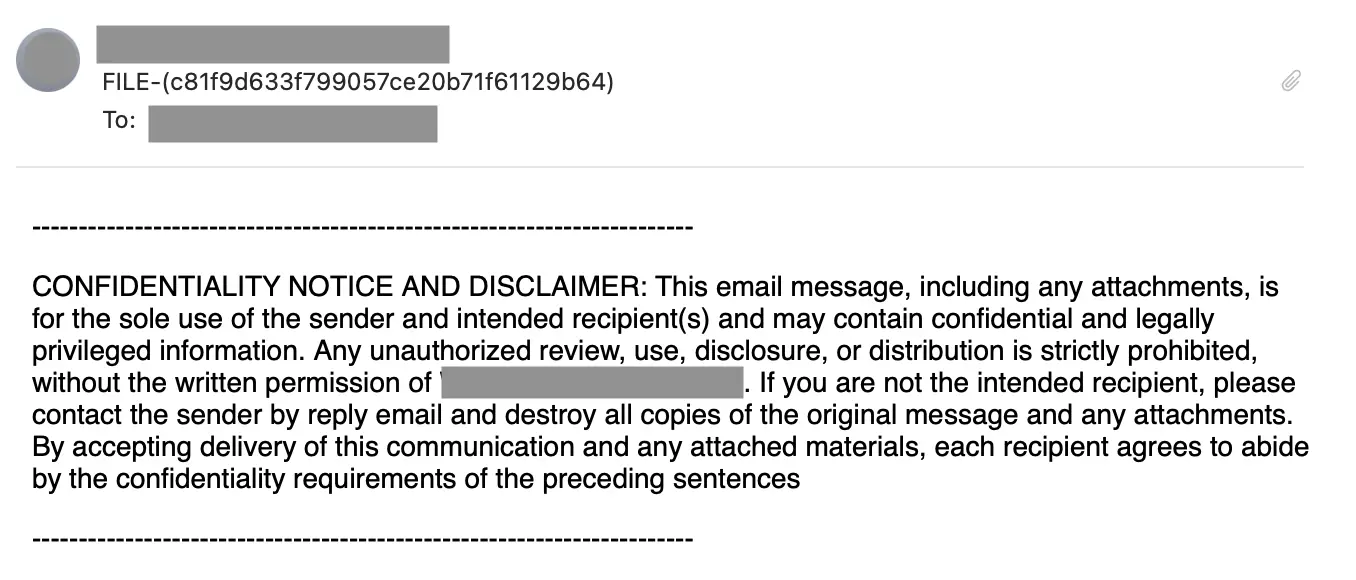
The email contains one attachment, a deceptively named SVG file attempting to appear as a WAV file: Kc7e10818ce63cab665ad9204bb88ec0fe7a6e09dA10.wav.svg.
This attack type would normally use voicemail notification language in the subject of the message, but as with the previous example, this attack has some mix-and-match issues.
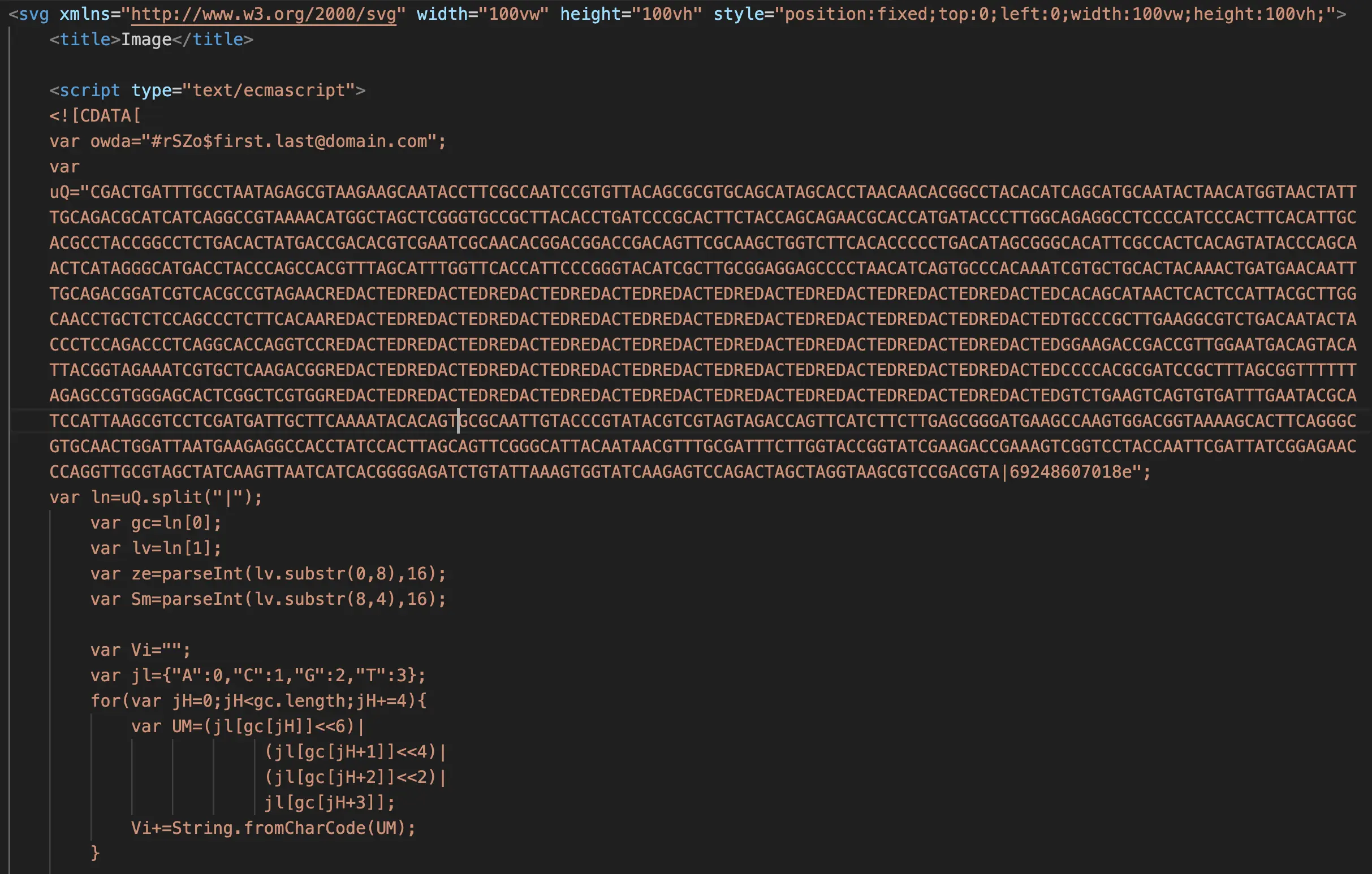
The contents of the SVG include suspicious JavaScript code that uses DNA-themed encoding for obfuscation. Here’s a portion of the embedded code (with redaction):
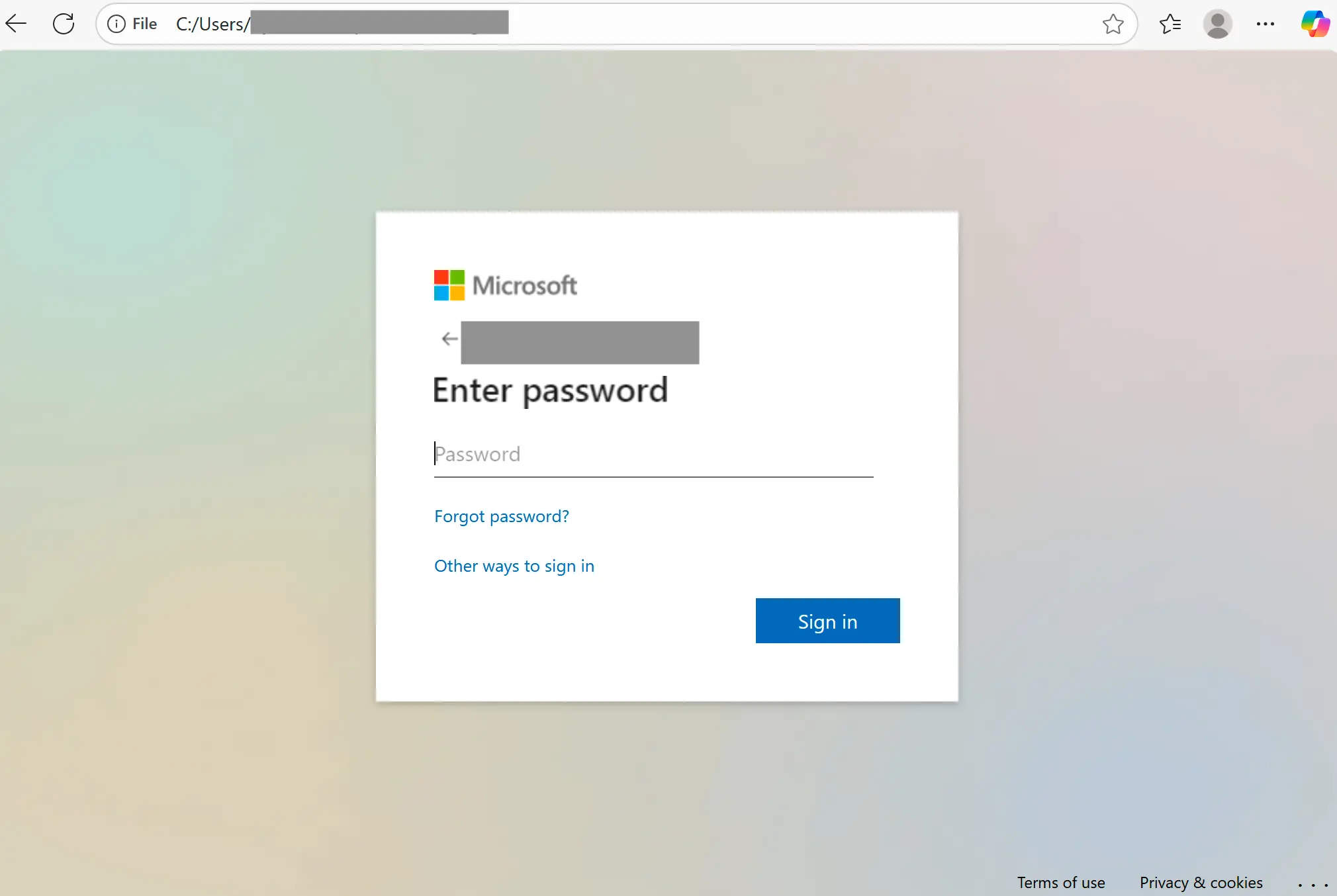
If the target runs the SVG file, it will launch in a web browser (typical default). The embedded JavaScript will then run, launching a new tab with a credential phishing page decoded from the script:
Detection signals
Sublime's AI-powered detection engine prevented all of these different attacks. Some of the top signals for this last example were:
- Authentication failures: The attack features SPF and DMARC failures, a hallmark of all the HostPapa abuse examples above.
- Self-sender pattern: Identical sender and recipient addresses are common in this type of attack.
- Double file extension: The attachment has a
.wav.svgextension to obscure true file type. - Embedded JavaScript with obfuscation: The attached SVG contains embedded JS code that’s been obfuscated to evade detection.
- DNA-sequence encoding: Obfuscation with A,C,G,T is a suspicious encoding technique.
- Dynamic code execution: The JavaScript constructor pattern allows for dynamic delivery of a payload.
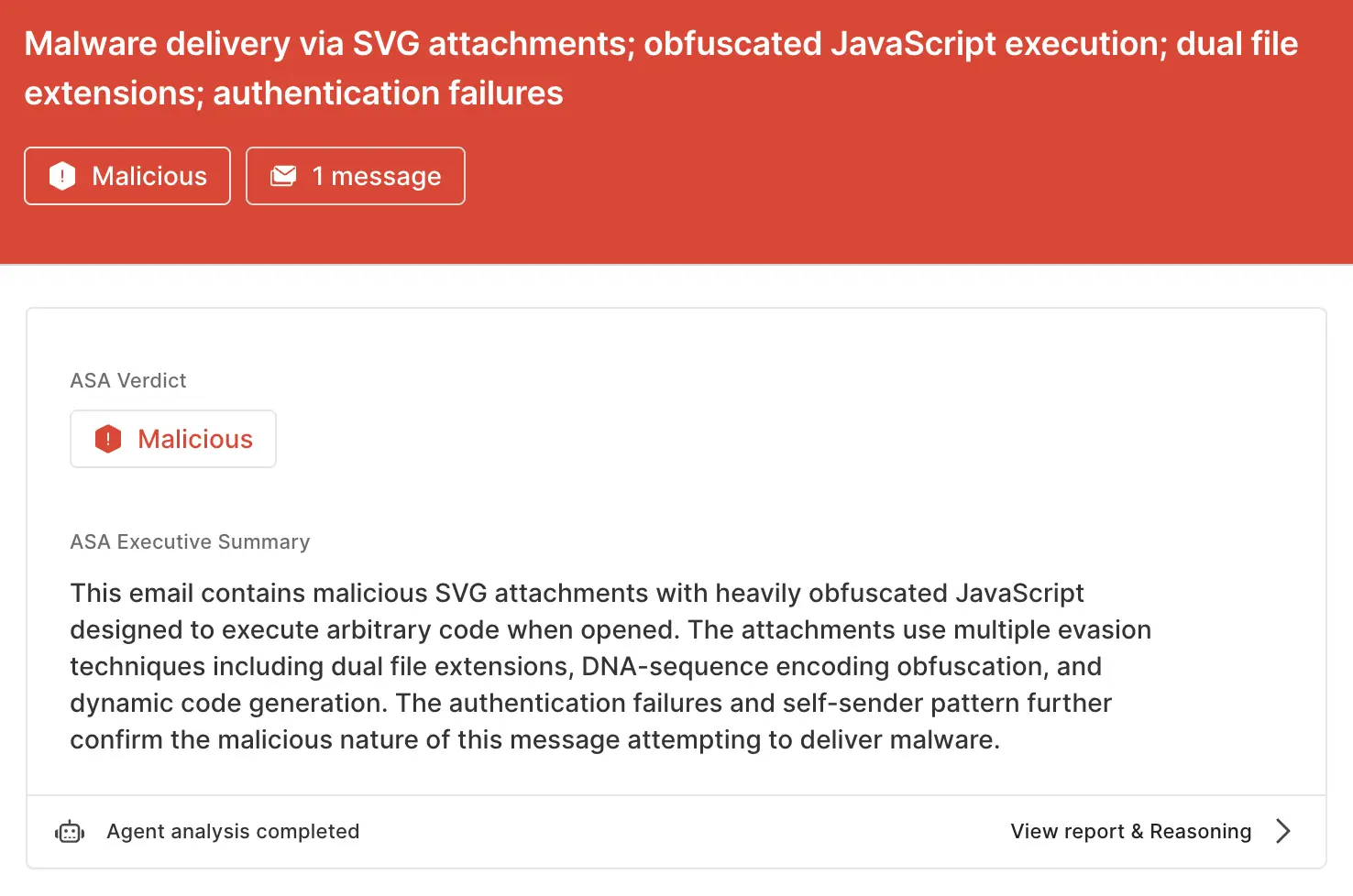
ASA, Sublime’s Autonomous Security Analyst, flagged this email as malicious. Here is ASA’s analysis summary:
Ain’t no service small enough
With attackers actively seeking out new infrastructure for attack distribution, service abuse isn’t limited to the big auth and cloud providers. That’s why the most effective email security platforms are adaptive, using AI and machine learning to shine a spotlight on the suspicious indicators of the scam.
If you enjoyed this Attack Spotlight, be sure to check our blog every week for new blogs, subscribe to our RSS feed, or sign up for our monthly newsletter. Our newsletter covers the latest blogs, detections, product updates, and more.
Read more Attack Spotlights:
Get the latest
Sublime releases, detections, blogs, events, and more directly to your inbox.
.svg)

.avif)
