


Last year, Sublime released ICS phishing (calendar phishing) protection to keep invitation-based attacks out of inboxes and off of calendars. Calendar phishing ended up being so popular in 2025 that it even made our 2026 Sublime Email Threat Research Report.
In these attacks, adversaries are putting callback phishing payloads in calendar invitations, so even if the invitation email is blocked at the inbox, the payload still reaches the target’s calendar. For teams not using Sublime, we released a playbook for stopping ICS attacks.
These attacks have only become more popular with time, spreading across a variety of service providers. We’ve seen similar proliferation from non-calendar Living Off Trusted Sites (LOTS) phishing attacks.
In this post, we’re going to look at some recent calendar phishing attacks delivered across services large and small. The formula is generally the same regardless of the provider.
- An adversary gains access to an account for a service that can send meeting invitations (free trial, hijacked account, etc.).
- They put a callback phishing payload in the meeting title and description.
- They individually add all target email addresses to the event or they add a distribution list of all the target email addresses to the event. The latter is effective for evading event size limits and avoiding block listing.
- The event is sent to the target addresses’ inbox and calendar. Often, the email is caught, but the meeting still makes it through since most email security solutions do not protect calendars.
Microsoft Teams
Our last Attack Spotlight about ICS phishing featured Google, so this time we’re starting with Microsoft. In this case, the target is receiving a fake notification about a $529 payment to McAfee.
This Teams event notification is a great example of using trusted infrastructure as camouflage for delivering a “Geek Squad” style attack. The invitation was sent from noreply@defaultdirectory122.s09.usa1.teams-events[.]com using a burner Teams organization. That domain will likely never be on a blocklist.
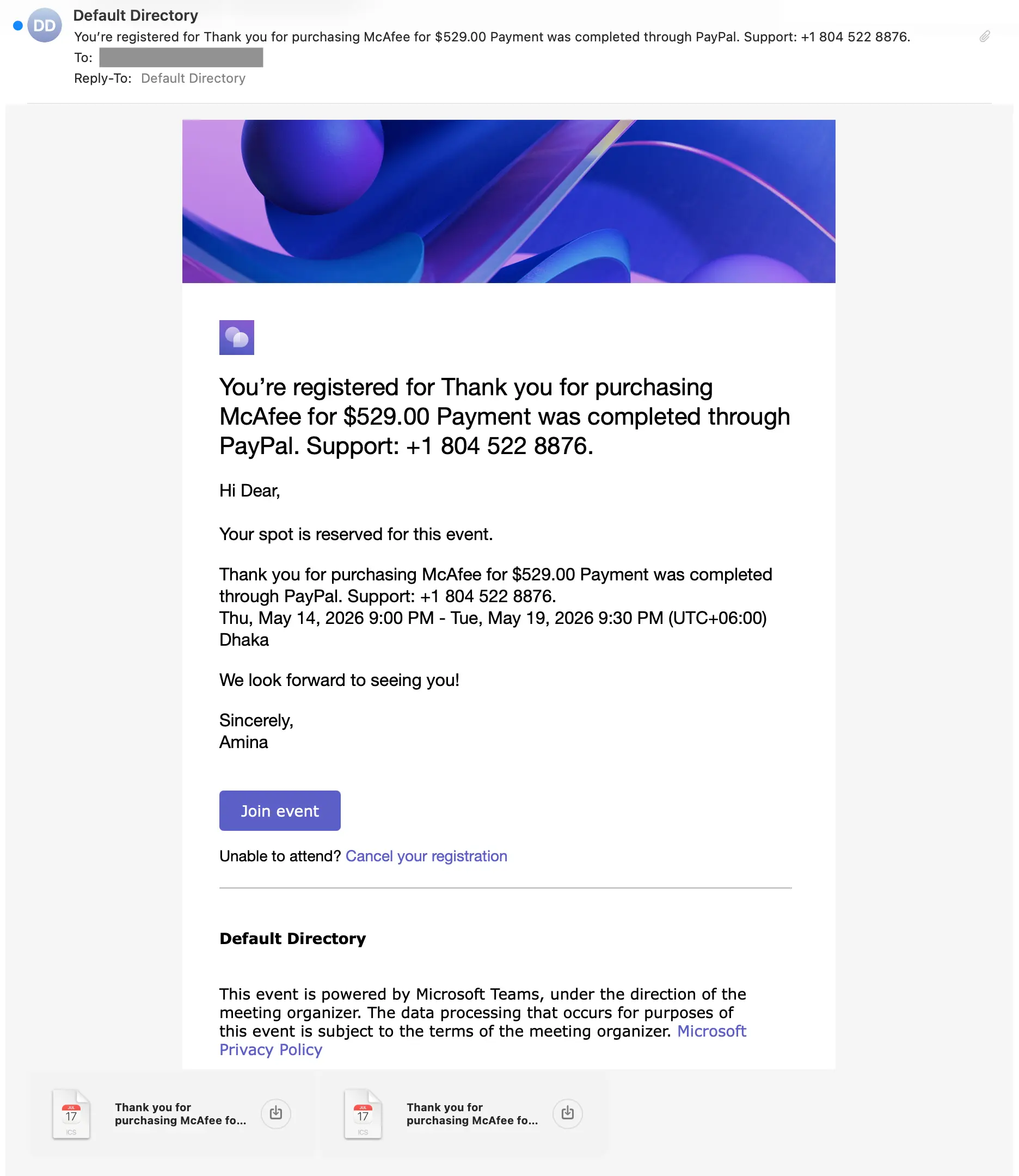
The message comes with ICS files (calendar event) attached, which will automatically add themselves to calendars by default with most providers. The events contain the same phishing payload as the message, so even if the email is deleted, the attack can persist.
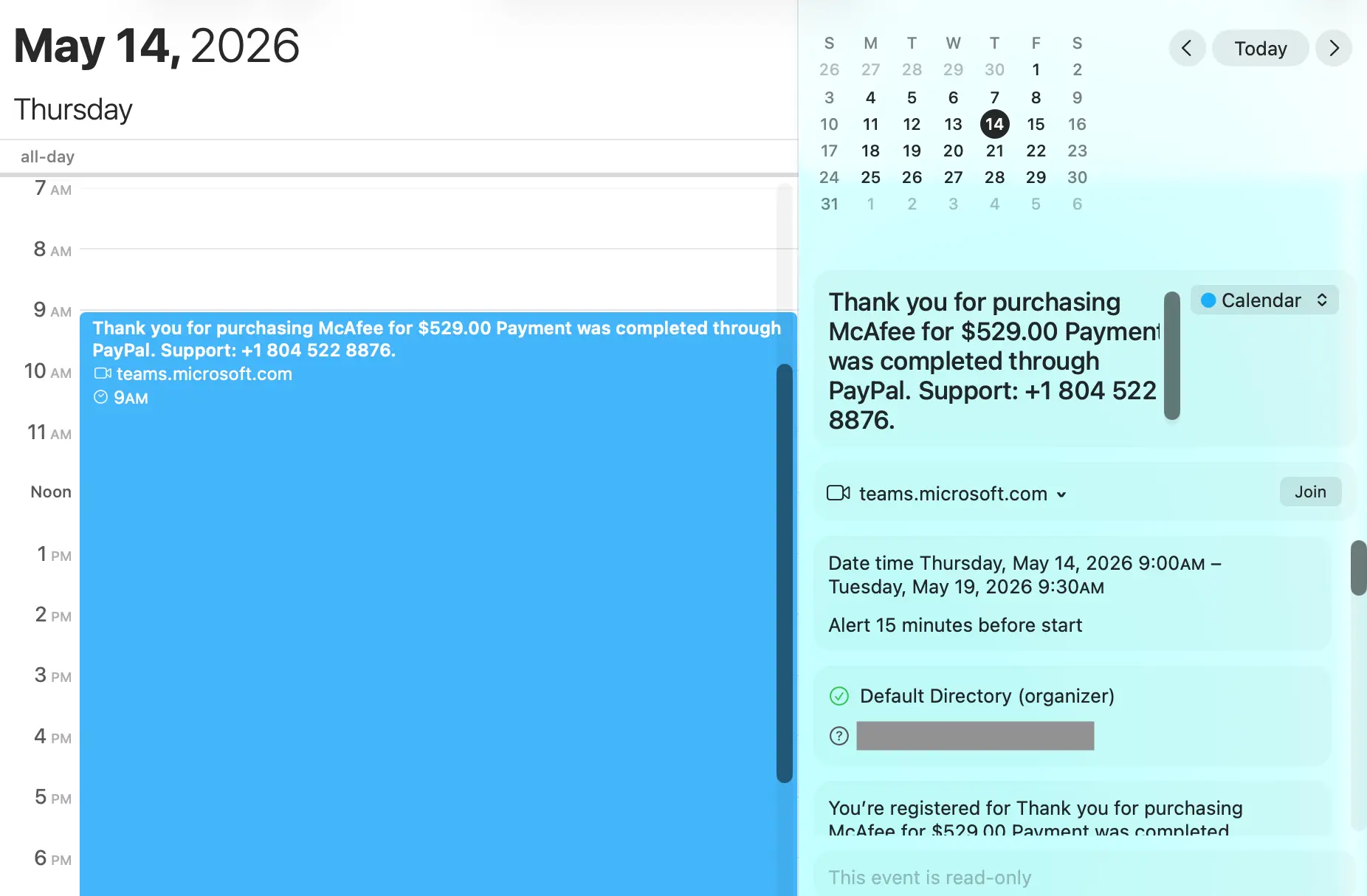
Trafft
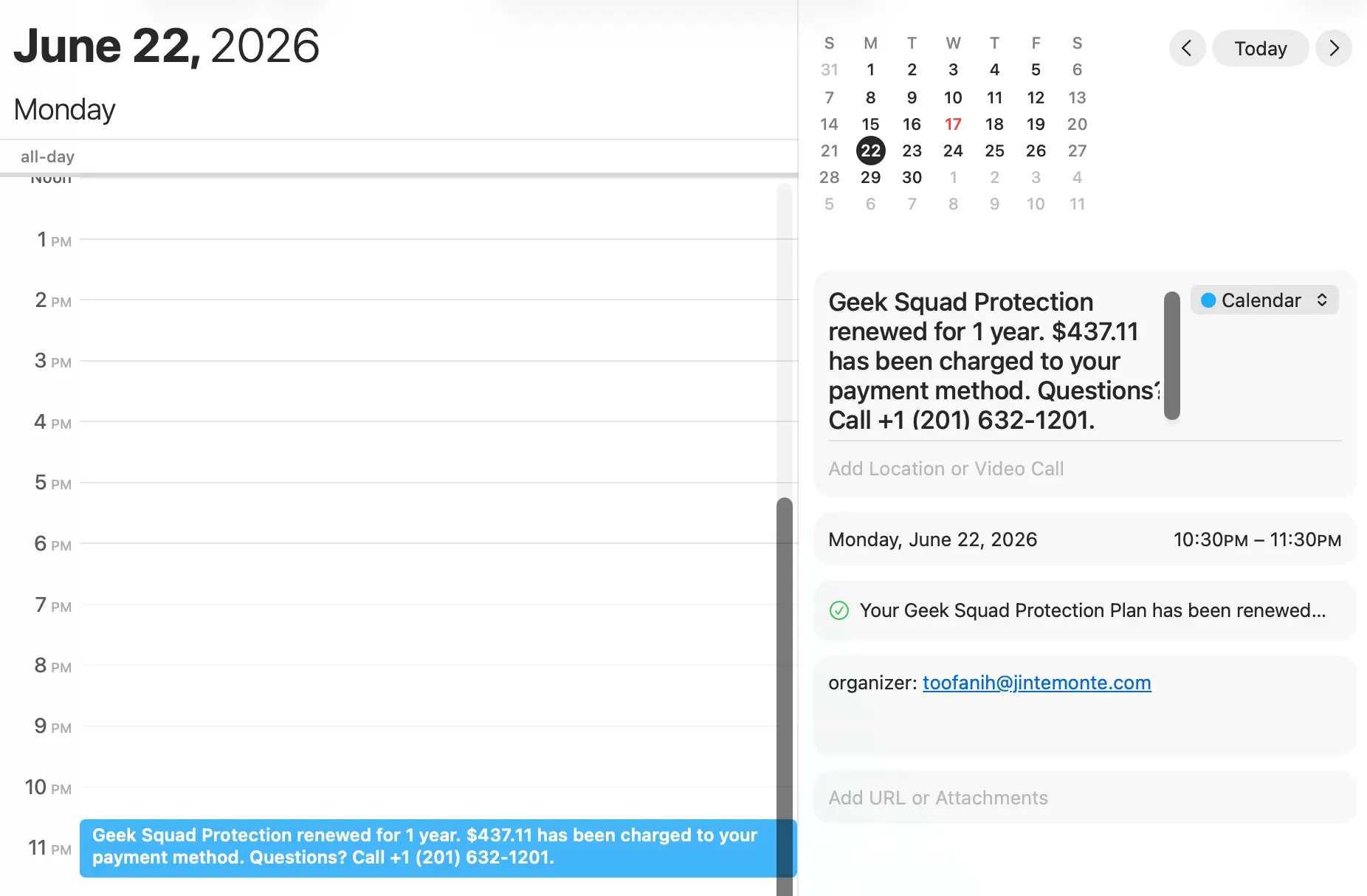
This next example comes from abuse of the Trafft service. A textbook Geek Squad example, this message contains most of the standard callback phishing behavioral indicators. One outlier signal, though, was that the attached ICS file had a mailto address of jintemonte[.]com, a domain that was only recently registered.
Newly registered domains are a commonly used detection signal. Since Sublime analyzes attachments, including ICS files, this new domain effectively nullified the cover provided by the legitimate infrastructure used to send the invitation.
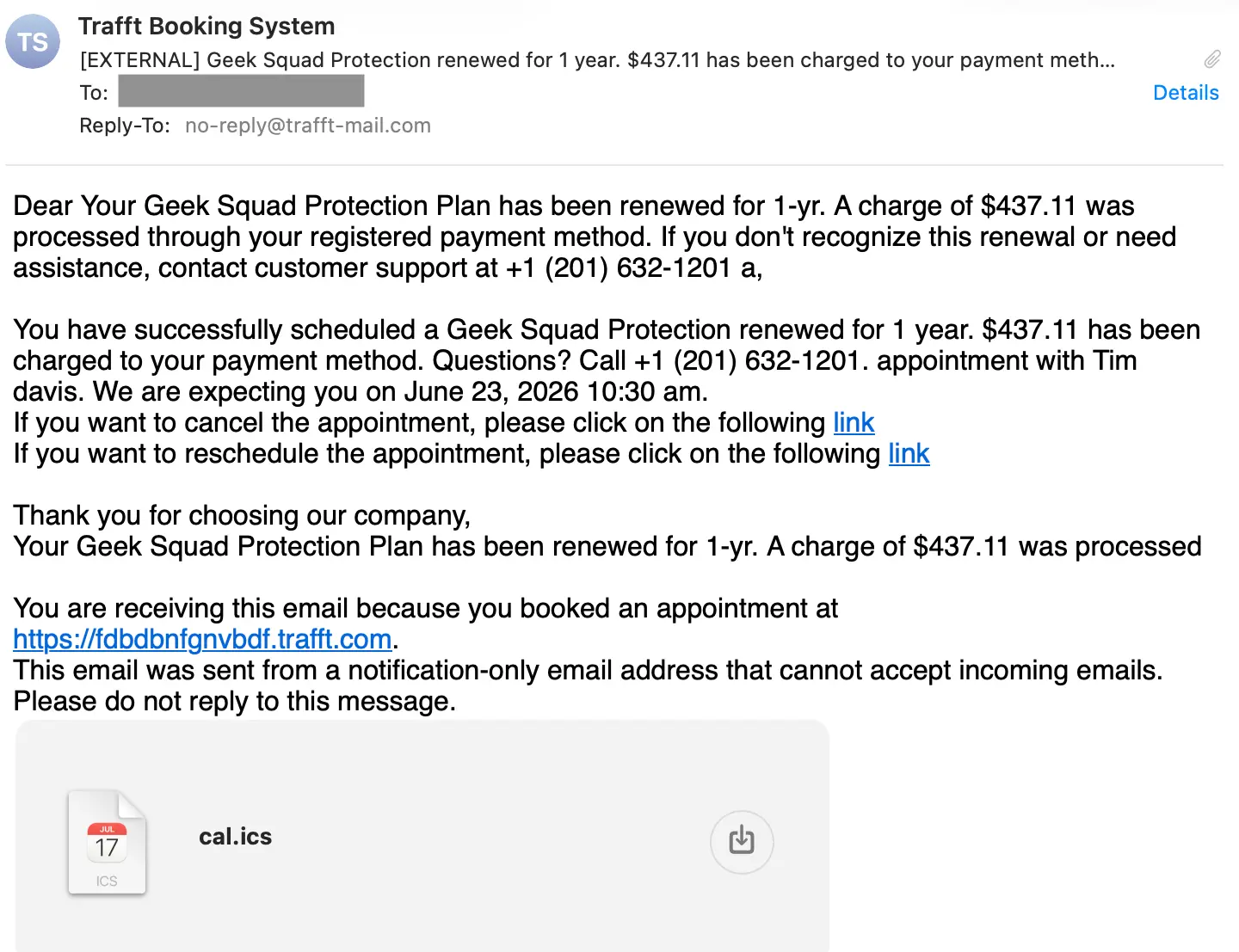
Here is what the calendar entry looks like for this attack. Note that the appearance is more professional looking than the email itself.
Zoho Calendar
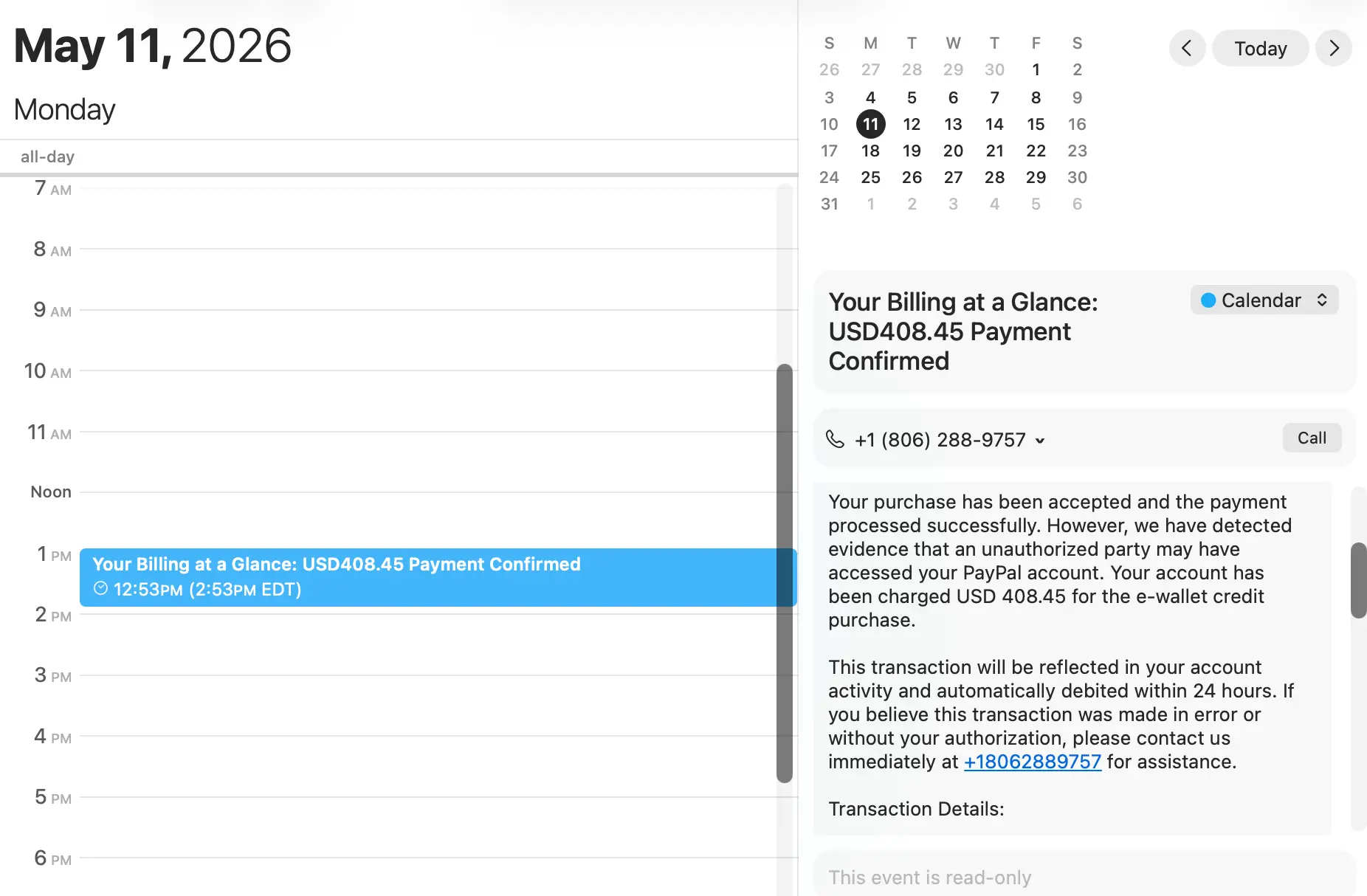
This example shows an attacker delivering the same type of attack with Zoho Calendar. To make this attack seem more convincing, the adversary added the line, “However, we have detected evidence that an unauthorized party may have accessed your PayPal account.” This line attempts to trick the target into thinking that the sender has their security in mind, driving them to the fake support number being operated by the adversary.
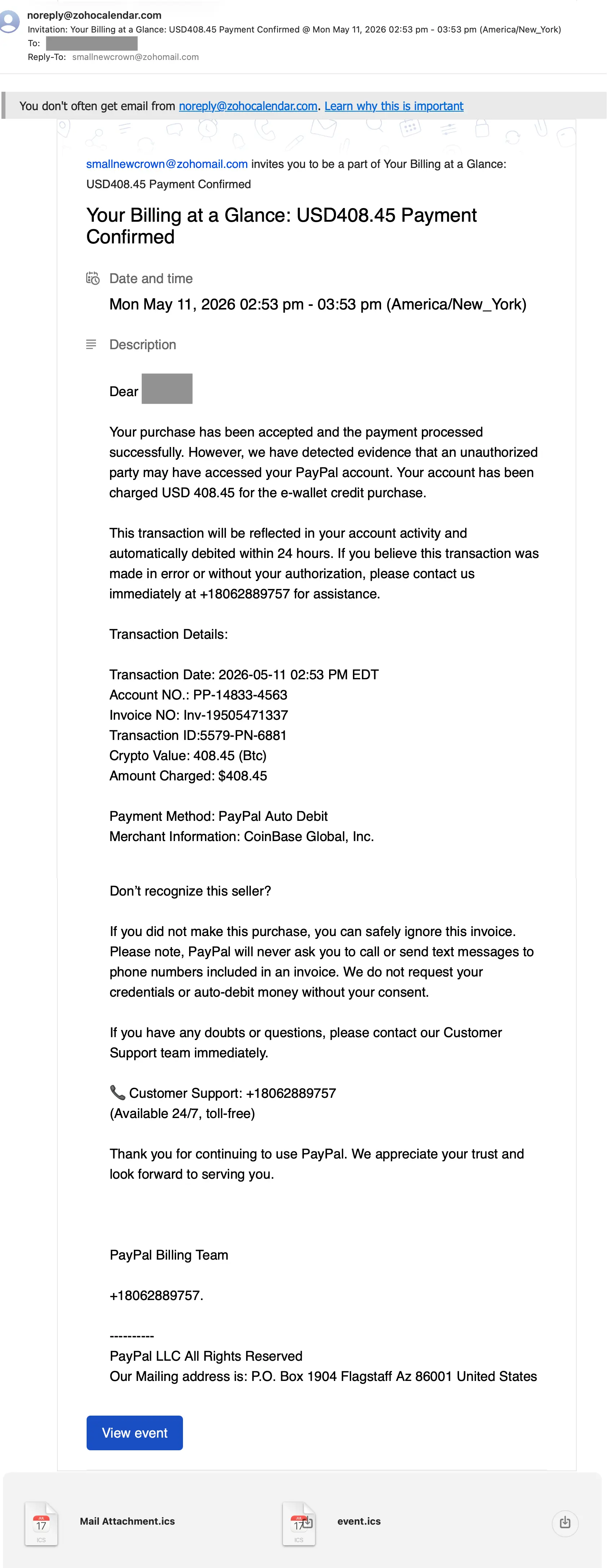
Again, the calendar entry displays more convincingly than the email itself. It even automatically places the callback phishing number directly beneath the event title and Apple Mail automatically provides a Call button.
Calendly
In this next example involving Calendly, we’ll take a look at how the adversary delivered the attack. First, the email, which looks very similar to the previous two examples:
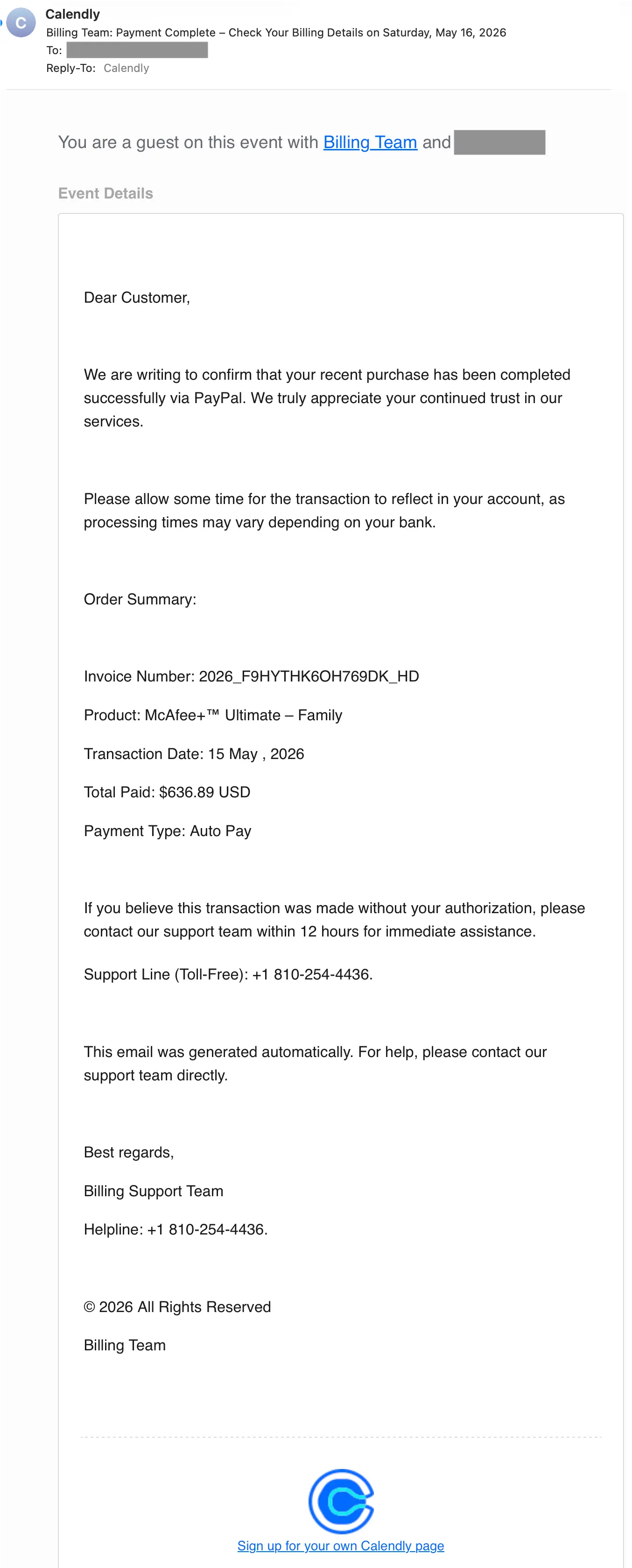
To deliver a callback phishing payload like this, an attacker has a few options. For example, when creating the event, they could set the meeting location to the payload and then send it off.
This is an example of an area where a service provider can perform extra validation on fields to ensure they aren’t abused. As stated in our recent LOTS post:
Perform input validation on fields: Keeping out special characters isn’t enough. Ensure that text boxes are getting the correct type of value. AI can easily recognize when a name is a name and an address is an address.
Take a look at that blog to see other examples of what providers could do to prevent abuse of their services.
Demio
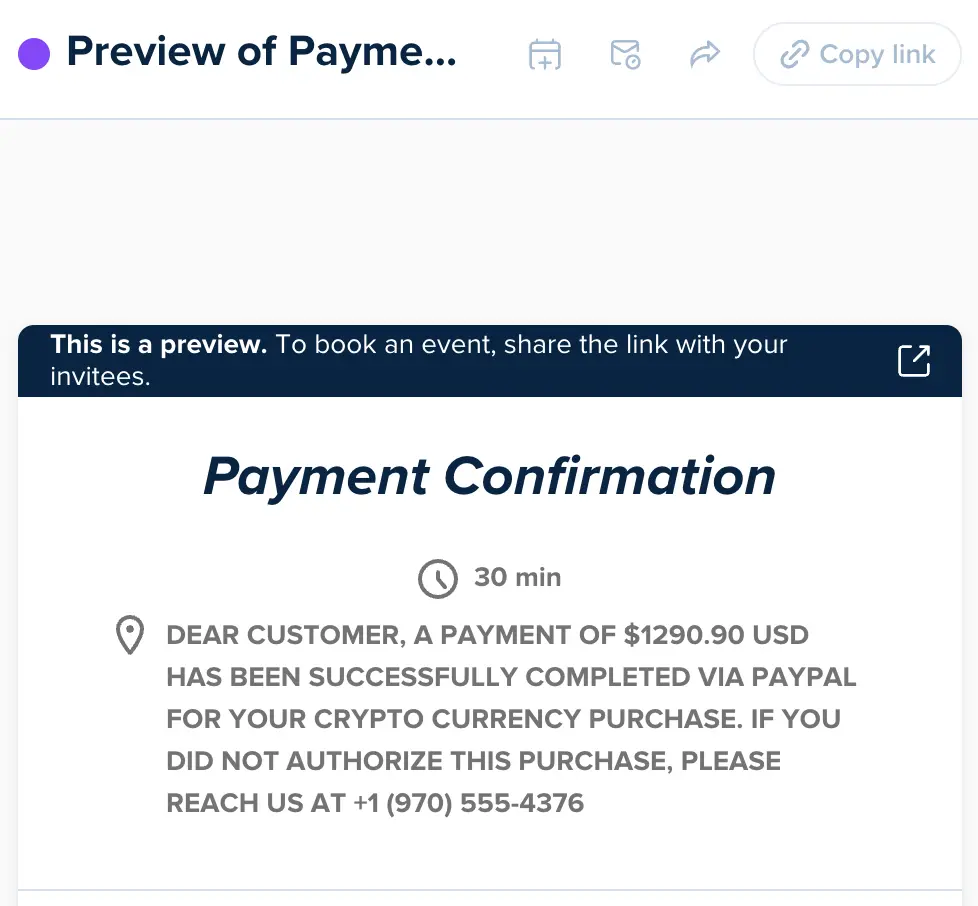
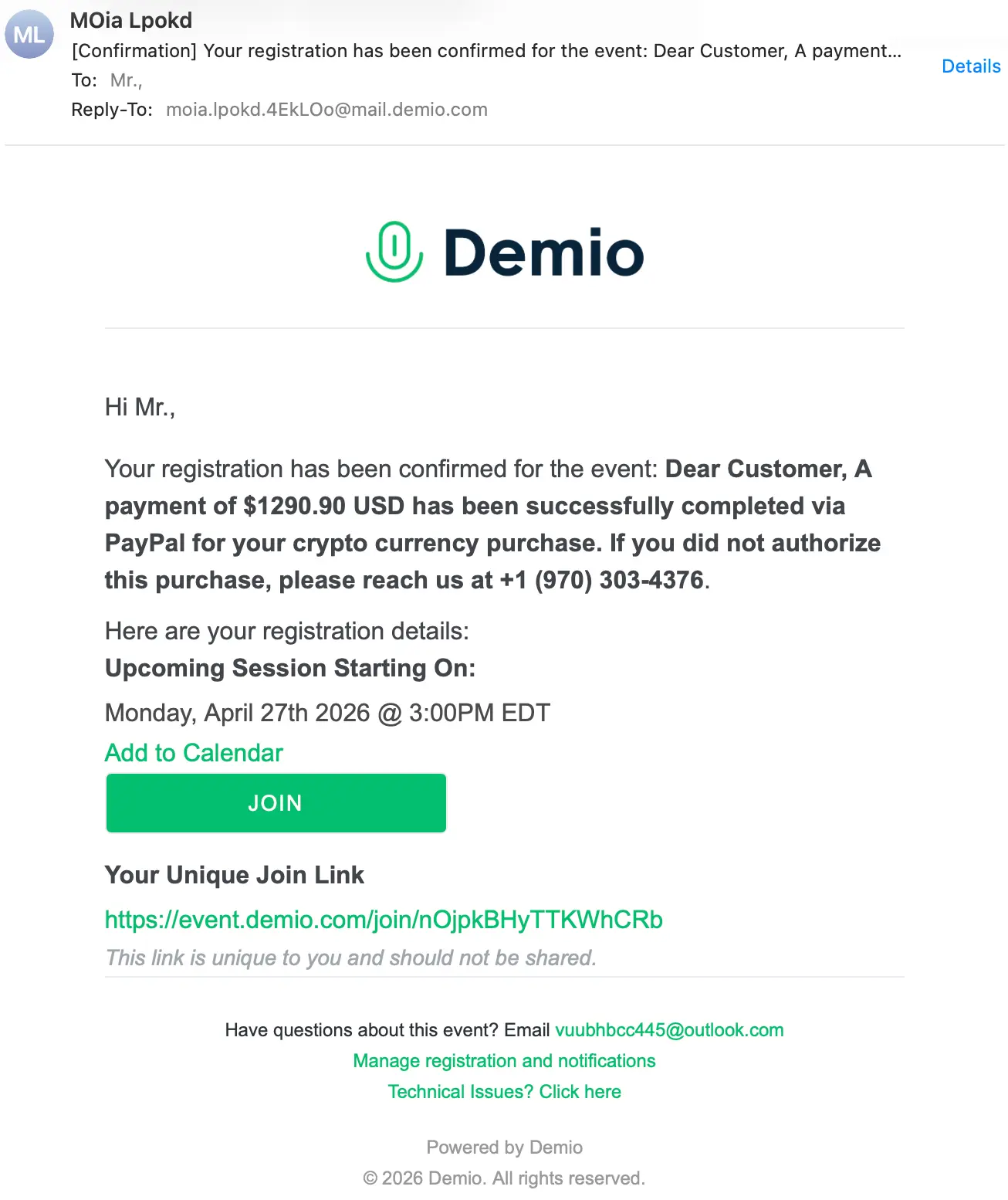
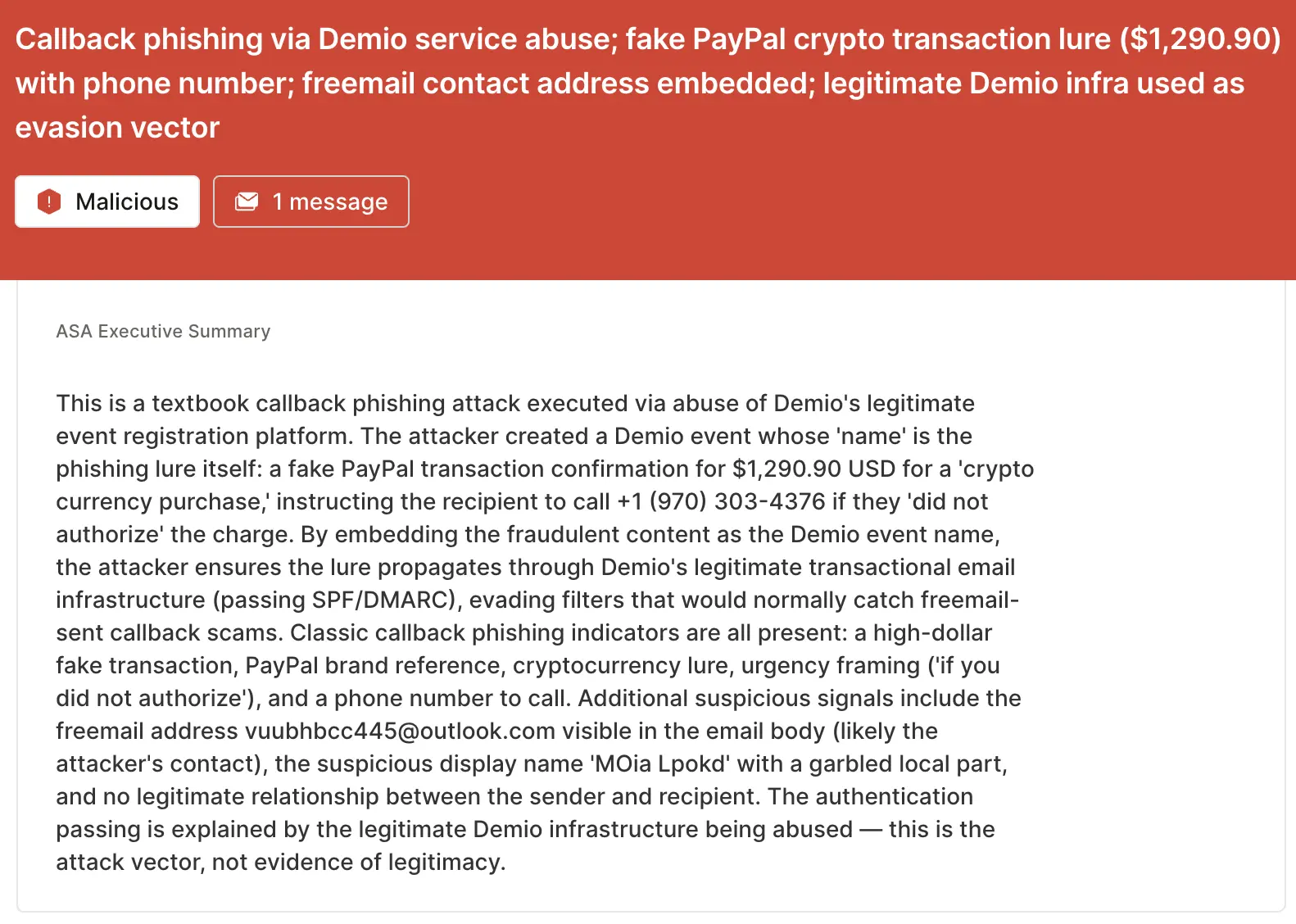
We’ll close this blog out with a service provider that looks to be closing gaps. In this example, an adversary abused Demio (integrated with Mailgun for automated sending) to deliver their attack. They put the payload directly in the event name: DEAR CUSTOMER, A PAYMENT OF $1290.90 USD HAS BEEN SUCCESSFULLY COMPLETED VIA PAYPAL FOR YOUR CRYPTO CURRENCY PURCHASE. IF YOU DID NOT AUTHORIZE THIS PURCHASE, PLEASE REACH US AT +1 (970) 303-4376.
In this example, there was no attached ICS file, but there is an Add to Calendar link within the message. With a homebuilt AI assistant, it could be possible that this event could be automatically added to a calendar, but it would not happen automatically otherwise.
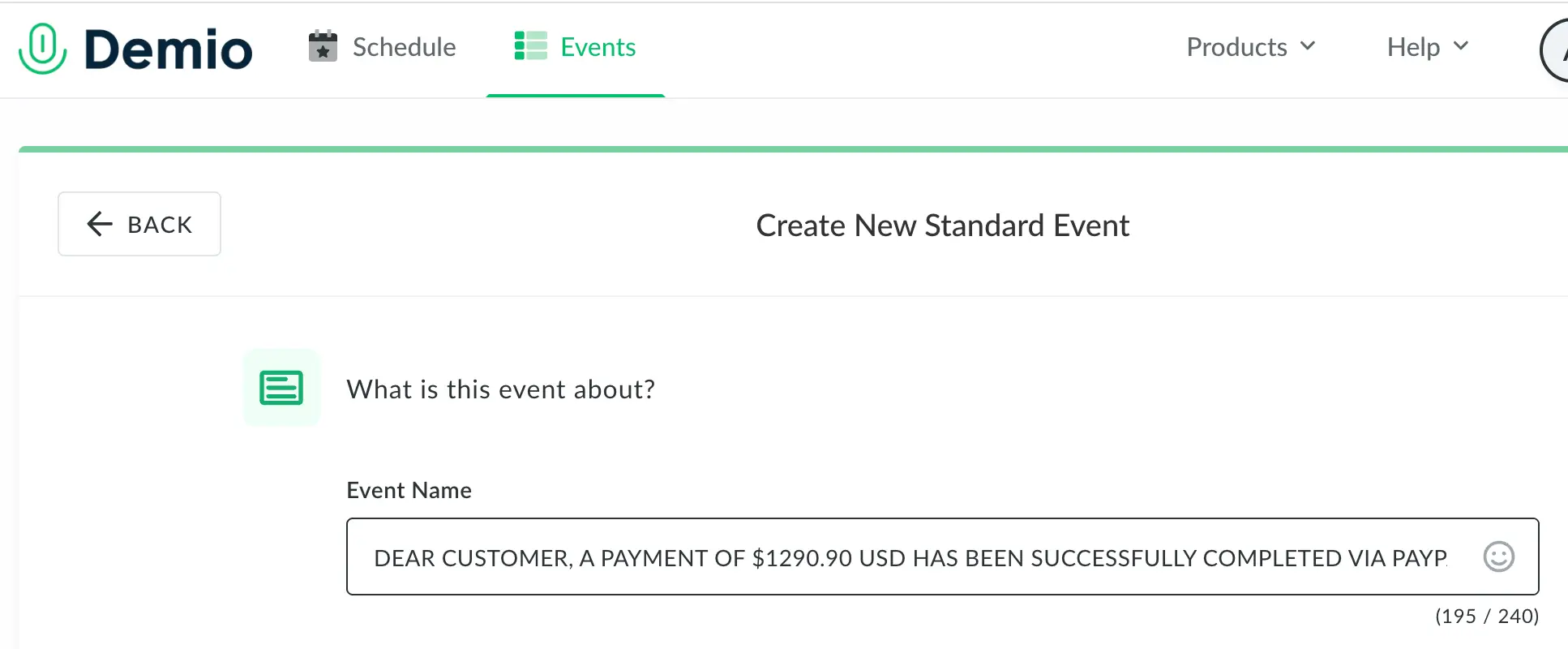
While researching the attack, we attempted to duplicate the steps the adversary took. We logged into Demio and attempted to configure a new event using the same name the adversary had used.
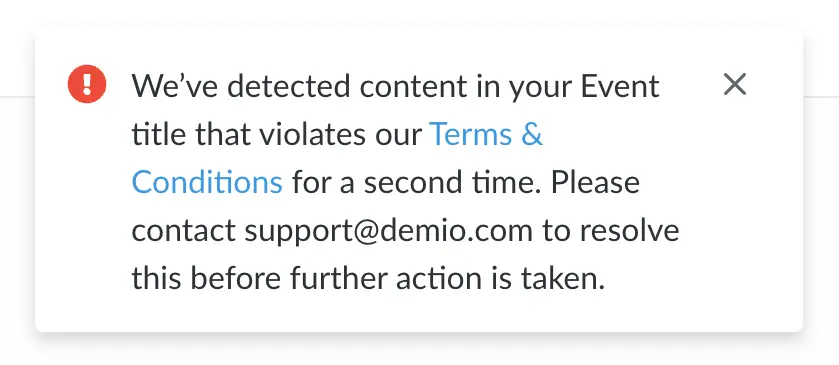
We were happy to see a warning notification pop up when we tried to save the event. We tried a few different variants and Demio stopped them all (eventually disabling our account entirely). This is not to say that all gaps have been closed, but their security team does appear to be actively closing them.
Detection signals
Sublime's AI-powered detection engine prevents these attacks. Some of the top signals from the Demio example are:
- Callback phishing: The subject line and body contain a callback phishing lure disguised as a Demio event registration confirmation.
- Suspicious sender and reply-to: Nonsensical sender name (
MOia Lpokd) and reply-to address (moia.lpokd.4ekloo@mail.demio[.]com). - Freemail in footer: Email footer directs the target to send questions to
vuubhbcc445@outlook[.]com, a freemail/non-Demio address. - Brand impersonation: The attack references PayPal as the payment method.
ASA, Sublime’s Autonomous Security Analyst, flagged this email as malicious. Here is ASA’s analysis summary:
Decline calendar phishing invitations
Attacks that use legitimate infrastructure as digital camouflage will always exist, both in the inbox and on calendars. That’s why the most effective email security platforms are adaptive, using AI and machine learning to shine a spotlight on the suspicious indicators of the scam.
If you enjoyed this Attack Spotlight, be sure to check our blog every week for new blogs, subscribe to our RSS feed, or sign up for our monthly newsletter. Our newsletter covers the latest blogs, detections, product updates, and more.
Read more Attack Spotlights:
Get the latest
Sublime releases, detections, blogs, events, and more directly to your inbox.
.svg)

.avif)
