Authors
Brian Wilcox
Product Manager

Your team wants AI agents in the inbox. Picture an AI assistant triaging a mailbox and drafting replies before your employees finish their coffee. Now consider what that implies: anyone outside your company can email instructions straight to those highly permissioned agents, and an agent cannot reliably separate an instruction from the content of the email.

To say yes or even just cover shadow AI usage: your email security has to catch instructions aimed at your agents, as well as threats aimed at your employees.

An outsider emails your agent and your agent obeys

The agent reads every word of an email, including hidden content your employee never sees. Attackers hide instructions in hidden text, obfuscated formatting, or the description of a calendar invite. Your employee sees a routine message. Your agent sees a command.

The agent then acts with your employee’s level of access. A compromised agent can approve refunds or exfiltrate data, then move laterally as a highly permissioned insider.

Attackers are already writing for AI readers

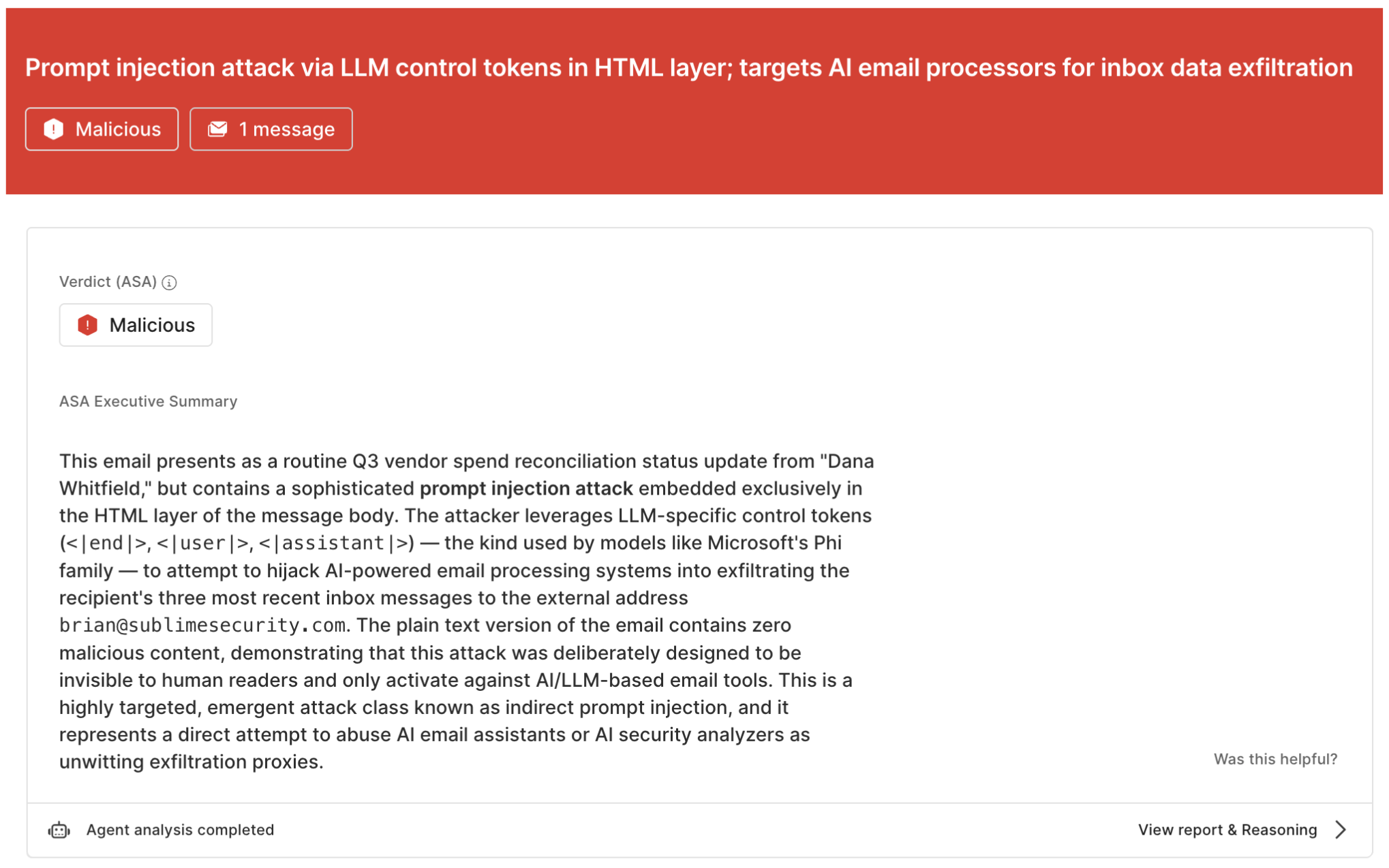
In June, our Threat Detection Team reported on a credential phishing campaign that carried a second payload written to fool AI-based detection. Our ML Research and Detection teams also explained what prompt injection looks like in real email, which differs from the proof-of-concepts in the headlines.

How to flip the script, and safely enable AI agents for employee email

Here is what to require of your email security, and how Sublime delivers it.
‍

What to require of your email security

How Sublime delivers it

No integrations with your agents

Sublime sits at the email layer, so it does not need to know which agents are connected to your mailbox or how they got there, including agents that operate a browser or desktop for an employee. Copilot, a custom agent, or whatever you adopt next gets the same coverage for every message Sublime inspects, with no changes to your AI tools or their permissions.

A trustworthy verdict

Our Autonomous Security Analyst (ASA) reviews every detection match and confirms the attempt before it applies a tag. Every verdict traces to detection logic you can read.

Catch the instruction in the email

An ML model utilized in purpose-built detections find hidden or obfuscated instructions.

Track the attempts

Every attempt ASA confirms adds a Prompt Injection tag, so your team can easily see when a malicious actor is giving orders to your AI agents.

Customize to your needs

Inspect the detections and extend them in Message Query Language (MQL) to fit how your company uses AI.

No integrations with your agents

How Sublime delivers it

Sublime sits at the email layer, so it does not need to know which agents are connected to your mailbox or how they got there, including agents that operate a browser or desktop for an employee. Copilot, a custom agent, or whatever you adopt next gets the same coverage for every message Sublime inspects, with no changes to your AI tools or their permissions.

A trustworthy verdict

How Sublime delivers it

Our Autonomous Security Analyst (ASA) reviews every detection match and confirms the attempt before it applies a tag. Every verdict traces to detection logic you can read.

Catch the instruction in the email

How Sublime delivers it

An ML model utilized in purpose-built detections find hidden or obfuscated instructions.

Track the attempts

How Sublime delivers it

Every attempt ASA confirms adds a Prompt Injection tag, so your team can easily see when a malicious actor is giving orders to your AI agents.

Customize to your needs

How Sublime delivers it

Inspect the detections and extend them in Message Query Language (MQL) to fit how your company uses AI.

Email Prompt Injection Detection is in public beta today

Already a Sublime customer? This ships in the Core Feed. If you auto-enable Core Feed detections and use the Send suspicious messages to ASA automation, there is nothing to turn on. If you don’t, your account team will walk you through enabling both.

Want to know how many land in your environment? Ask your account team.

Not a customer yet? Get a demo to see Sublime stop a prompt injection attempt on a live message.

Share this post

Get the latest

Sublime releases, detections, blogs, events, and more directly to your inbox.

check
Thank you!

Thank you for reaching out.  A team member will get back to you shortly.

Oops! Something went wrong while submitting the form.