
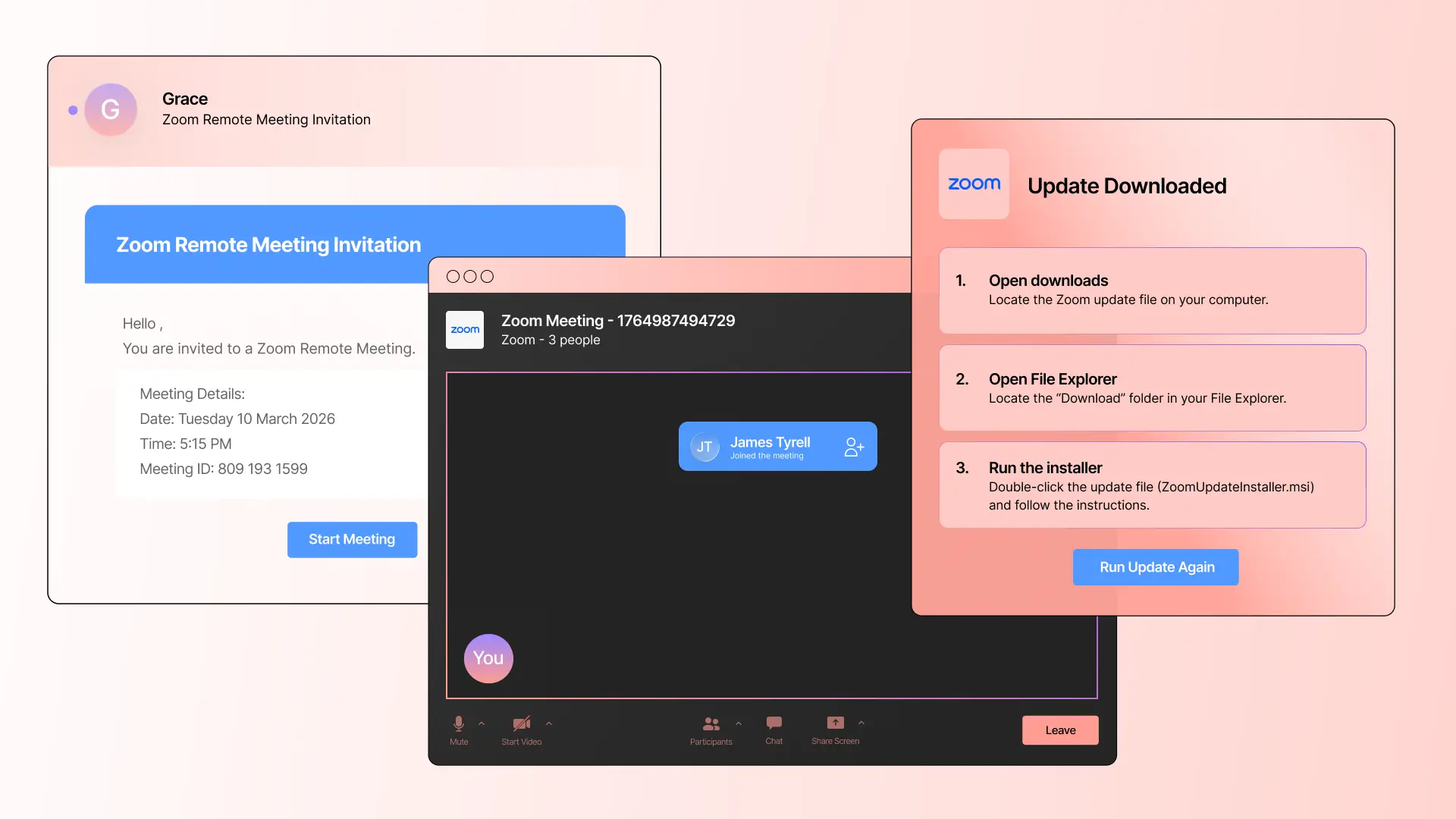


Zoom abuse and impersonation have become popular lure tactics for attackers. Over the past year, we’ve posted blogs about Zoom impersonation for delivering malware, Zoom impersonation to deliver phishing payloads, Zoom Docs abuse, and more. But recently, we observed an impersonation-based attack that stood out for the length it went to fool the target.
Fake Zoom, real attack
The attack starts with a fake yet convincing Zoom meeting invitation. The style and format of the message is similar to those we’ve seen generated by AI, indicating AI was likely used to create this email.
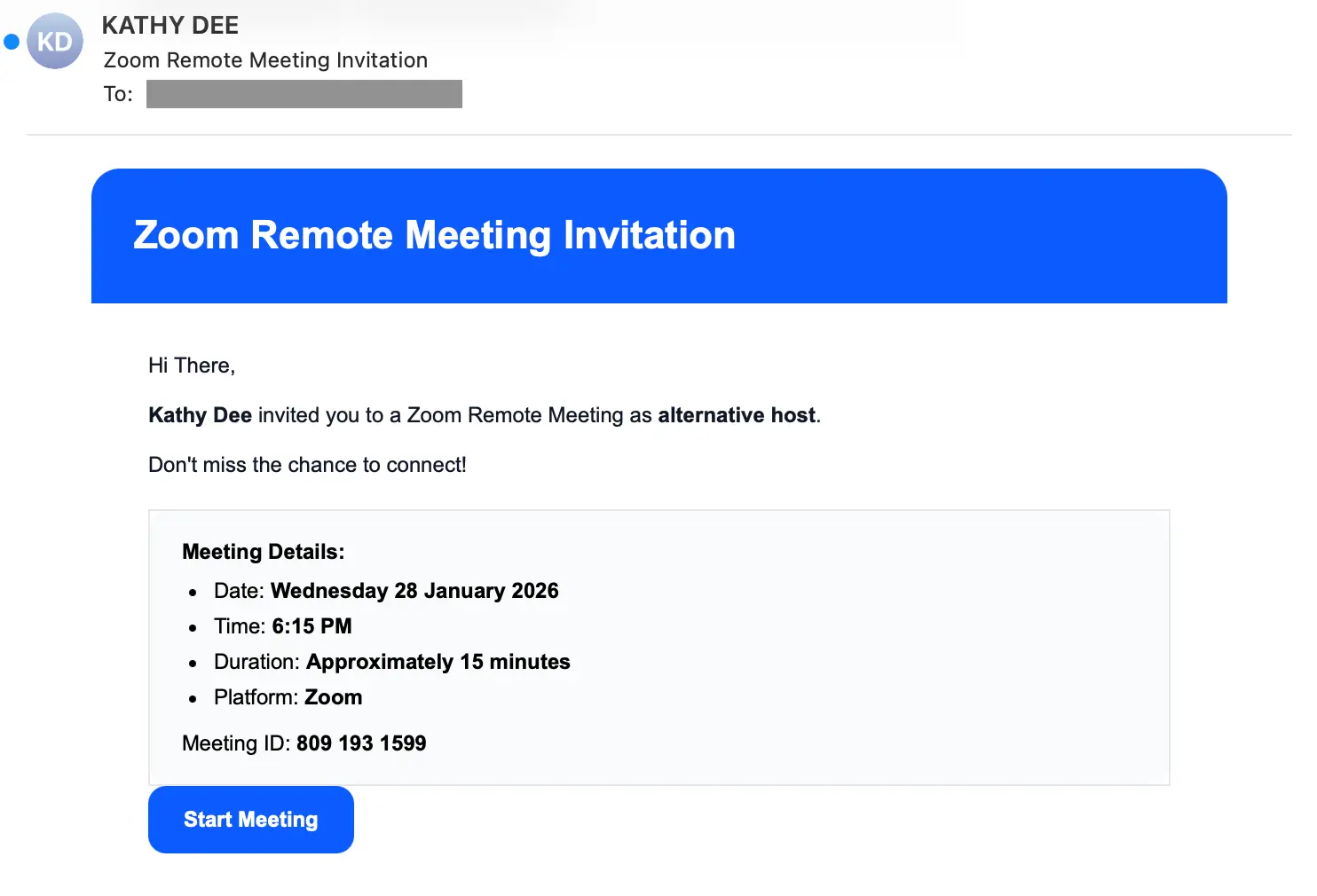
If the target clicks the Start Meeting button, they’re taken to https://zoom-meeting.yourco-invite[.]live/inc/Windows/zoom, not to an actual Zoom meeting. Once at the site, the target is presented with a verification challenge to determine if the target is a bot or human.
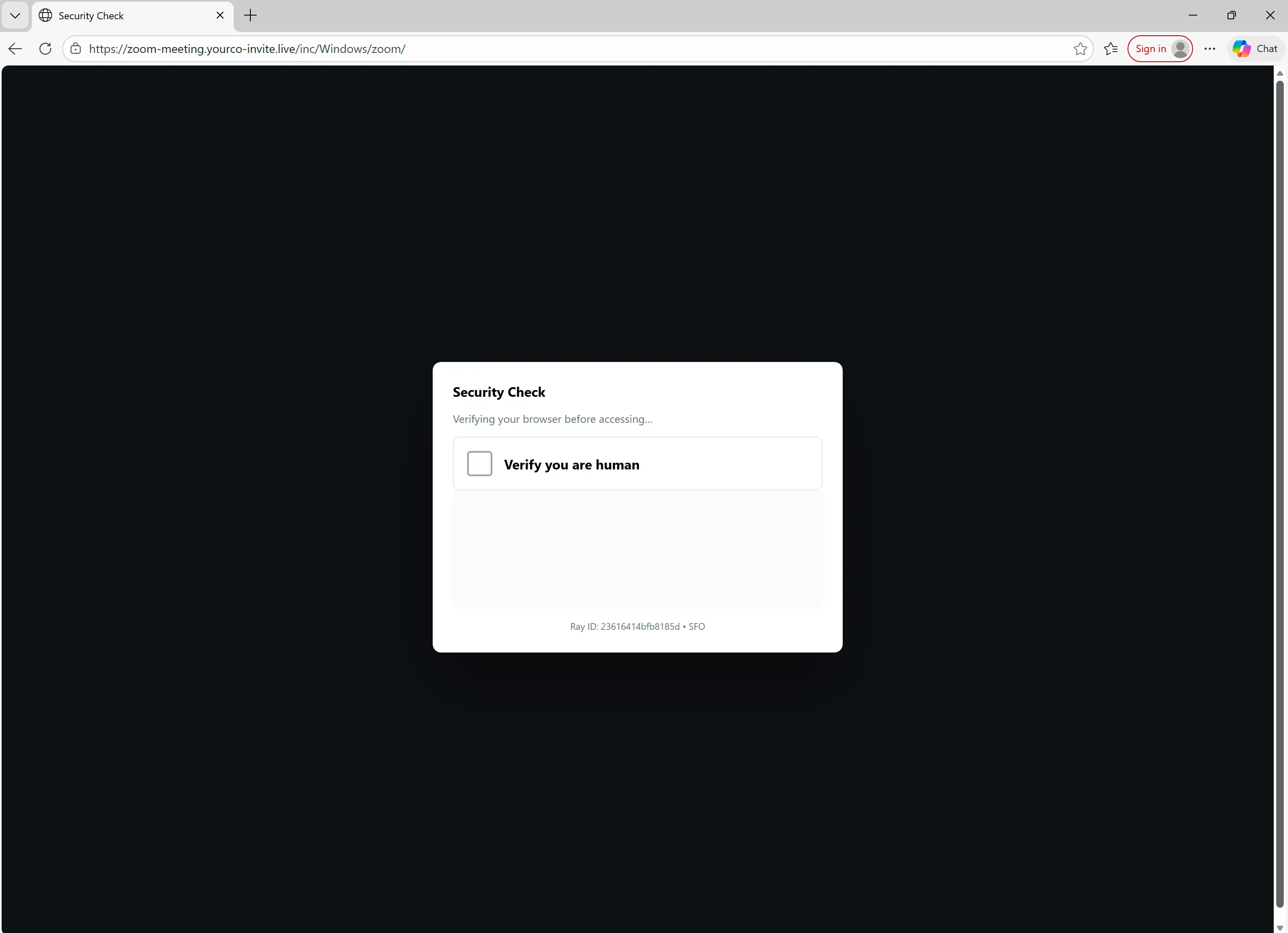
After clicking the box, the target is presented with a spoofed Cloudflare security check.
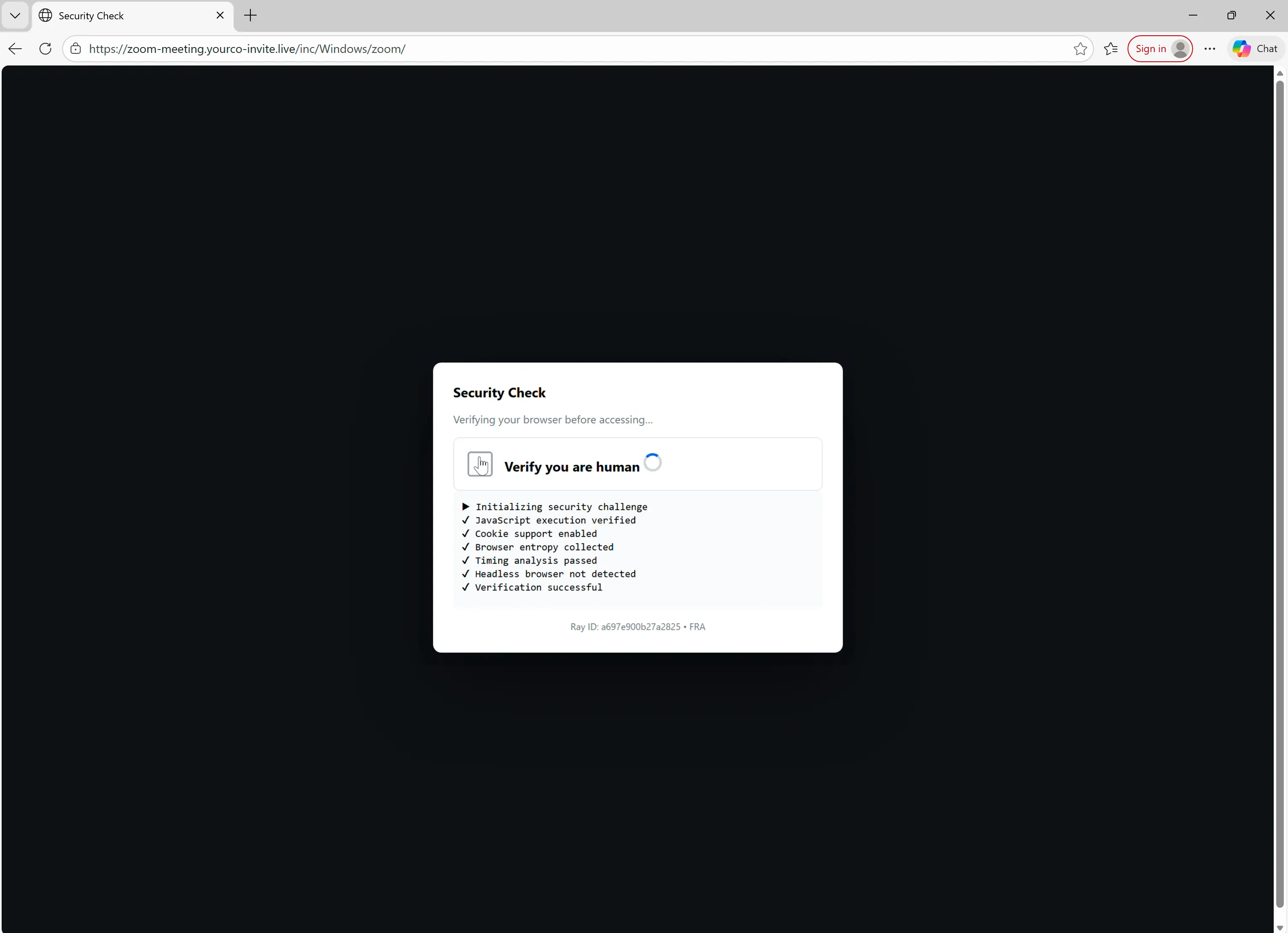
One of the checks verifies that the target is running Windows. If the target is not on Windows, the attack ends.
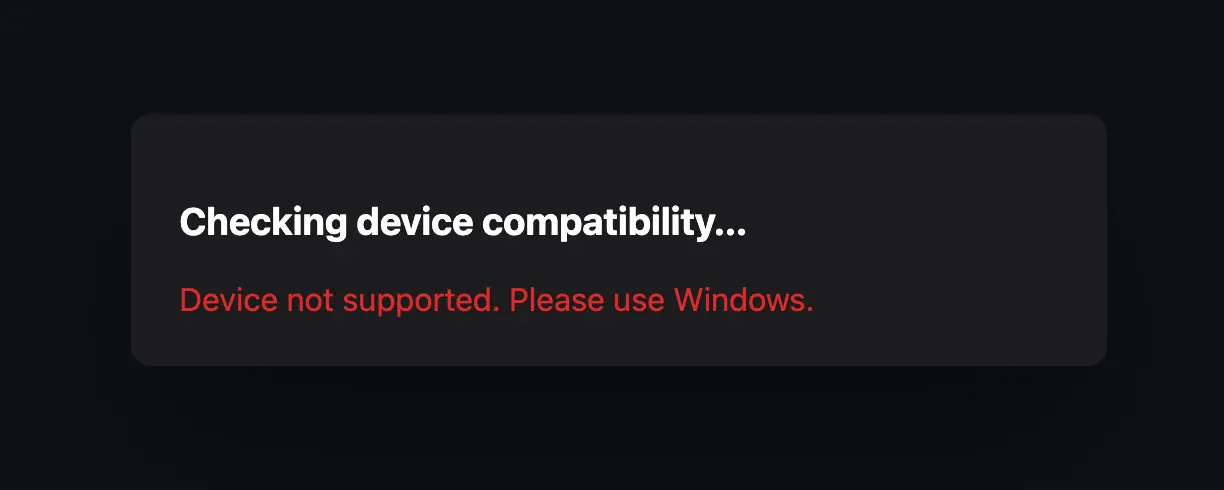
If the target is on Windows, they're taken to a fake Zoom meeting.
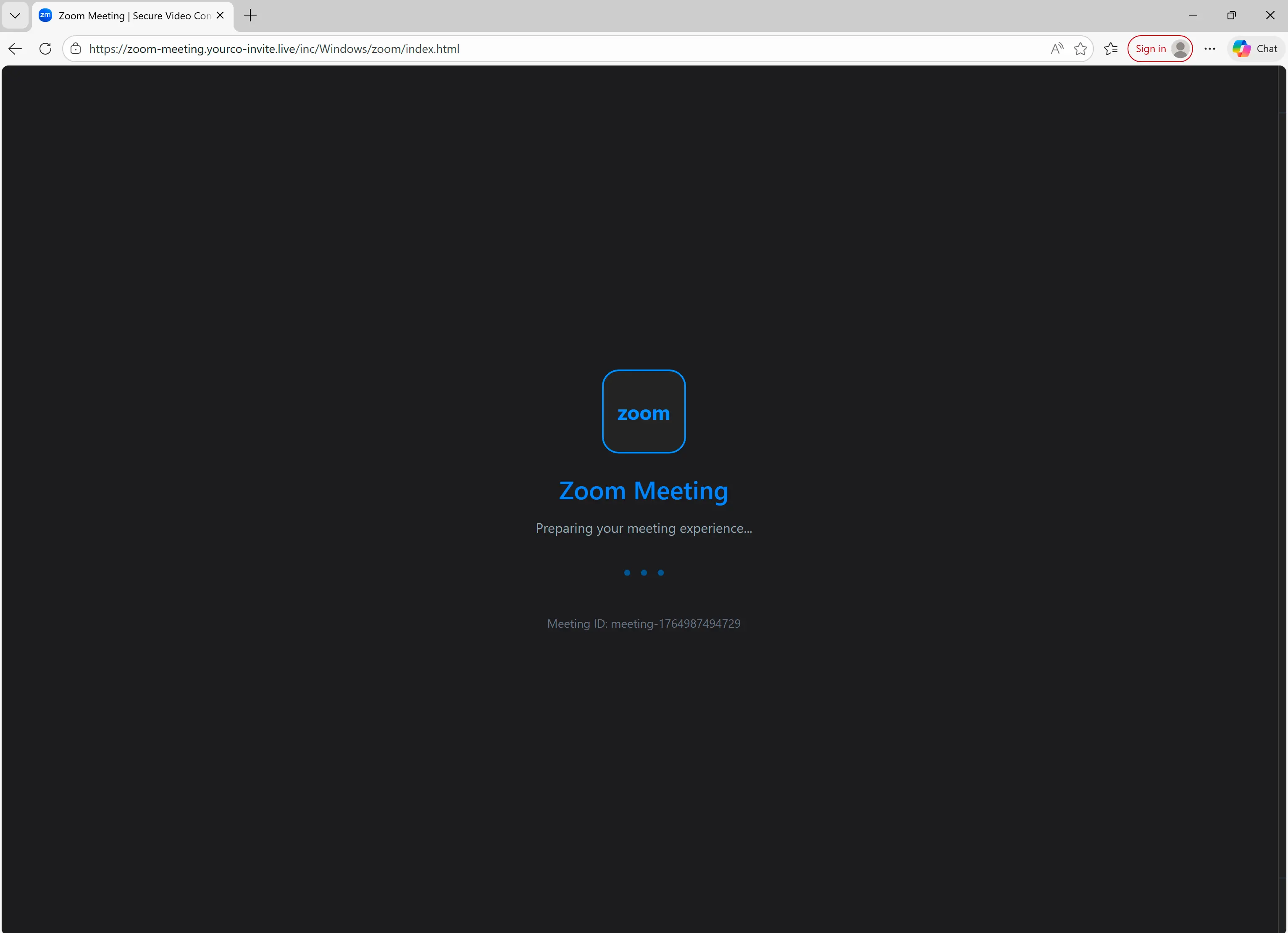
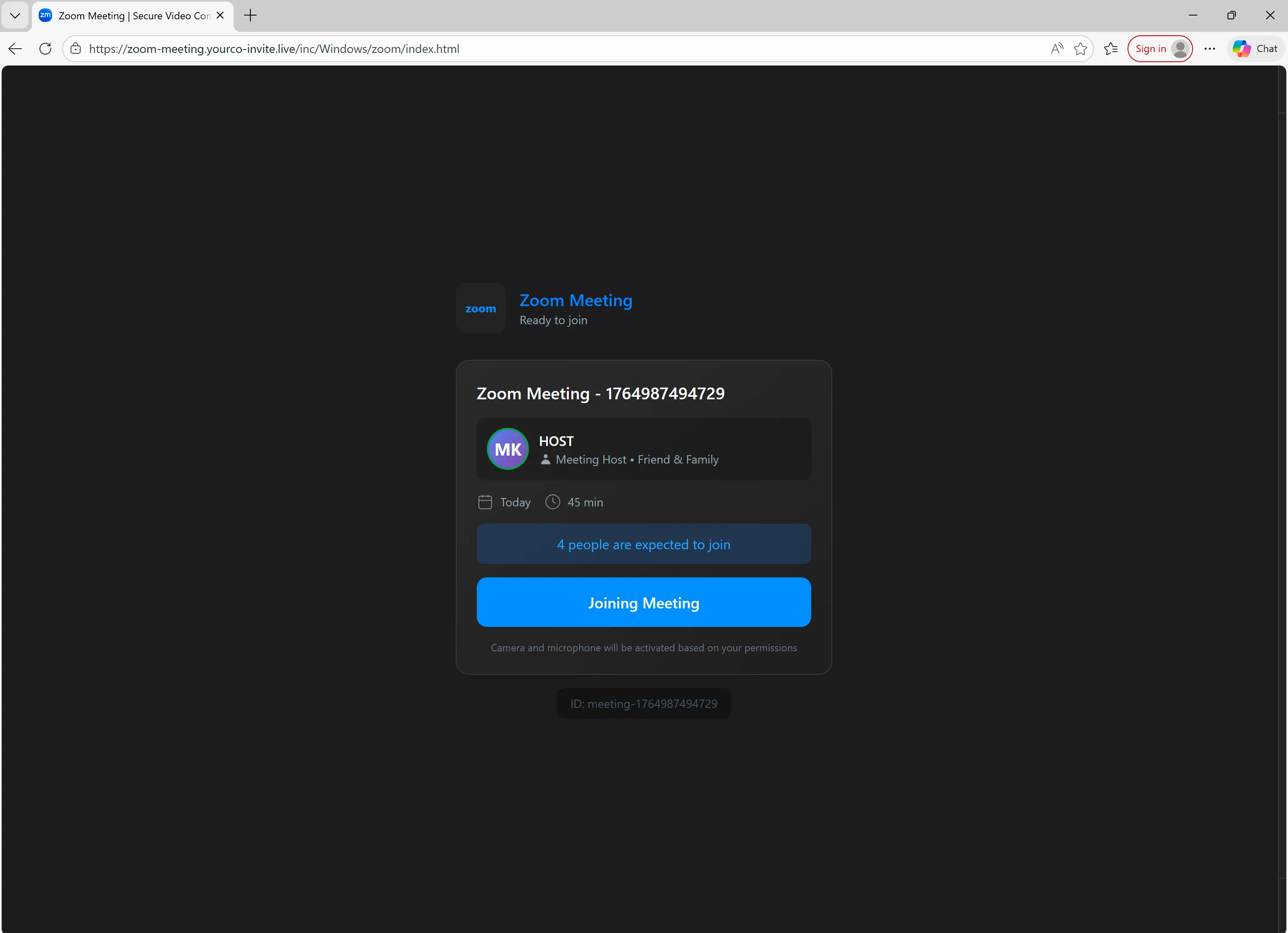
After the initial Zoom splash screen, the target is taken to a fake waiting room that features information about the Zoom, including length and number of participants.
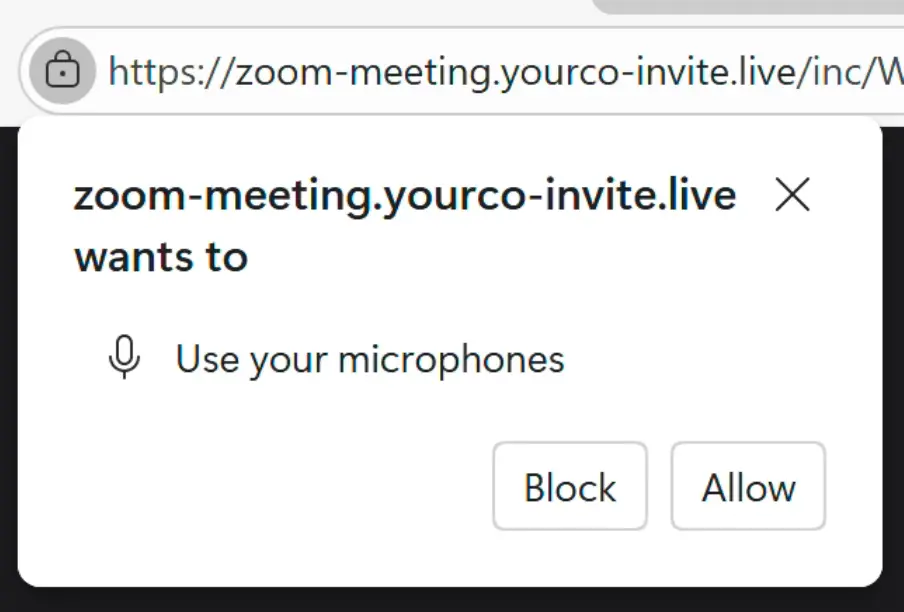
After clicking Joining Meeting, the target is prompted to allow the site to use their microphone and video, like in a real meeting.
JavaScript, not Zoom
Next is the most interesting part. The target is taken to a fake Zoom meeting that is actually an imitation created with JavaScript (likely AI-generated, per indicators within page source).
As fake attendees join, there is a warning about network issues, as well as choppy audio to simulate a Zoom riddled with technical issues. After a few seconds of choppy audio, an Update Available pop up appears, followed by a redirect to a fake Microsoft Store page for downloading a fake Zoom Workspace update.
Since this simulation is JavaScript and not a recorded video, the Zoom is interactive (e.g. clickable buttons) and it can be easily adjusted to better fool the target. For example, participant names can be changed to the names of people the target actually knows (with the help of social media):
Or voice files could be updated to use AI-generated voices that impersonate real people:
Payload delivery with instructions
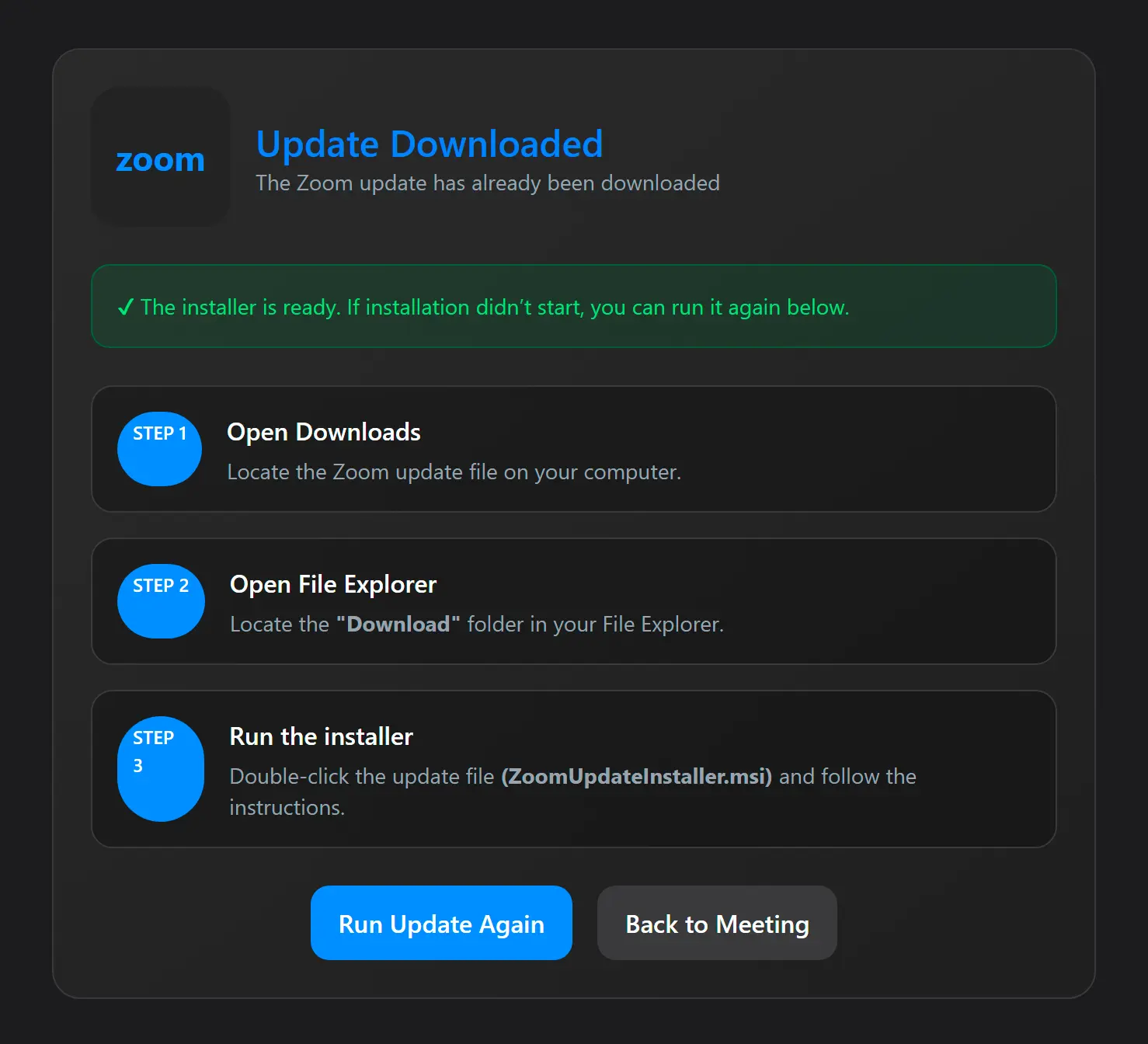
When the Update Available screen appears, the page attempts to download the file ZoomUpdateInstaller.msi. While this file appears to be a Zoom installer, it actually installs ScreenConnect, a legitimate remote administration tool delivered with parameters that allow the adversary to take control of the target system.
Alternatively, the target can click the Install button to launch the same download manually.
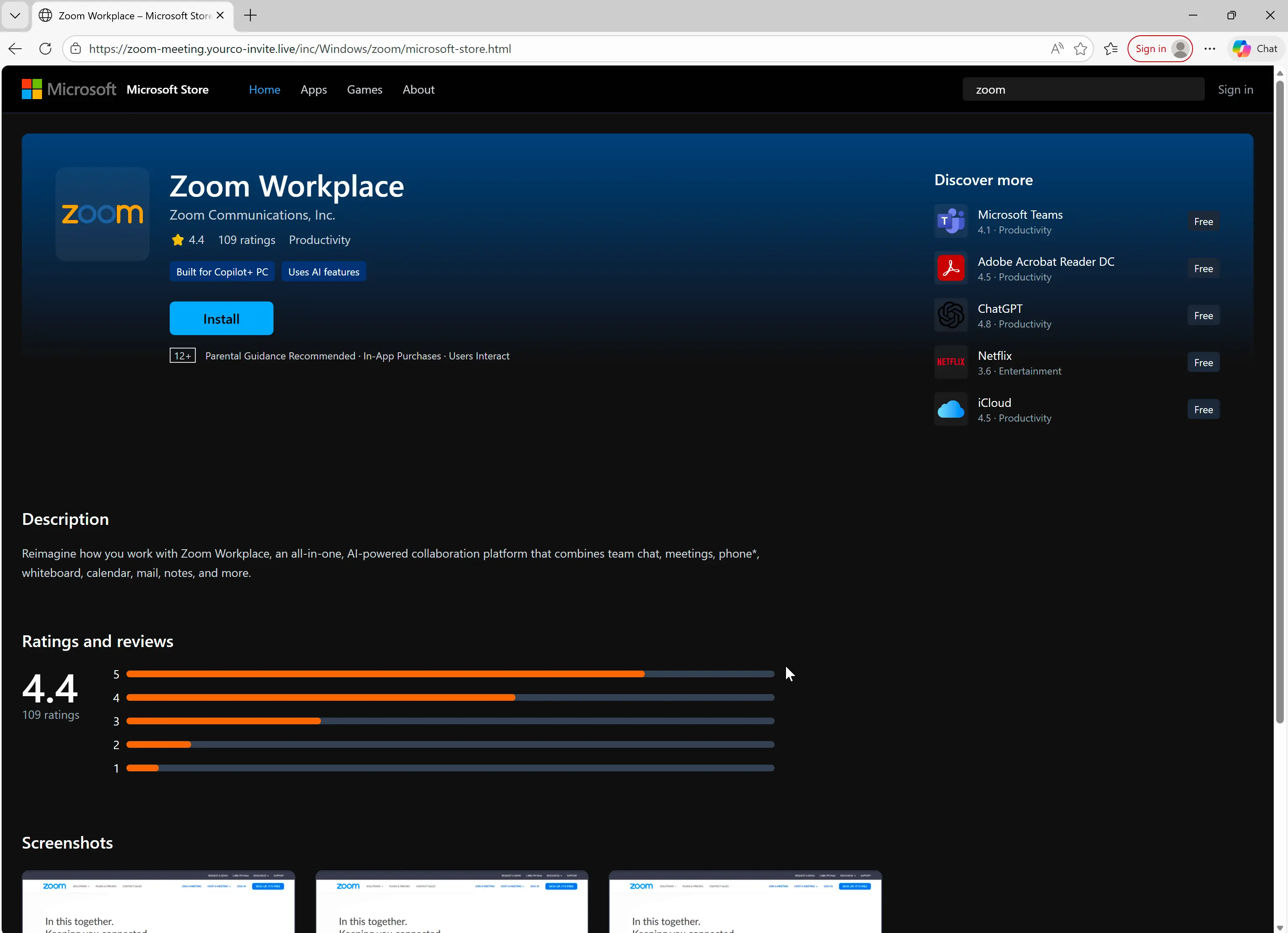
After the .msi file is downloaded, the target is taken to a post-download screen that explains how to run the fake Zoom update that installs maliciously-configured ScreenConnect.
Detection signals
Sublime's AI-powered detection engine detected this attack. Some of the top detection signals were:
- Zoom impersonation: While the email is formatted to look like a real Zoom meeting invitation, the Start Meeting destination domain (
zoom-meeting.yourco-invite[.]live) is completely unrelated to Zoom's official domains. - Suspicious URL: The malicious URL path structure indicates that the attack is targeting Windows systems (
/inc/Windows/zoom), even though Zoom runs on a variety of operating systems (e.g. MacOS). - Free email provider: The Zoom meeting was sent from a Gmail account, not a corporate account.
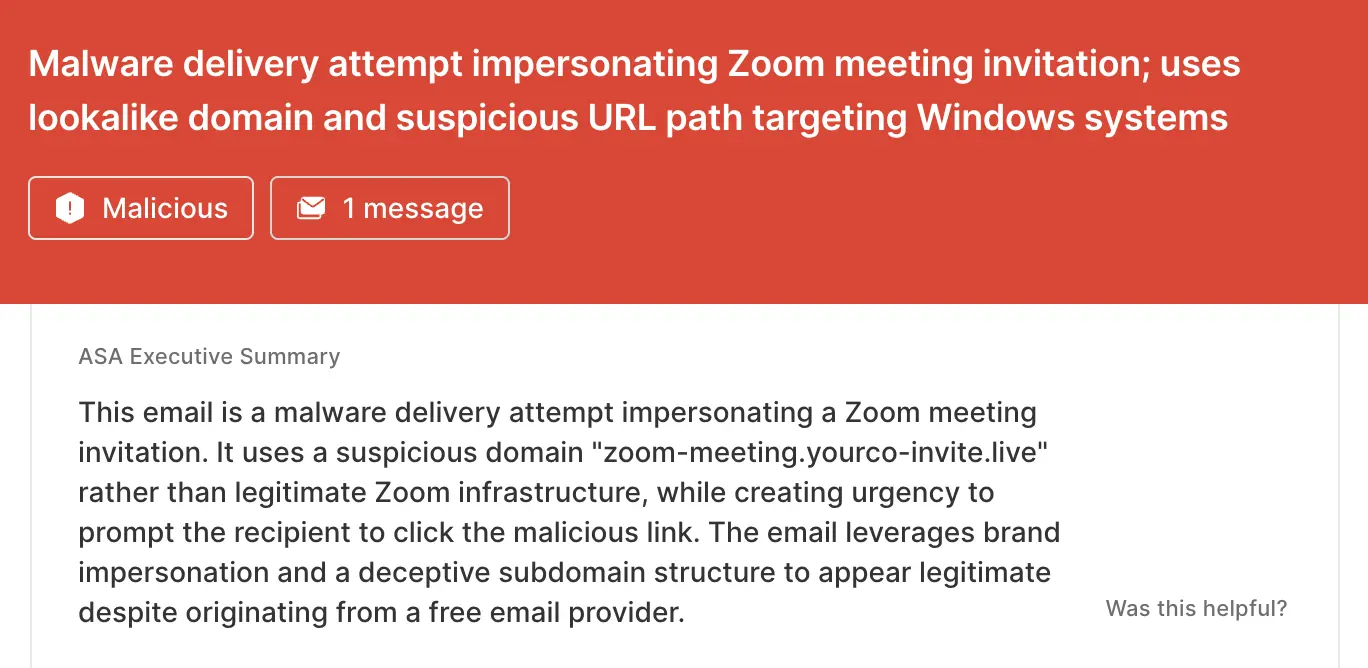
ASA, Sublime’s Autonomous Security Analyst, flagged this email as malicious. Here is ASA’s analysis summary from the first example:
Don’t let Zoom fatigue lower your guard
Attackers use the ubiquity of Zoom as camouflage for their attacks, knowing human targets may not even look twice before clicking Join. That’s why the most effective email security platforms are adaptive, using AI and machine learning to shine a spotlight on the suspicious indicators of the scam.
If you enjoyed this Attack Spotlight, be sure to check our blog every week for new blogs, subscribe to our RSS feed, or sign up for our monthly newsletter. Our newsletter covers the latest blogs, detections, product updates, and more.
Read more Attack Spotlights:
Get the latest
Sublime releases, detections, blogs, events, and more directly to your inbox.
.svg)


.avif)
