



Email bombs are the DDoS of email – and they’ve proven difficult to stop over the years. In these attacks, a bad actor sends an avalanche of email to a mailbox to overwhelm, disrupt, evade security, or more. For example:
- Disable mailbox: An attacker can use an email bomb to disable a target mailbox or make it otherwise unusable due to the volume of messages.
- Machine takeover: An attacker can send an email bomb and then call the victim pretending to be the IT department looking into the attack. They’ll ask the user to install remote access tools so that the attacker can “fix” the user’s disrupted email. The attacker now has access to the victim’s computer.
- Account takeover: After successfully changing a user’s password to an external service, the attacker sends an email bomb at the same time as the password reset notification. The legitimate message about the password reset is then lost in the deluge, leaving the user unaware of the compromise.
The two aspects of these attacks that make them effective are: 1) the smokescreen emails are often legitimate mail that could be wanted in some contexts (if not during an attack), and 2) there are too many emails being sent at once for them to be addressed individually. To tackle email bombs, we wanted to take a new approach for detection and prevention.
Introducing email bomb protection from Sublime
Sublime’s new email bomb protection looks for sustained spikes in the number of emails received by a mailbox, opposed to looking at each message's contents independently. These spikes are required for an email bomb to be successful, but also evidence of the attack. Once a spike is identified, automations are triggered to move emails from the attack to the correct locations (spam goes to spam, attacks go to quarantine, etc.) for the duration of the attack.
Sublime’s approach to email bomb protection
When Sublime detects an email bomb, it quickly identifies, groups, and applies verdicts to the messages in the attack. This keeps unwanted and malicious email out of end user inboxes and cuts the noise for security teams trying to determine the intent of an attack.
It can sometimes take a while for the spike in emails to build, but there’s always a point where it becomes clear it’s a bomb. Once an email bomb has been identified:
- The mailbox is tracked as “part of an active bomb” so new messages are immediately processed by email bomb Automations.
- Sublime automatically reprocesses messages that arrived when the bomb started, and then runs those same email bomb Automations to auto-remediate the rest of the bomb.
So even if an email bomb is slow building and hard to detect initially, Sublime goes both forwards and backwards to clean it up.
To make this bidirectional processing possible with a high level of confidence, we use a combination of machine learning functionality. Attack Score, Natural Language Understanding (NLU), and Topic Modeling all help us cut through the noise. And because the messages have already been scoped as being an email bomb, we can be more aggressive with our verdicts.
Most importantly, all of our machine learning enrichments are available within Message Query Language (MQL), so you have the ability to leverage any of them directly within any custom email bomb automations you create beyond the ones we provide. We’ll show you how in the next section.
Using Sublime for email bomb remediation
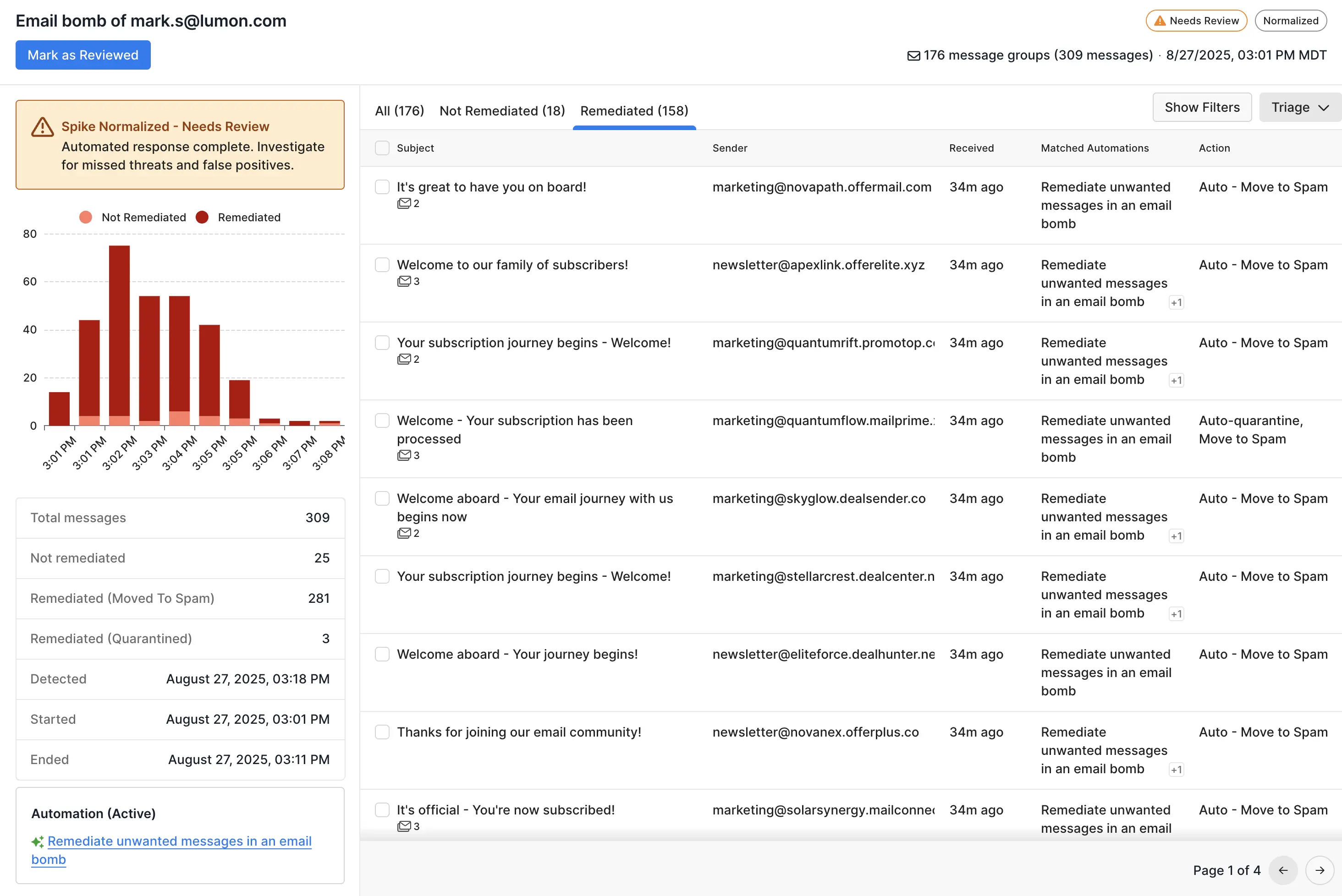
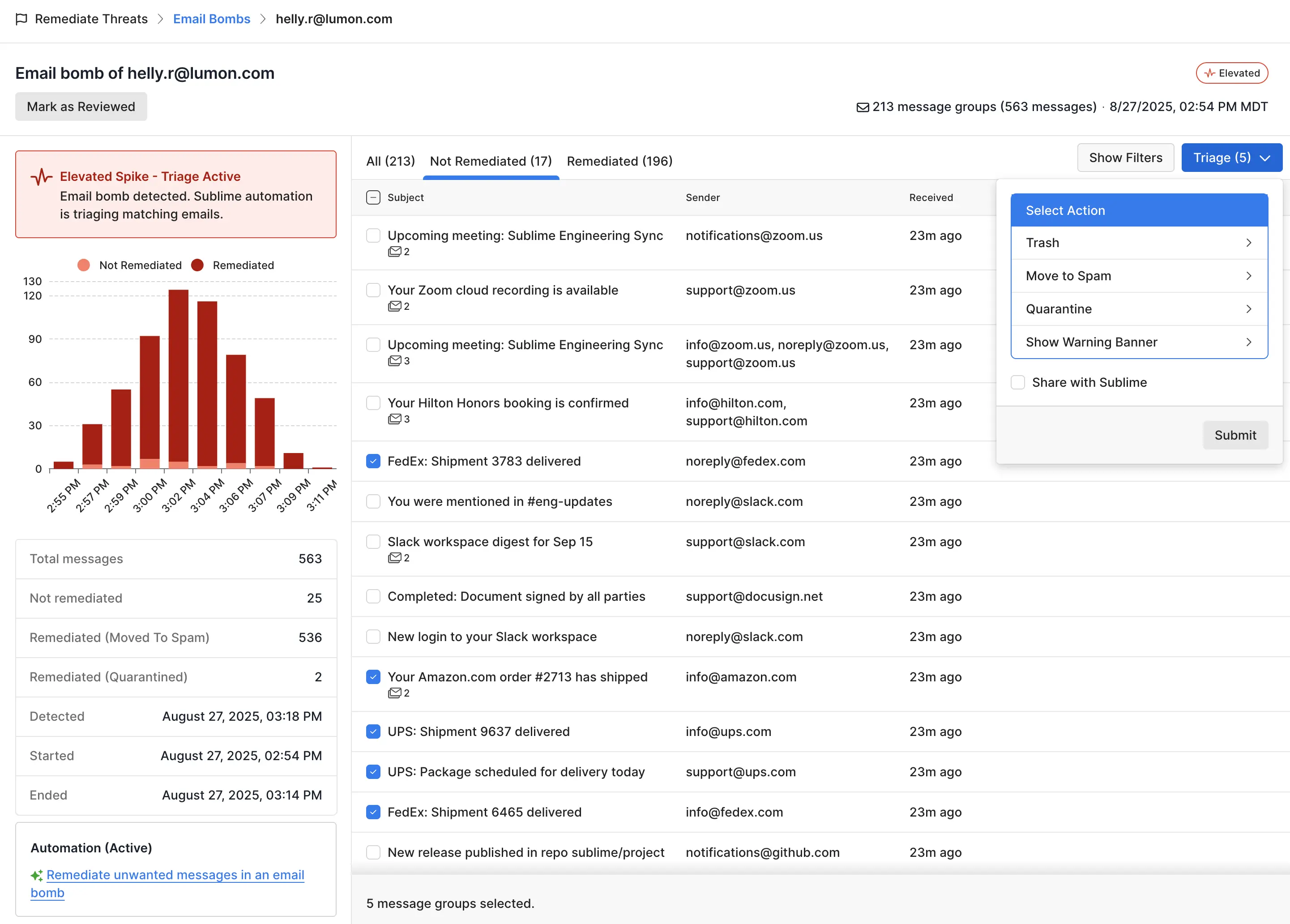
Within the Remediate Threats section of the Sublime side panel, you’ll now see Email Bombs. Within the list view, you’ll see all the email bombs that have been detected, including those that are ongoing. You’ll also see the number of messages per bomb, as well as it’s detection and review statuses.
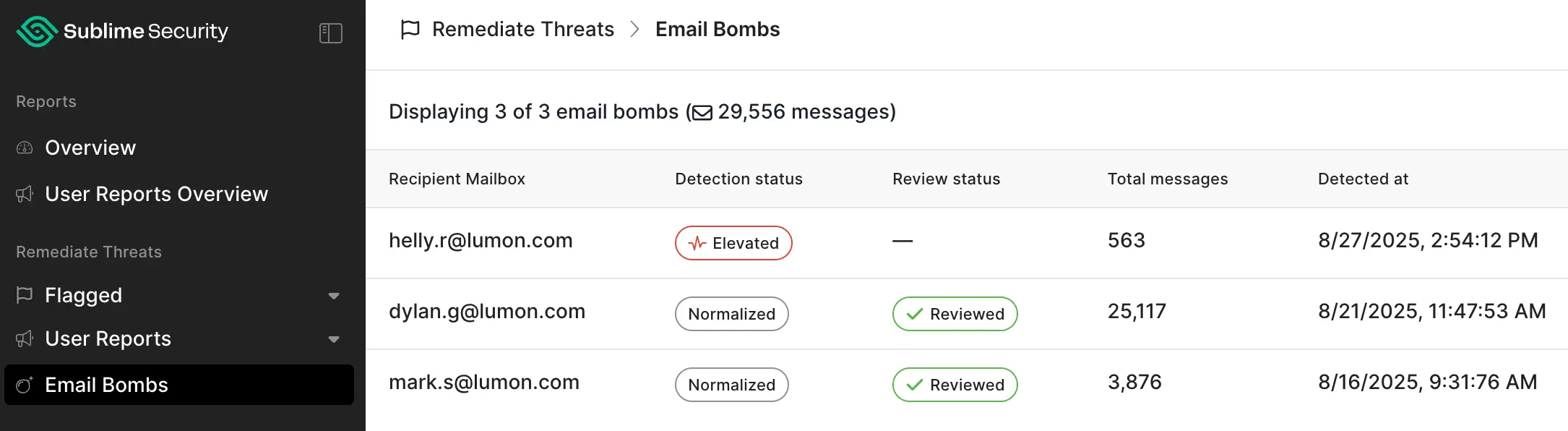
Opening a bomb gives you a histogram and stats on the bomb. In this view, you can easily see how many messages were automatically remediated, how many need human analysis, and which automation identified the email bomb. You can also click on any message to open its detail view to investigate further.
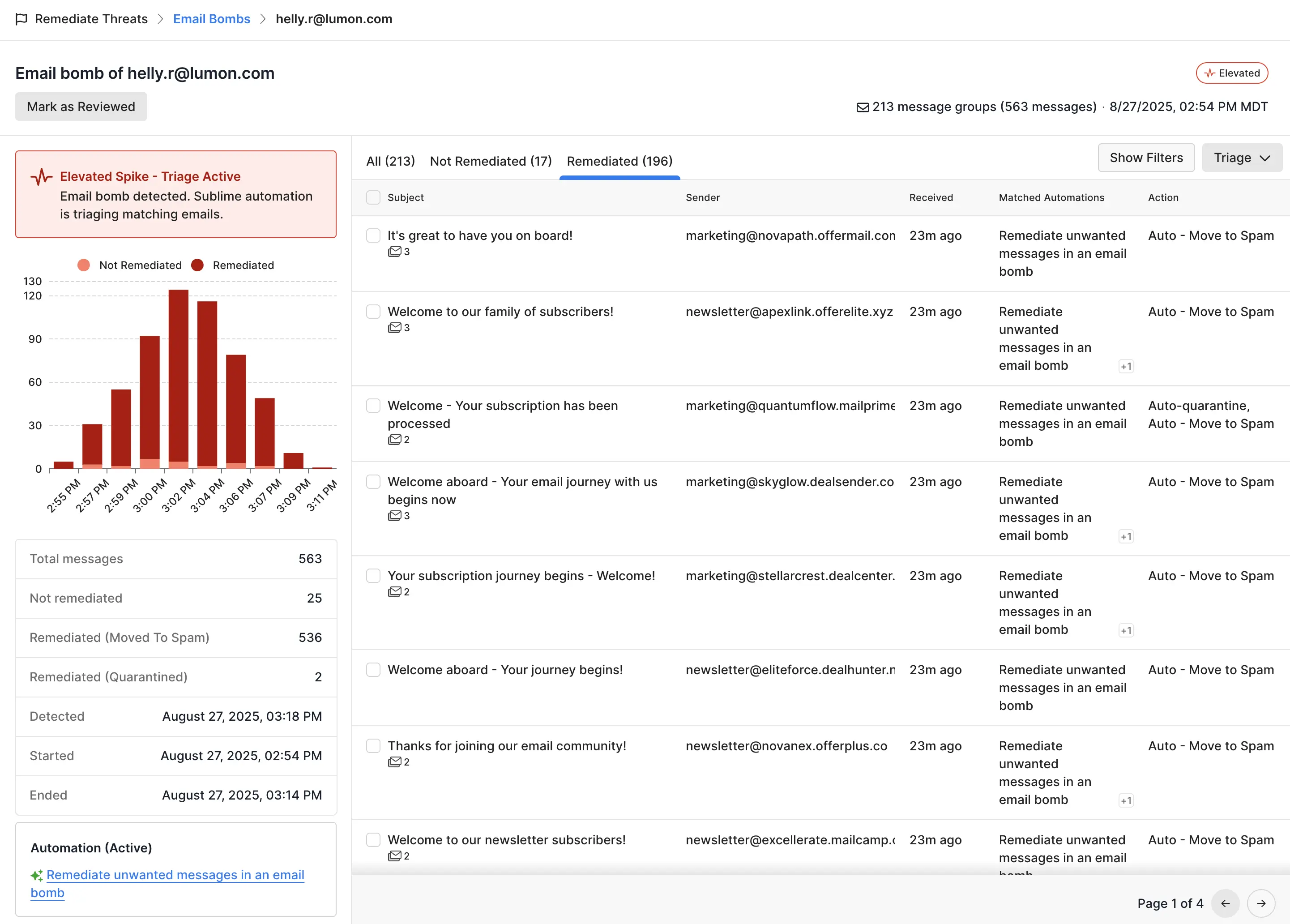
From here, you can quickly triage the messages that weren’t remediated automatically. These messages are most often legitimate emails that were received during the email bomb duration, but if any messages in the bomb slipped through, you can easily select one, multiple, or all of the messages and then choose the appropriate triage option.
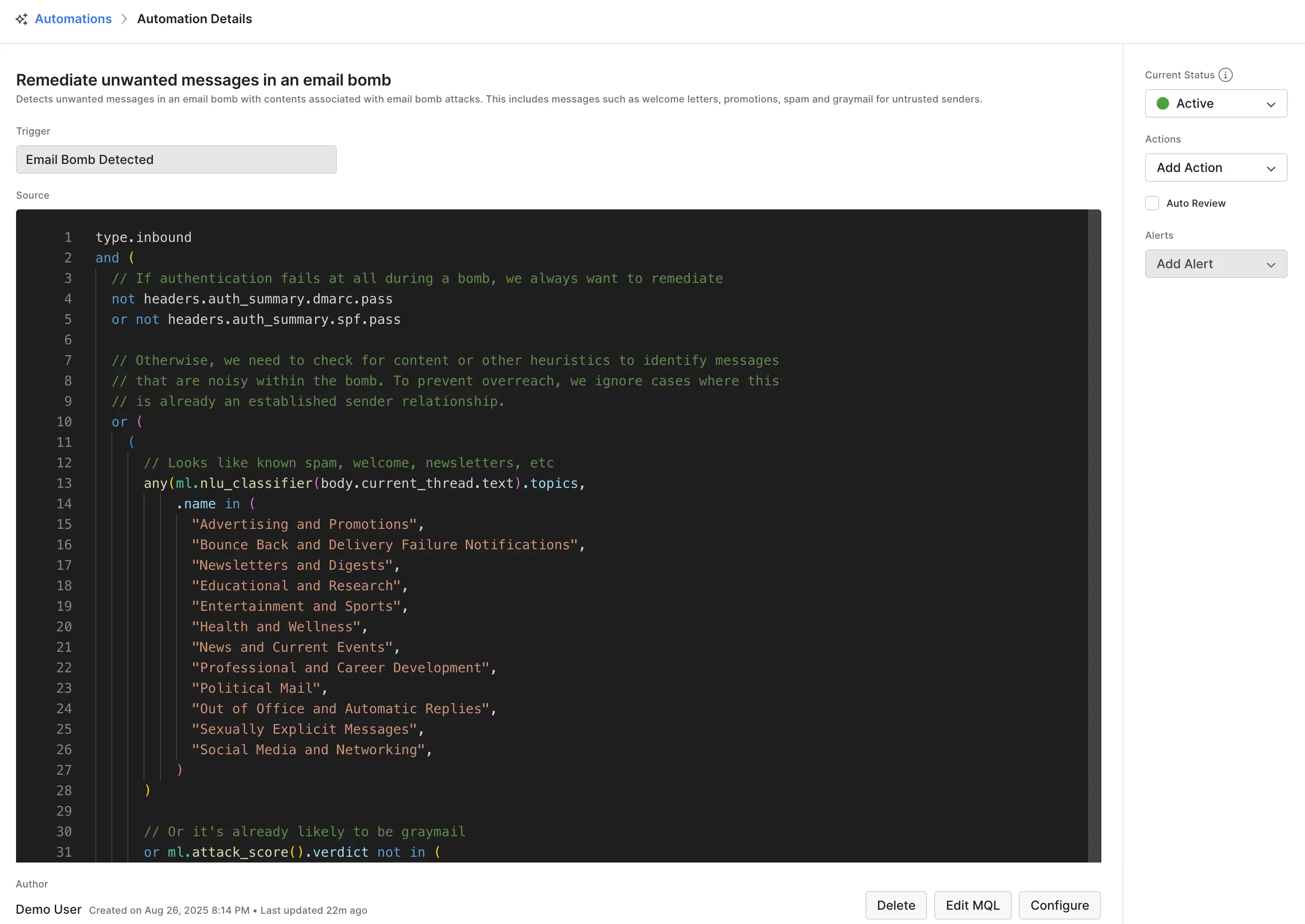
To see the logic behind the email bomb Automation that caught the attack, click on the Automation name at the bottom left corner. In this case, Remediate unwanted messages in an email bomb. Once open, you can explore the MQL logic, edit the Automation, reconfigure it, or delete it.
Sublime stops email bombs
Email bombs are a nuisance that can be stopped. Start using email bomb remediation today or book a live demo to see how easy it can be to shut down this attack. For getting started and technical information, see our Email Bombs documentation.
Get the latest
Sublime releases, detections, blogs, events, and more directly to your inbox.
.svg)


.avif)
