

.svg)
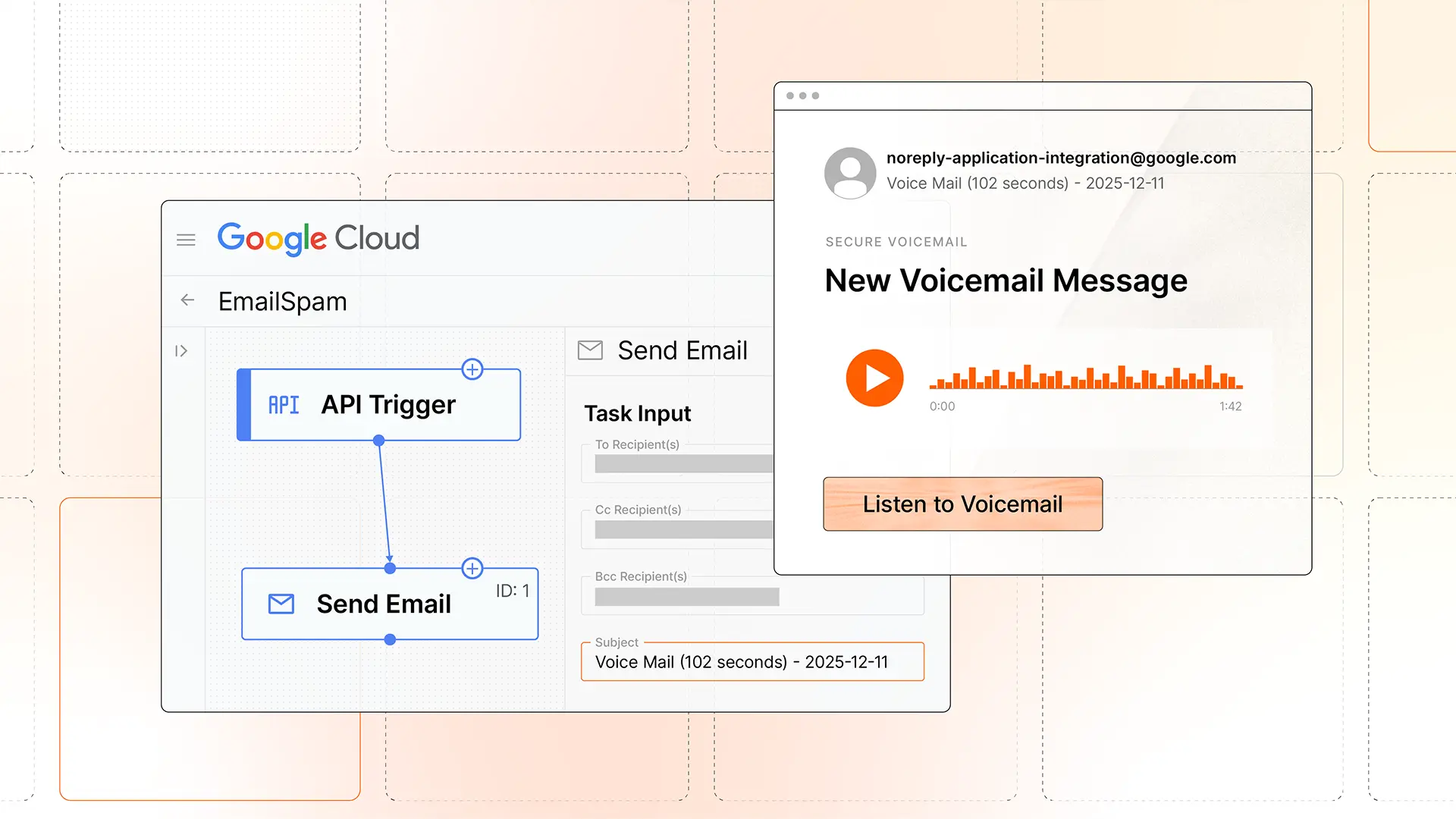
We’ve recently observed an uptick in abuse of the Application Integration platform of Google Cloud. By sending attacks via Application Integration, not only are adversaries are able to send messages from noreply-application-integration@google[.]com that pass all authentication checks, they’re also given a convenient interface for building convincing messages with raw HTML.
Here’s a message we recently detected:
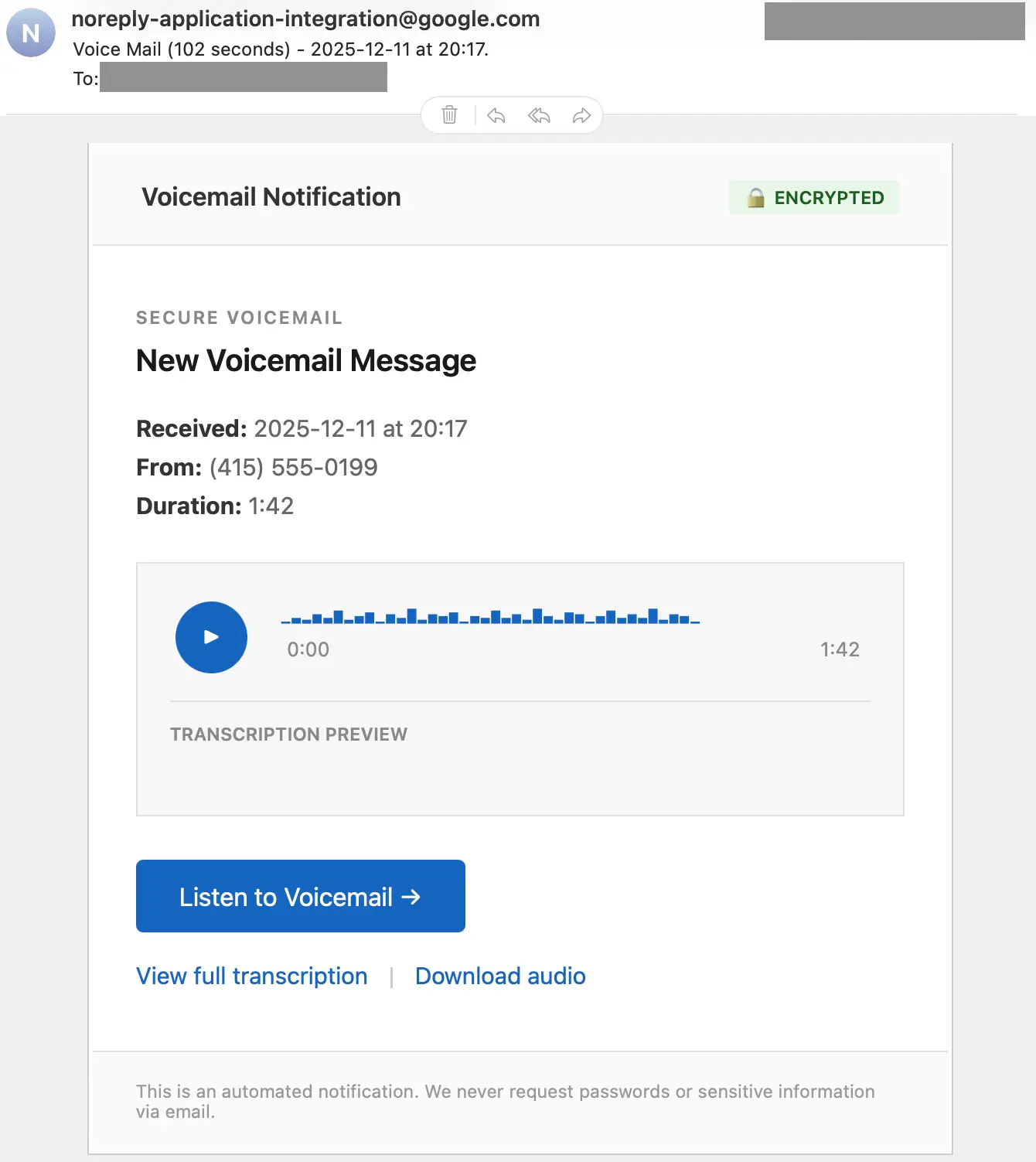
This message looks legitimate except for the 555 exchange code, which is clearly a fake number. If the target clicks on any of the links, they’re taken to: https://storage.cloud.google[.]com/httqwebserver764g[REDACTED]fe56g4784/captcha[.]html
From there, the target is directed to a fake CAPTCHA before being taken to a credential phishing page. We’ll take a look at that CAPTCHA page later, but first, let’s examine how the attacker sent the message.
Sending authenticated attacks from Google Cloud Application Integration
To run these authenticated attacks, an adversary needs access to a Google Cloud account with saved billing information. Once in Application Integration, they can create a new Integration. After that, they just need to create a Send Email Task. Within the new Task, the adversary has an HTML field in which to craft their message. This is how they’re able to easily send convincing emails that come from a noreply-application-integration@google[.]com sender address.
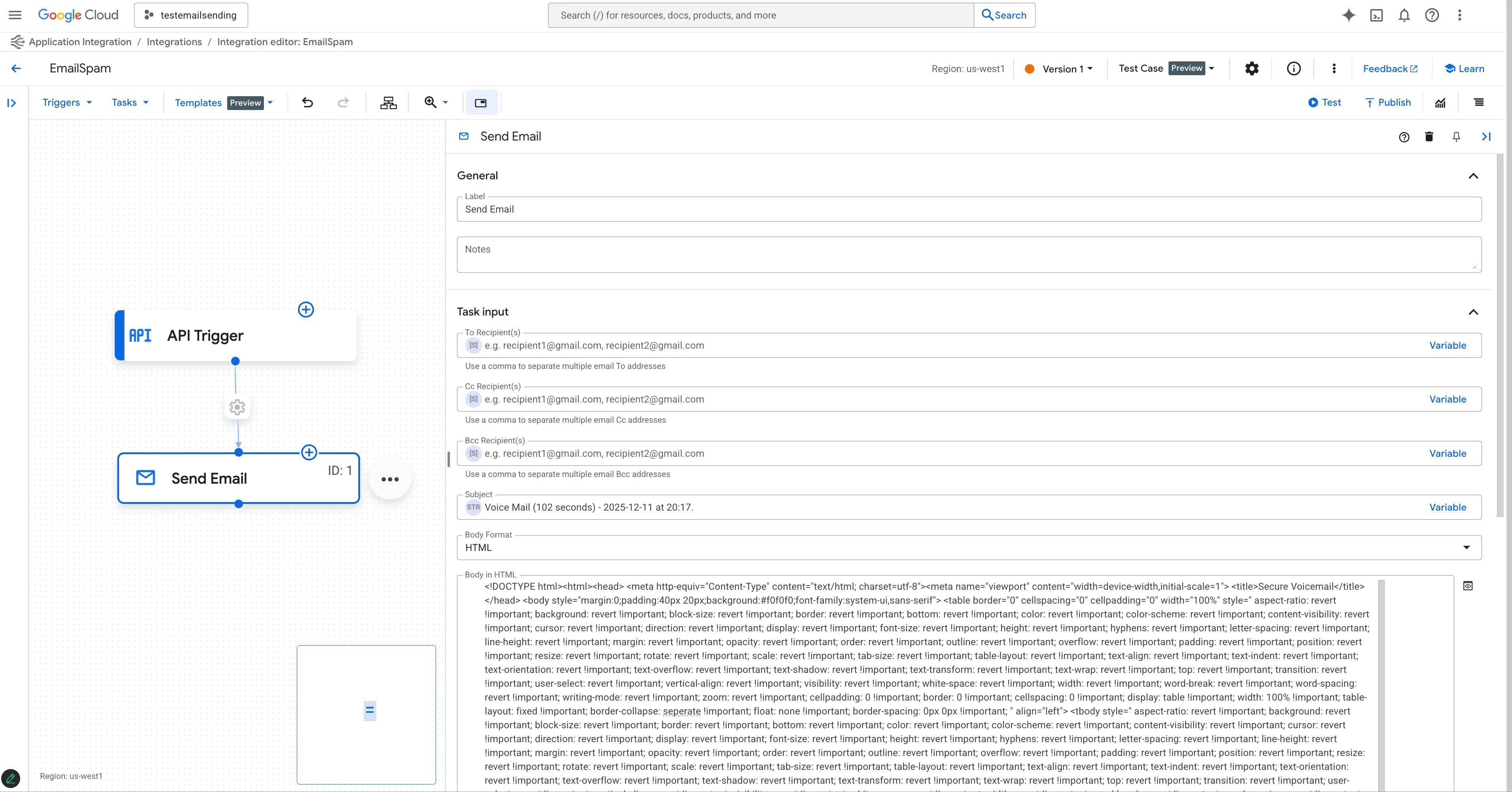
After crafting a message, they can then use the Test button to send the attack rather than initiating a Trigger event.
Exploring captcha.html
Turning to the payload linked in the message, we can see that the destination page is a captcha.html hosted on Google Cloud Storage, leading to one of four CAPTCHA challenges. If they complete that challenge, they are taken to one more challenge before being taken to the phishing page.
Based on the structure and code comments in the HTML and embedded JavaScript, we believe that captcha.html was LLM-generated. This is a prime example of how GenAI has lowered the technical bar for attackers (see more on this in the 2026 Sublime Email Threat Research Report).
We’ve seen multiple attacks featuring this unique CAPTCHA, so we dug into the page to see why it was being reused in attacks. Within it, we found a script that allows attackers to configure the level of bot checking they want in their attack. It features four different challenges, a variety of bot detection methods, and configuration options for each. For example:
const REQUIRED_CHALLENGES: Allows attackers to choose how many challenges the target needs to go through before redirecting to the phishing page.const BotDetector: Allows attackers to set the thresholds for bot identification.
Let’s look at some of the bot detection and challenge methods.
Bot detection
The bot detection portion of the script calculates a score based on interaction signals and then lets the attacker set a score threshold for bot identification. In this attack, it was set to THRESHOLD: 8. Some of the signals it looked for were:
- Headless Chrome
- PhantomJS
- Selenium-specific calls
- Known bots (spider, puppeteer, playwright, etc.)
- Click tracking
- Touch tracking
- “Impossibly fast completion” (less than 500ms total)
Based on values set for each, a single signal or a combination of multiple could push a score past the threshold.
Challenge options
Within the challenge section, there are four types: match, drag, sequence, slider. Here’s what the slider and sequence challenges look like:
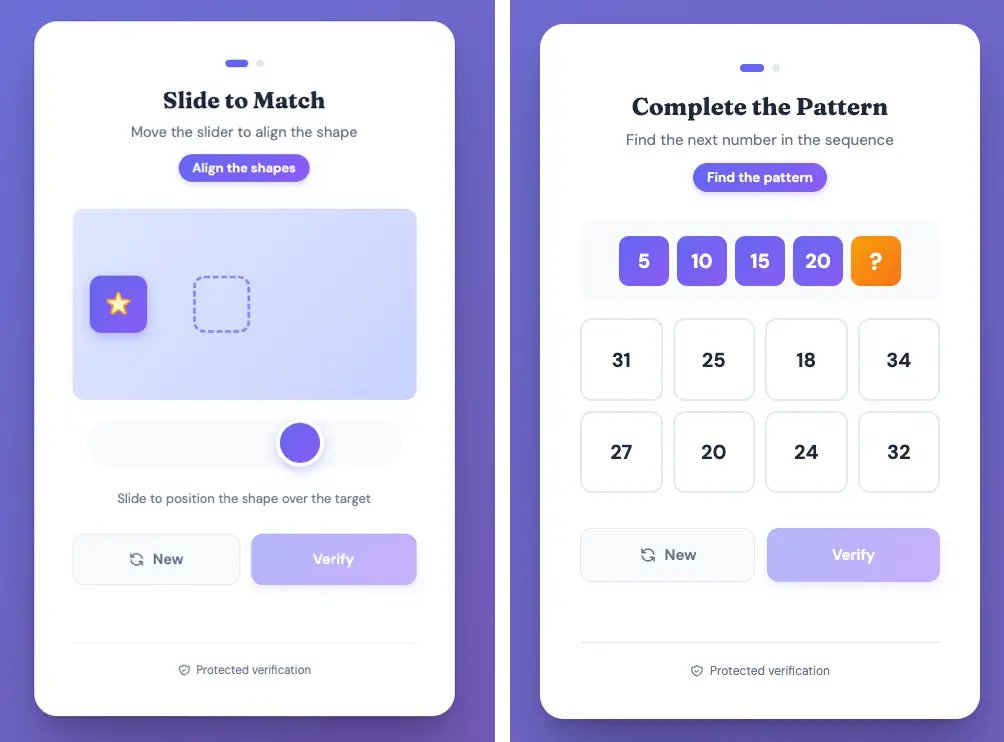
Each of the challenges was complex enough to keep bots out, and if an attacker wanted to, they could require all four to be successfully completed before allowing the target to pass through. In total, the CAPTCHA challenges portion of the script (including comments and line breaks) came out to 405 lines. The whole script was nearly 600 lines.
Detection signals
Sublime's AI-powered detection engine prevented all of these different attacks. Some of the top signals for this last example were:
- Google impersonation: The message is from a Google subdomain domain, contains links to a different Google subdomain, but contains no known Google branding.
- Suspicious links: All action links point to the same suspicious URL path despite different display text.
- Free file host: All links are to a file on Google Cloud Storage (
storage.cloud.google[.]com), a provider in the$free_file_hostslist in Sublime. - Suspicious URL: Random alphanumeric string in the URL path suggests an attempt to obfuscate the destination.
- Suspicious page filename: The use of "captcha.html" as the destination filename is inconsistent with legitimate voicemail systems and legitimate CAPTCHA systems.
- Urgency: The message creates urgency by showing a missed call requiring immediate attention.
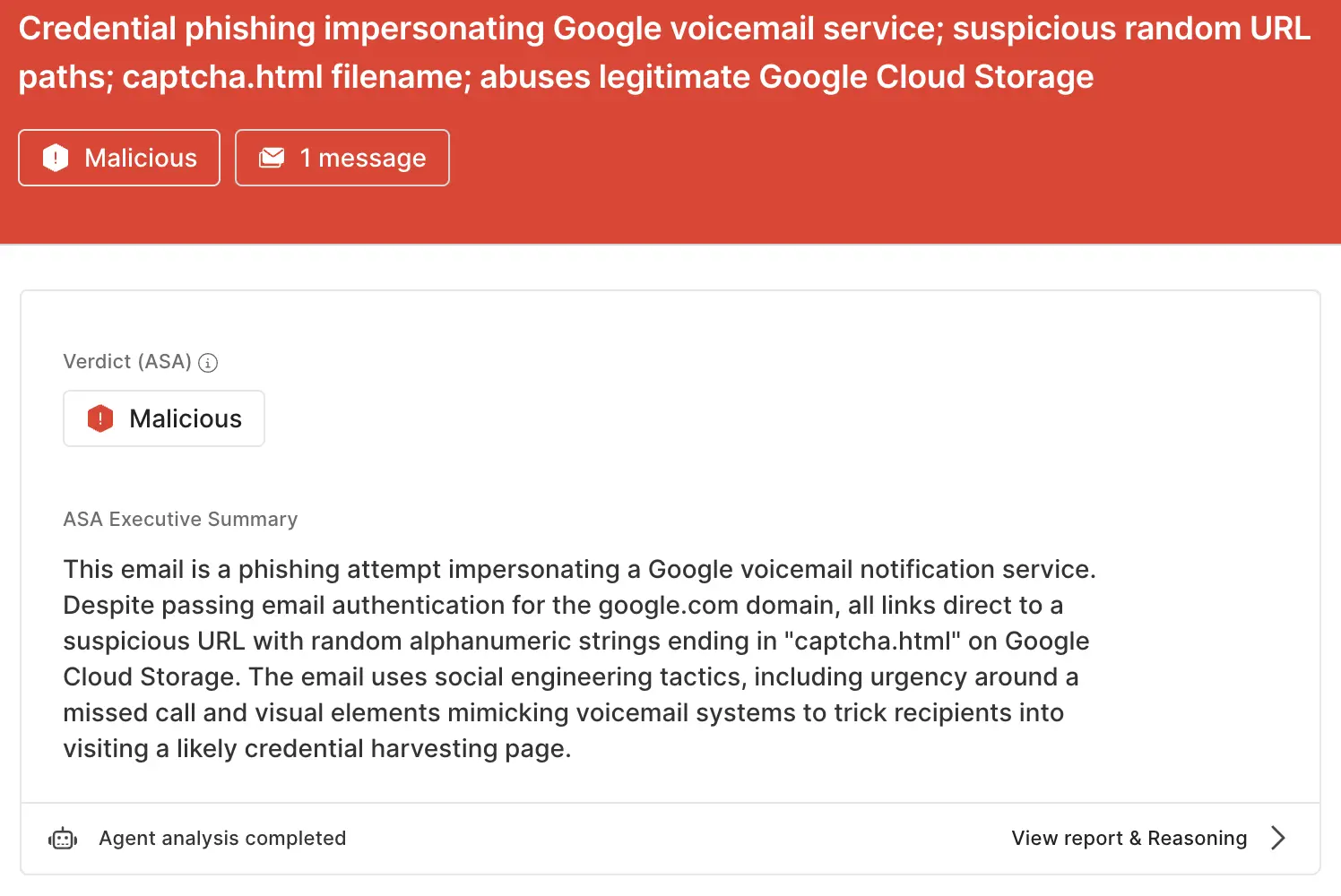
ASA, Sublime’s Autonomous Security Analyst, flagged this email as malicious. Here is ASA’s analysis summary:
Don’t let attackers hide on trusted sites
Adversaries will abuse any legitimate service that they can in order to get an attack past email security platforms. That’s why the most effective email security platforms are adaptive, using AI and machine learning to shine a spotlight on the suspicious indicators of the scam.
If you enjoyed this Attack Spotlight, be sure to check our blog every week for new blogs, subscribe to our RSS feed, or sign up for our monthly newsletter. Our newsletter covers the latest blogs, detections, product updates, and more.
Read more Attack Spotlights:
Get the latest
Sublime releases, detections, blogs, events, and more directly to your inbox.
.svg)


.avif)
