


.svg)
A little while back, we blogged about the surge of calendar-based attacks we’ve recently observed, as well as our new feature that allows Sublime to automatically remediate malicious invitations – removing them from both inboxes and calendars.
This week, we’re excited to announce the GA of Sublime’s malicious calendar remediation feature. Sublime shuts down both prongs of this novel attack type at once.
Malicious calendar invites have been dangerously effective. When our SOC and customers started noticing an uptick in calendar-based attacks, we knew we had to act fast. Sublime's calendar invite protection lets us handle this threat automatically, freeing up our analysts' time, protecting our customers, and keeping us on top of the latest threats.
– Andrew Cook, CTO at Recon Infosec

To enable this new feature, extend your Sublime app permissions to include Calendar access. If you're unsure whether you’ve already granted the right permissions, head to Message Sources in Sublime and click on a message source to see permissions granted.
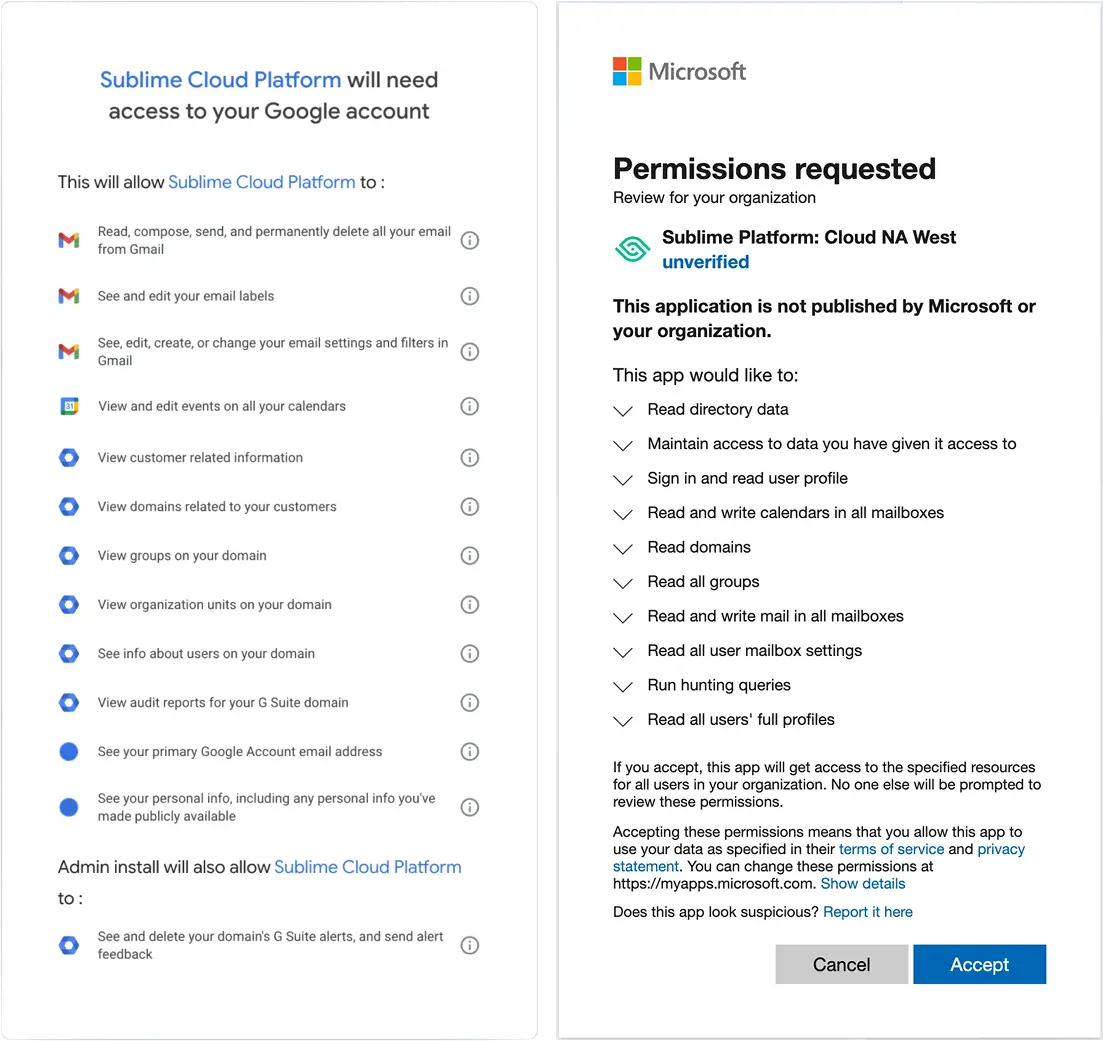
Malicious calendar invite handling
With this release, Sublime now offers both automatic removal and automatic restore of calendar entries.
Automatic calendar invite removal
When a message with a calendar invite is sent to quarantine, spam, or trash/junk, its related event is automatically deleted if it was auto-populated on the target’s calendar. As these actions are taken post-delivery, Sublime can also remediate malicious calendar entries discovered while threat hunting.
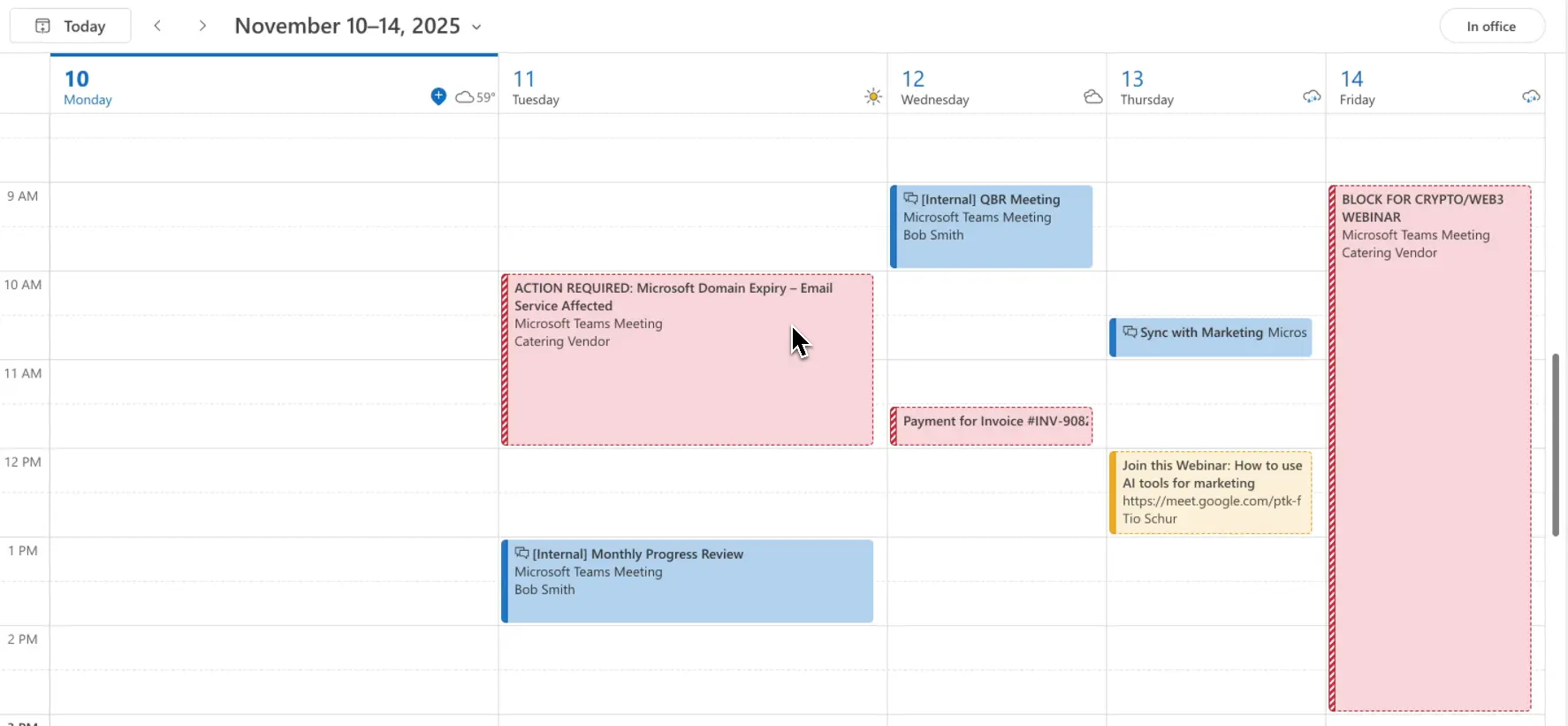
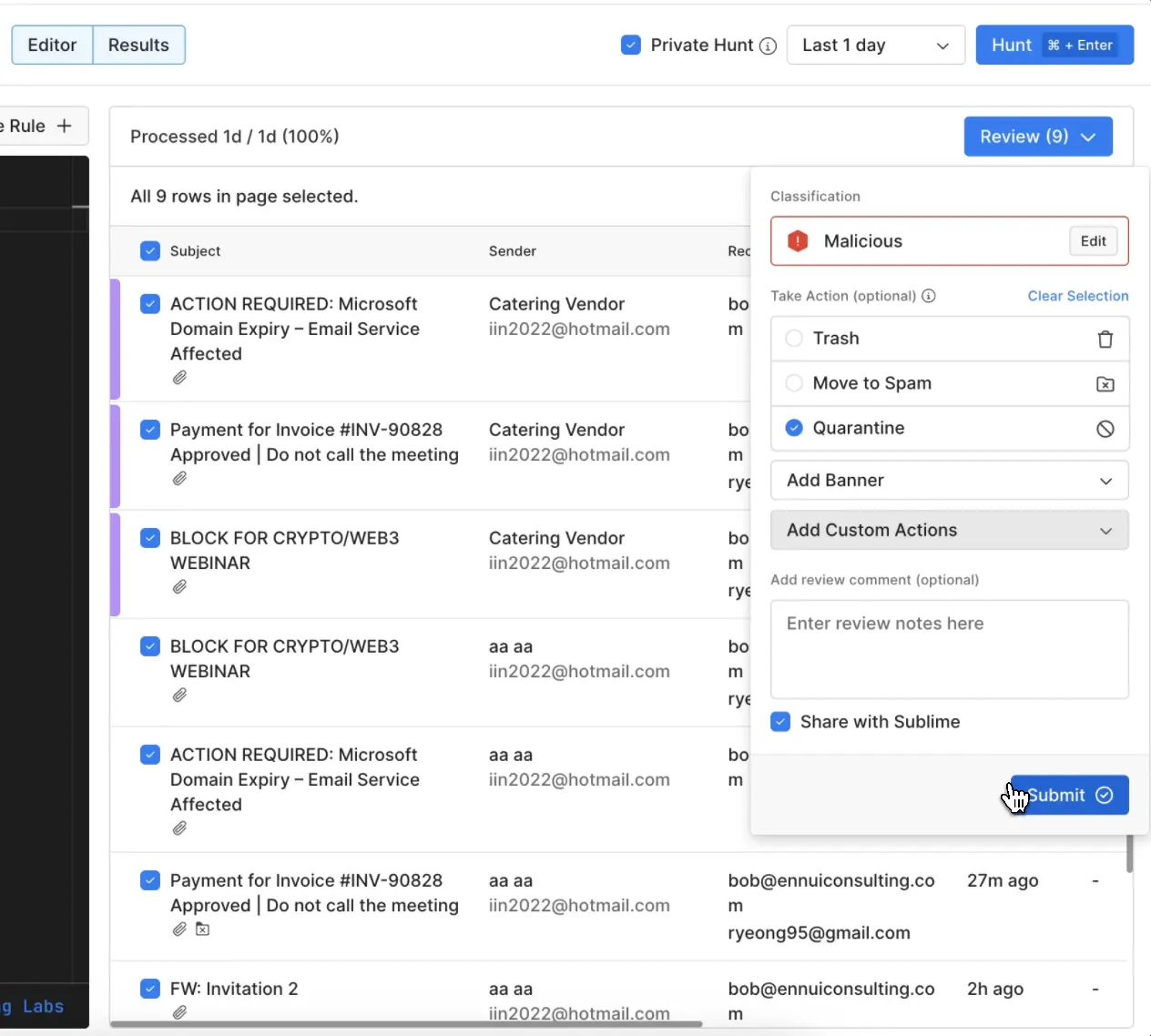
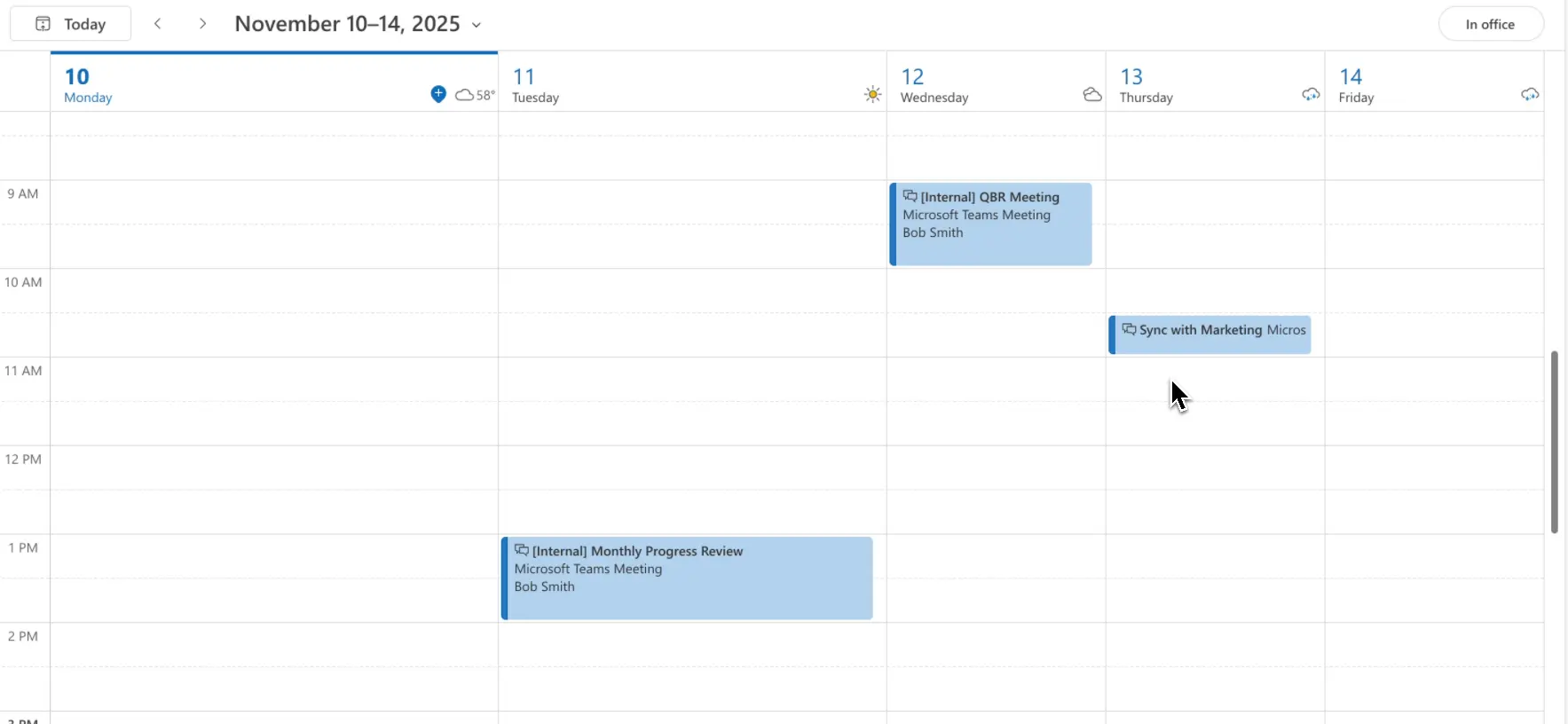
Automatic calendar invite restore
When a message with a calendar invite is restored (i.e. triage determines a suspicious message is benign), the event is re-added in calendar as a placeholder that directs you to the original invite for details and RSVP.
Protect your calendar with Sublime
Calendars have become a growing target for attackers – don’t leave yours unguarded. Book a live demo to see how Sublime’s adaptive AI email security platform detects and stops threats before they reach your calendar or inbox. Already a customer? Learn how to grant calendar permissions to Sublime.
Get the latest
Sublime releases, detections, blogs, events, and more directly to your inbox.
.svg)


.avif)
