

.svg)
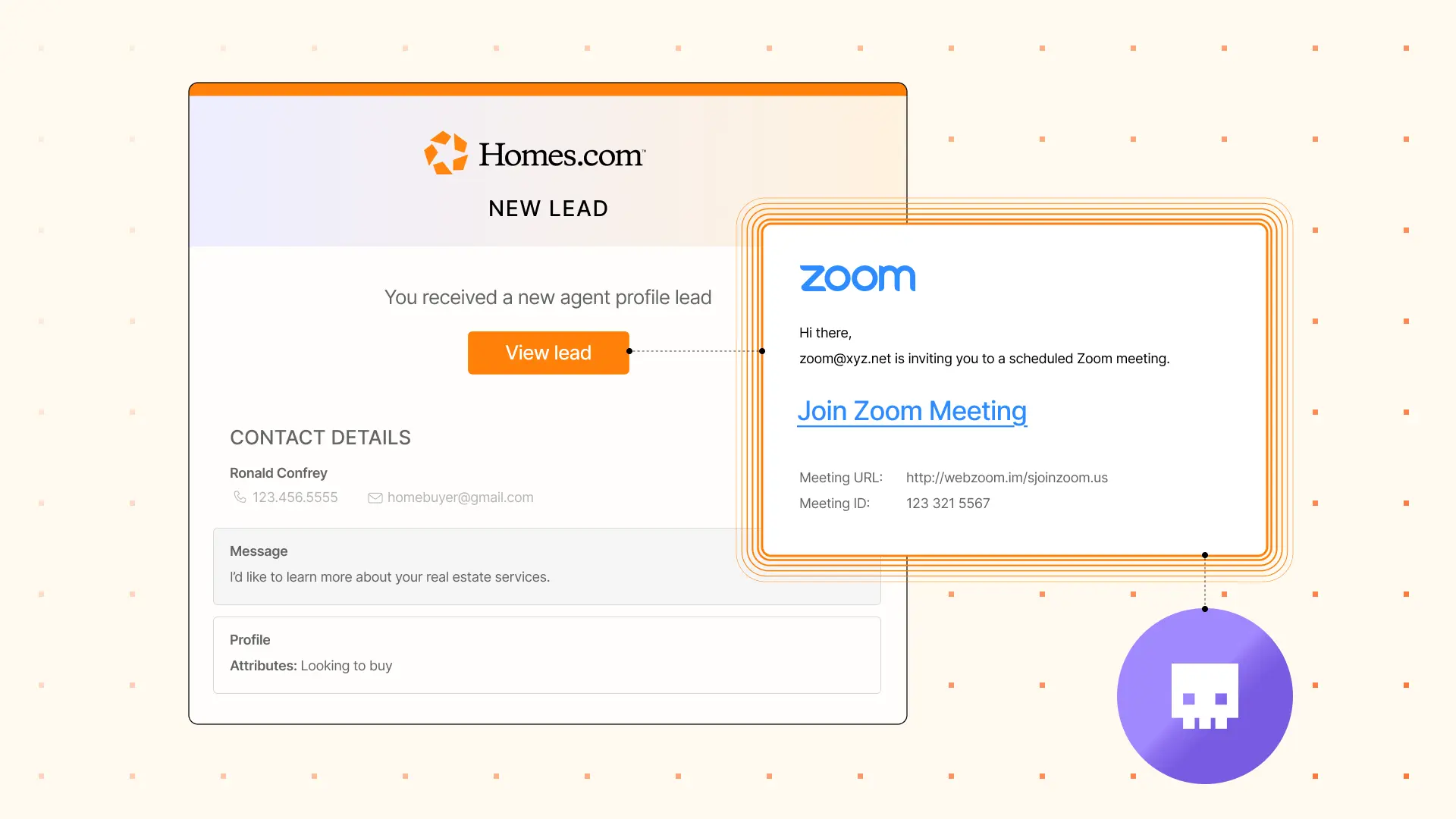
We’ve recently observed an increase in attacks specifically targeting real estate agents. In these attacks, bad actors attempt to get real estate agents to install remote access tools like ScreenConnect or LogMeIn. While repurposing legitimate remote access tools for malicious purposes is common in attacks, the specific targeting of real estate agents and the level of interaction prior to delivering the payload is noteworthy.
The adversary launches the attack by filling out a contact form on a real estate site, filling out a form on Homes.com or another third-party real-estate site, or via direct cold outreach to an agent. After that, the adversary waits for a response and then starts a legitimate-sounding conversation with the agent to build trust. After a few messages, the adversary asks if the agent can meet them for a Zoom meeting (or similar), and when the agent agrees, they are sent a malicious meeting link that is actually an installer for a remote access tool.
Direct outreach example
Here’s an example of a cold outreach message sent to an agent.

There are a few noticeable issues in this message. The sender introduces himself as “Mike Ferdinand”, but the sender display name is “Robert Myke,” he says “texting” even though it’s an email, and the message has a few punctuation issues.
After the real estate agent responded, the attacker quickly attempted to get the agent onto a Zoom meeting. Once a date and time were agreed upon, the attacker sent this message:
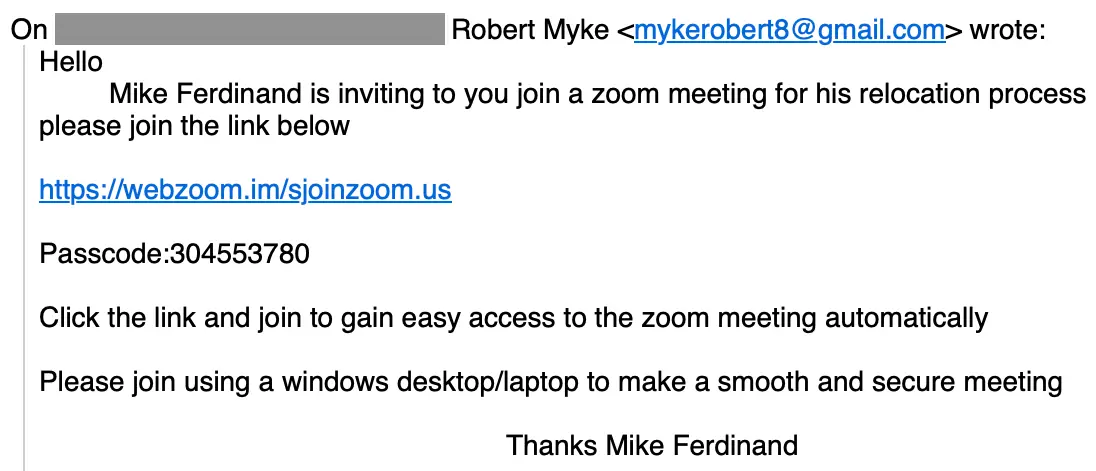
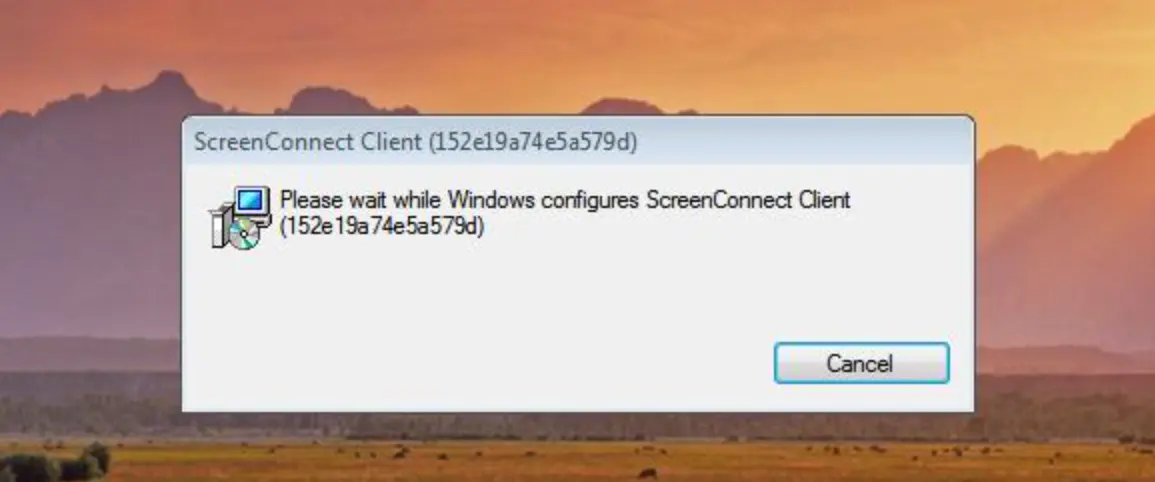
Note that the expected zoom[.]us isn’t in the domain name. While this attack uses https://webzoom[.]im/sjoinzoom.us, we’ve observed similar variants in different attacks (ex: ijoinzoom[.]us). If the target clicks this link, zoomworkspace.vbs is downloaded which launches a ScreenConnect Client installer with installation parameters to give the attacker direct control of the target’s system.
Homes.com outreach example
In this example, the adversary sent their contact request via a Homes[.]com form, making the outreach appear more convincing:
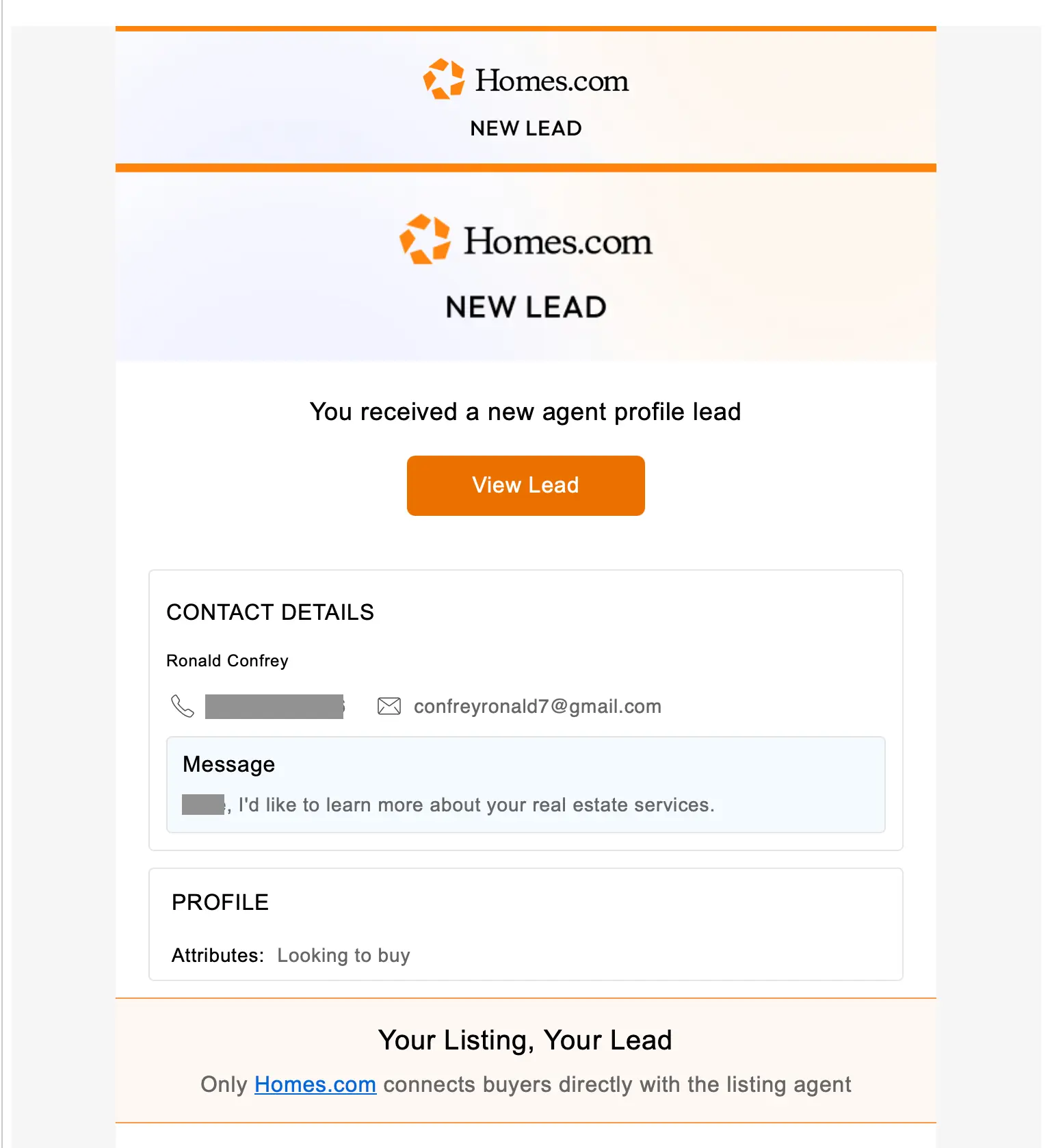
This outreach led to an extended thread between the adversary and the target real estate agent that ultimately led to a request for a Zoom (including the rejection of an offer from the agent to be the meeting host). Once a date and time were agreed upon, the attacker sent this:
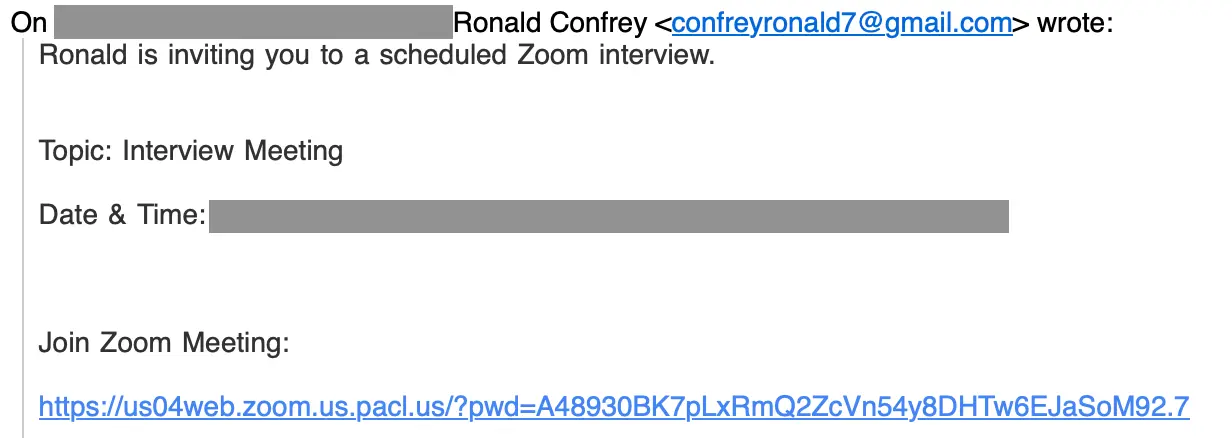
While the Zoom meeting link starts with the legitimate-looking https://us04.web.zoom[.]us, that is all just subdomain. The real domain is pacl[.]us. If the target clicks that link, they are not taken to a Zoom meeting – they download a malicious remote access tool.
Detection signals
Sublime's AI-powered detection engine prevents these attacks. Some of the top signals from these examples were:
- Lookalike Zoom domains: Attackers used
webzoom[.]im/sjoinzoom.usandus04web.zoom.us.pacl[.]usinstead ofzoom[.]us. - Social engineering: In both cases, the attacker established legitimacy prior to delivering malicious content.
- Suspicious sender identity: In the first example, the sender display name (Robert Myke) doesn’t not match the signer’s name (Mike Ferdinand).
- Push to host meeting: In the second example, the attacker rejected the real estate agent’s offer to provide a meeting link, instead preferring to provide the meeting link themselves.
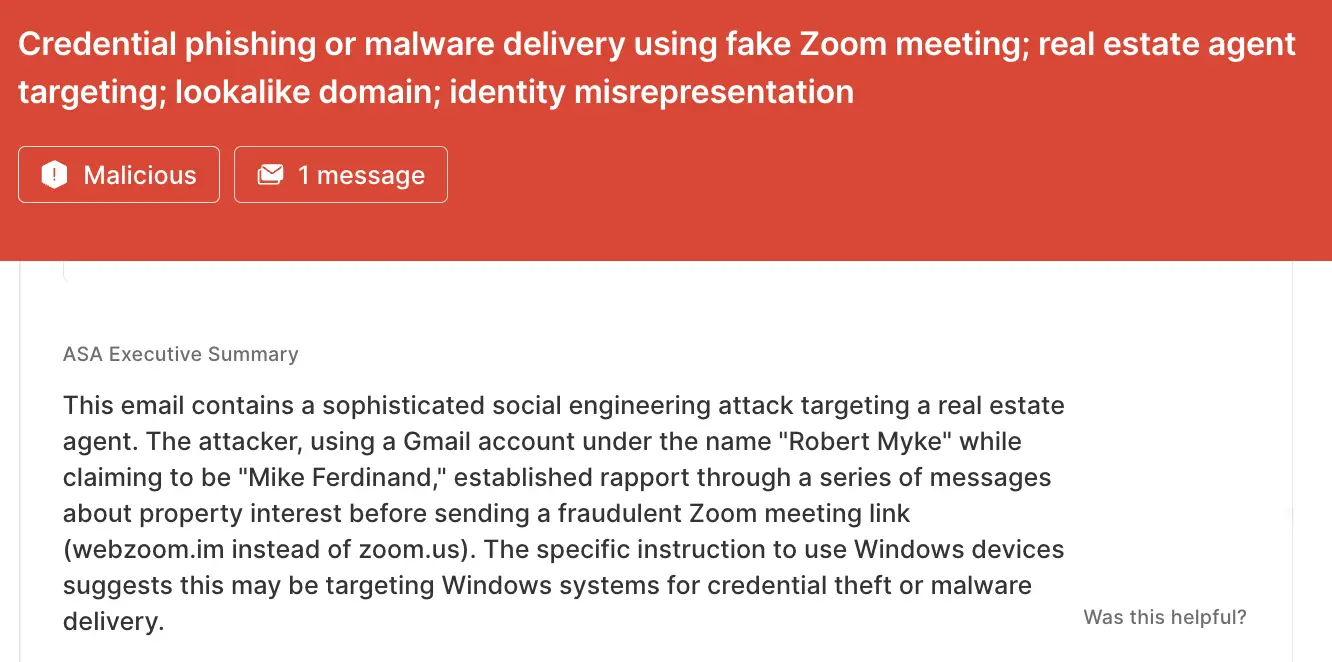
ASA, Sublime’s Autonomous Security Analyst, flagged these emails as malicious. Here is ASA’s analysis summary from the first example:
Don’t be fooled by lookalikes
Adversaries will use convincing lookalike domains to deliver malicious payloads. That’s why the most effective email security platforms are adaptive, using AI and machine learning to shine a spotlight on the suspicious indicators of the scam.
If you enjoyed this Attack Spotlight, be sure to check our blog every week for new blogs, subscribe to our RSS feed, or sign up for our monthly newsletter. Our newsletter covers the latest blogs, detections, product updates, and more.
Read more Attack Spotlights:
Get the latest
Sublime releases, detections, blogs, events, and more directly to your inbox.
.svg)

.avif)
