.svg)
.svg)

.svg)
.svg)





Sublime’s Attack Spotlight series is designed to keep you informed of the email threat landscape by showing you real, in-the-wild attack samples, describing adversary tactics and techniques, and explaining how they’re detected. These attacks can be prevented with a free Sublime account.
EMAIL PROVIDER: Google Workspace
ATTACK TYPE: Malware/Ransomware, Credential Phishing
We recently detected a series of attacks that directed targets to download a fake Meta Ads Manager app to their Apple device. In the initial variants detected by Sublime, the attackers delivered the malicious app via a link from TestFlight, the beta testing platform from Apple. It was assumed that this was a tactic to bypass more rigorous App Store approval.
The TestFlight homepage states that betas are delivered via an emailed link: “To test beta versions of apps and App Clips using TestFlight, you’ll need to accept an email or public link invitation from the developer and have a device that you can use to test.” This allowed the actor to use the trust of TestFlight infrastructure to deliver the attack.
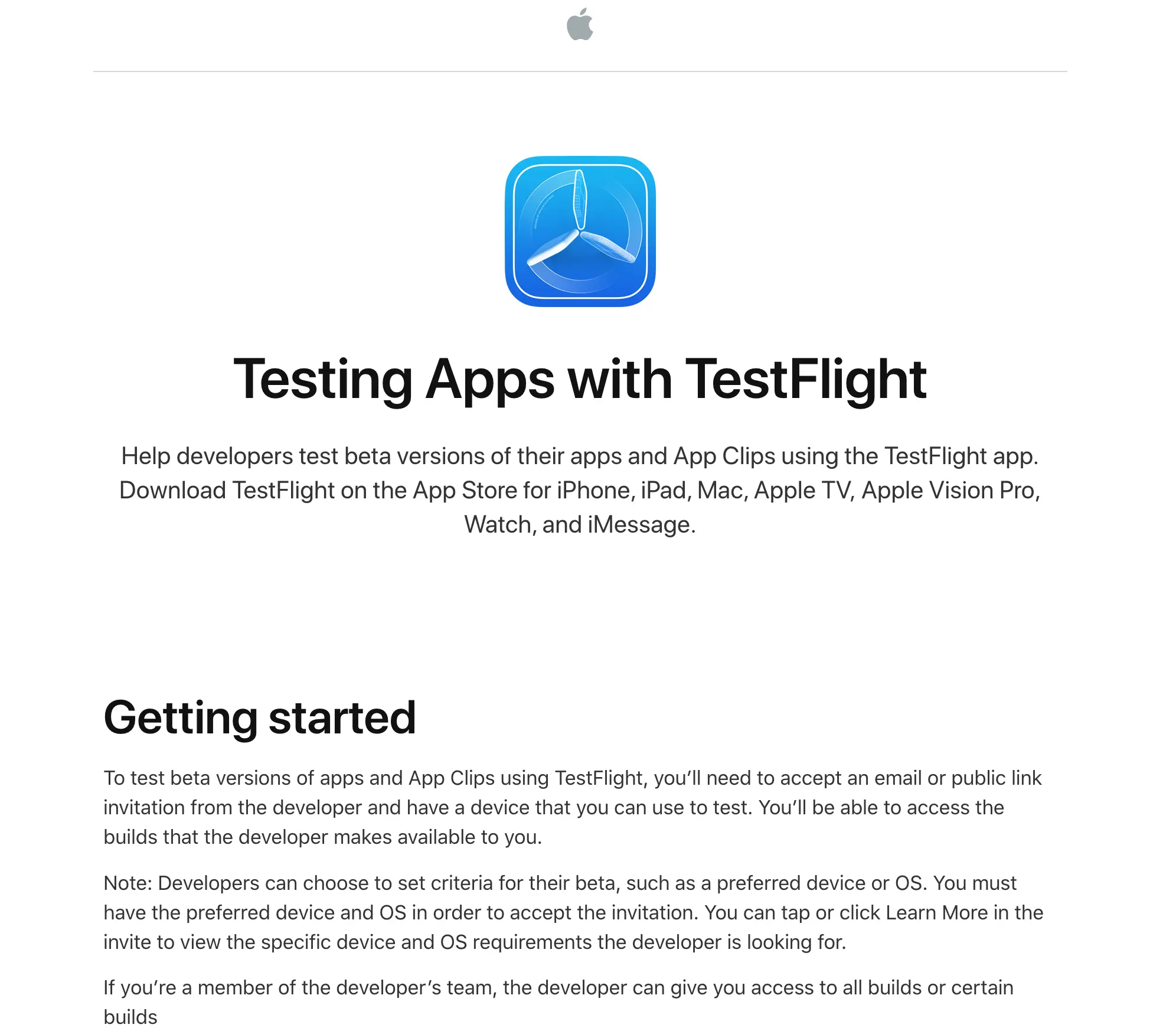
Later, we discovered that a variant of the malicious app had gotten listed within the App Store. We reported the app to Apple and it was promptly removed. In this post, we’ll look at both versions of this attack:
The TestFlight variant
We saw a few different versions of the TestFlight-based attack, but all had similar tactics. They all were sent from freemail domains, each impersonated Meta, and they all directed the target to download Meta Ads Manager. In some cases, they explicitly stated the beta nature of the app, but in all cases the target was given a link to download from TestFlight.
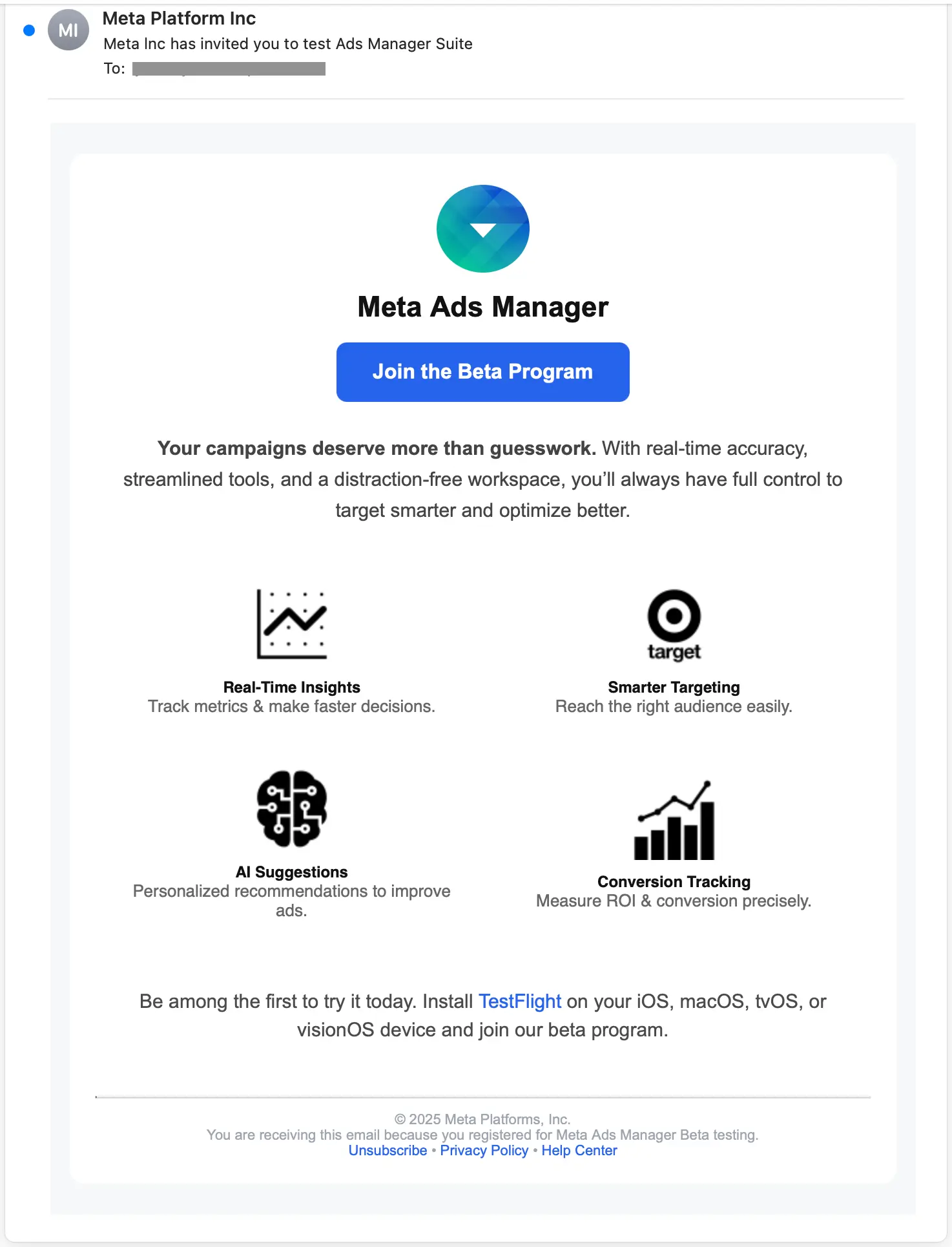
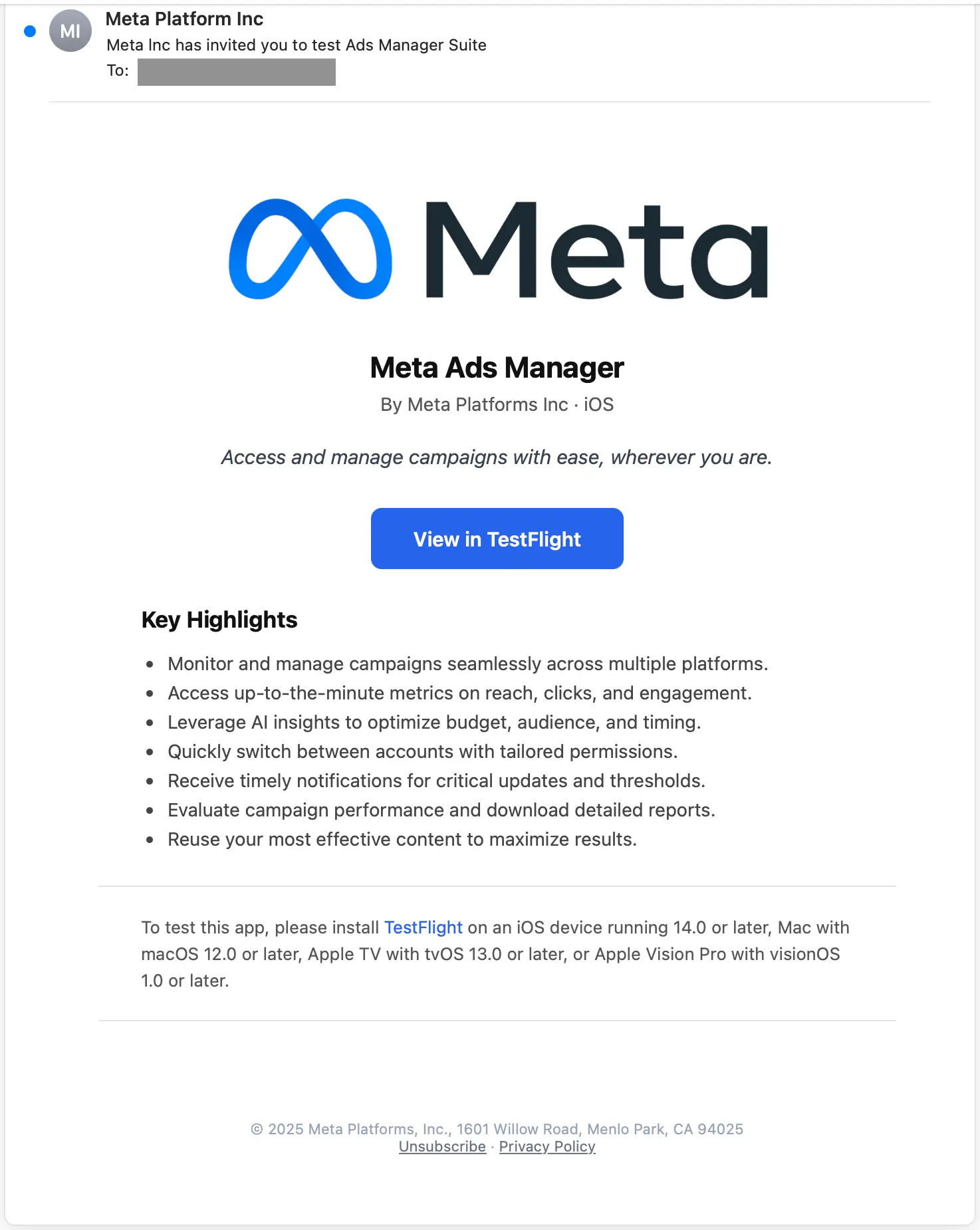
If the target clicked the main CTA, they would be taken to the app’s TestPilot page. From there, they are directed to first download TestFlight from the App Store.
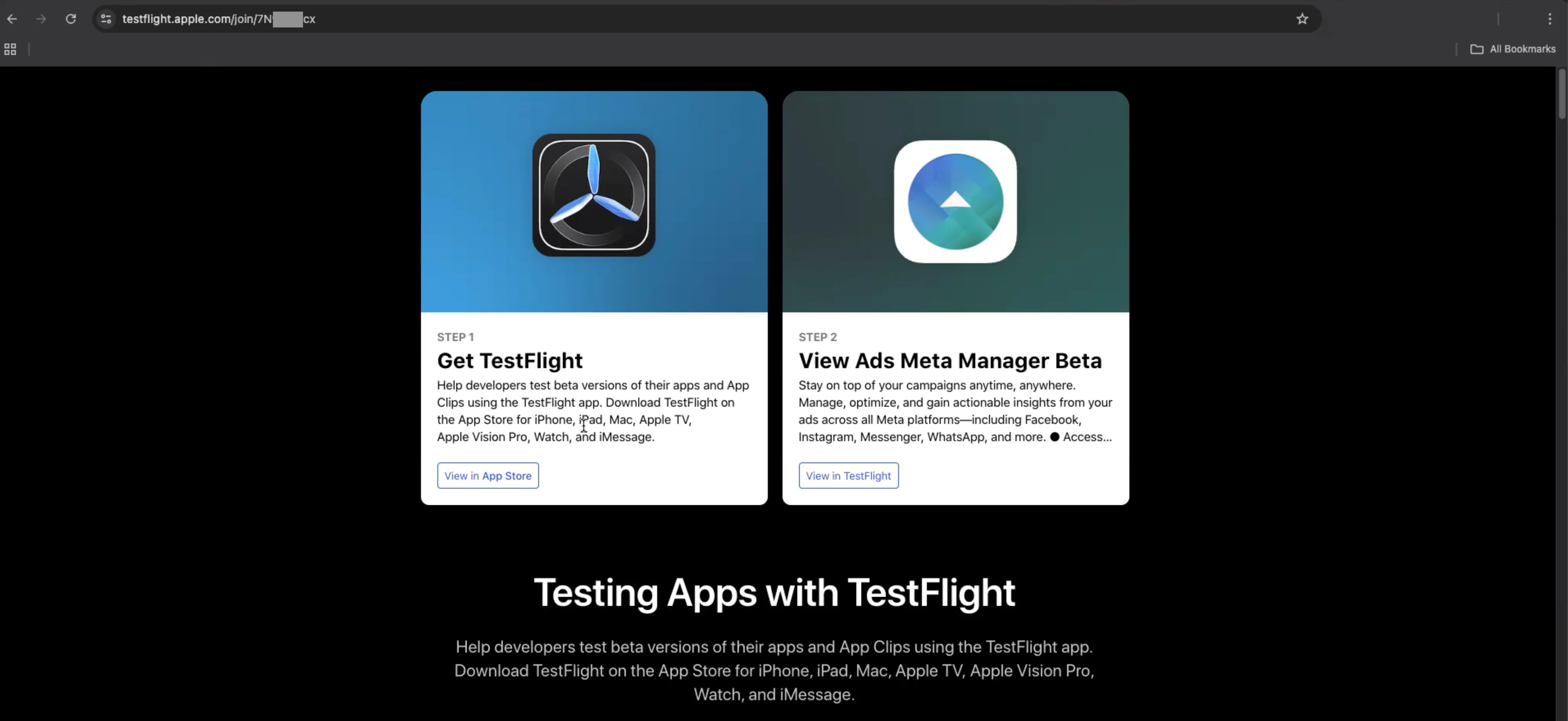
Once TestFlight is installed, they can then install the fake Meta Ads Manager (with name variation by attack) app.
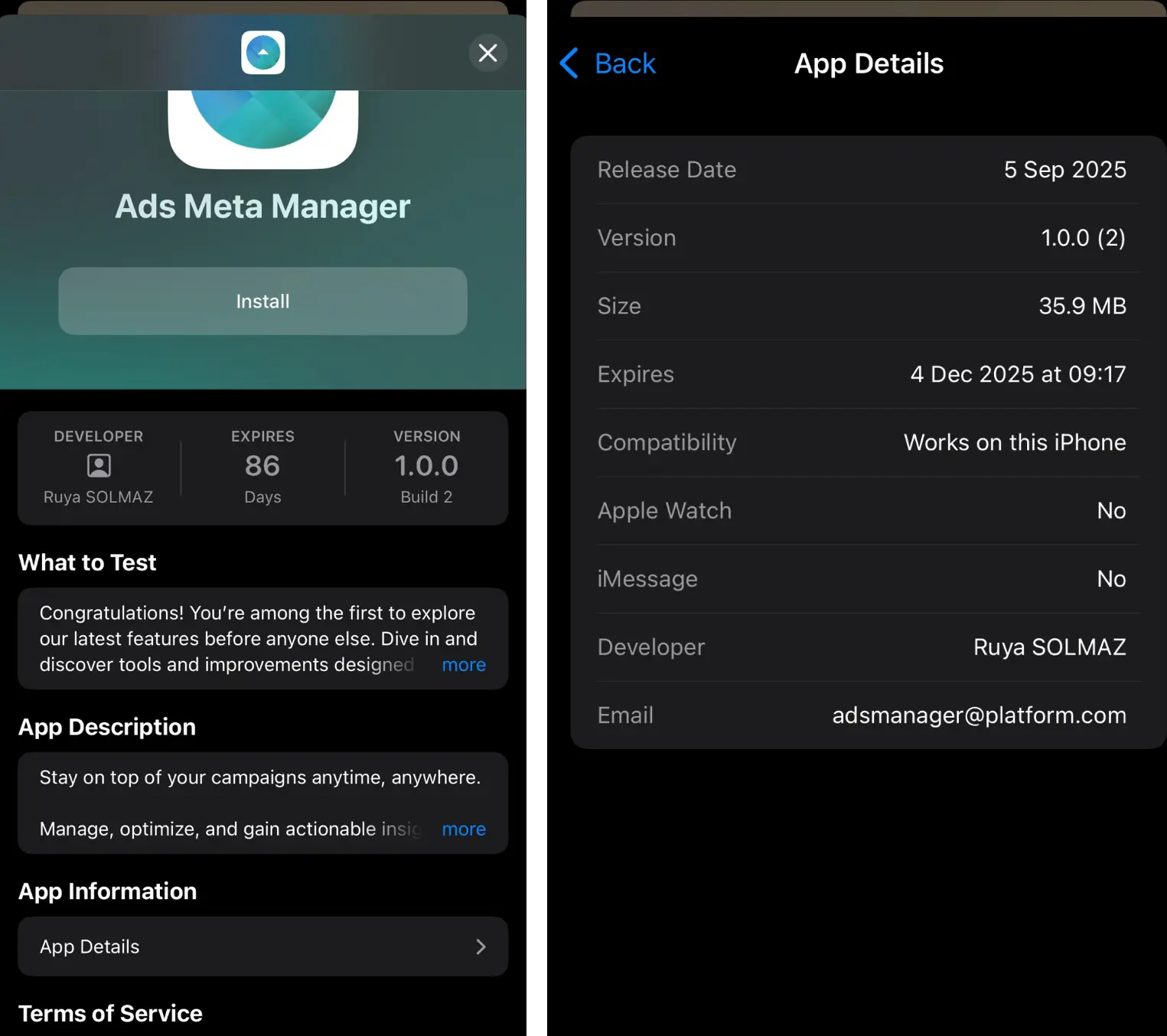
The App Store variant
This version of the attack utilized most of the same tactics: Meta impersonation, freemail sender, etc.
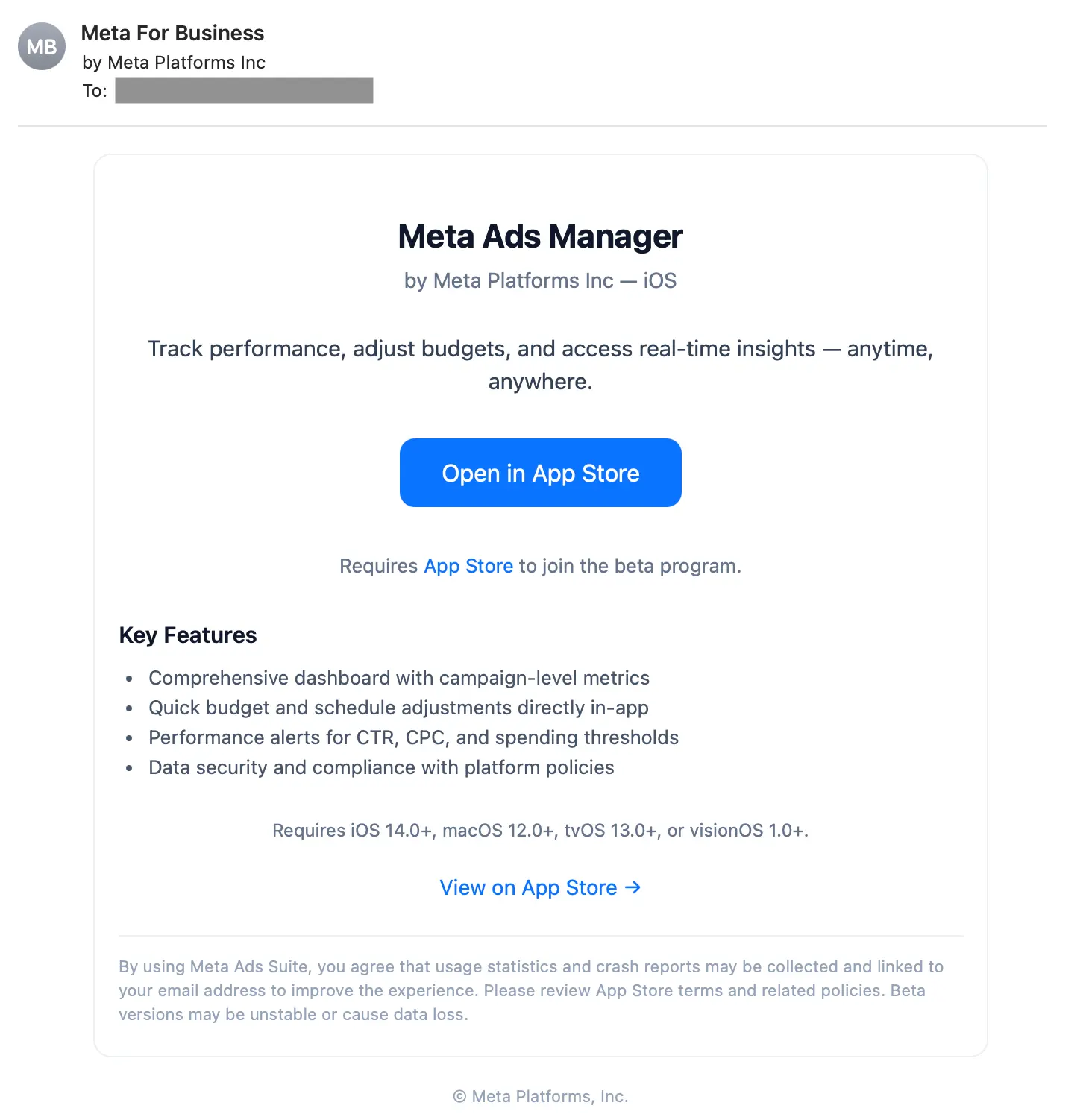
The main difference with this version of the attack was that the payload link took the target directly to the App Store, the most trustworthy app source for Apple devices:
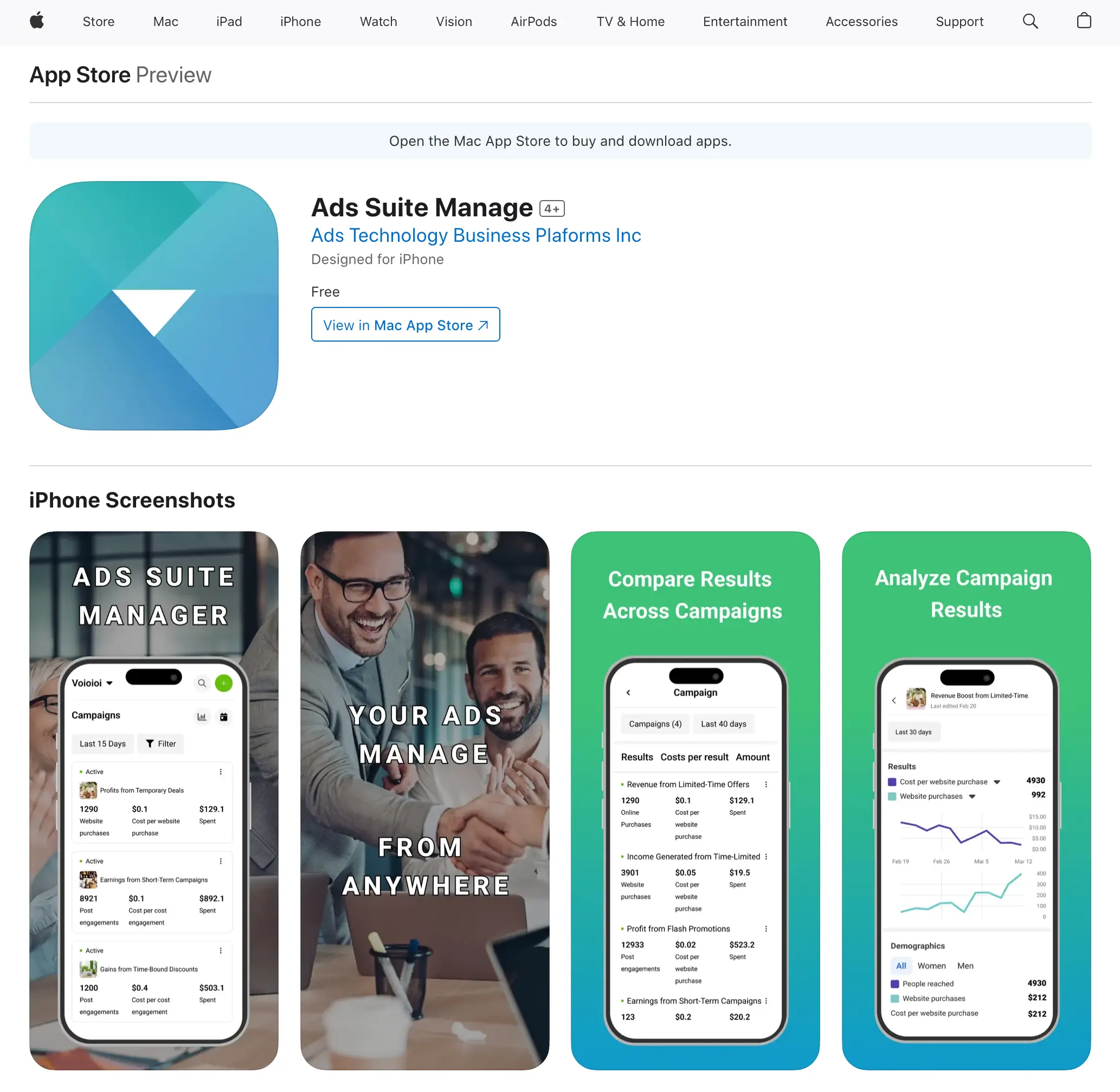
The payload
After reporting the app to Apple, it was quickly removed from the App Store, indicating that at worst, the app was malicious, and at the least, the app was illegitimate. Additionally, while researching this attack, we found compelling evidence to indicate that this was a credential phishing app.
Detection signals for TestFlight variant
Sublime's AI-powered detection engine prevented these attacks. Some of the top signals for the TestFlight variant of the attack were:
- Brand impersonation: The email uses Meta's name and logo while sending from an unrelated Gmail account.
- Freemail + first-time sender: The message was sent using a Gmail account from a sender that has never previously corresponded with the target’s company.
- Homoglyph substitution in subject: The subject has a lowercase L substituted for an uppercase I in “Meta lnc.” to evade detection. (upper(lnc) = LNC)
- Non-functional footer: Dead links in the footer indicate a lack of regulatory compliance, further indicating impersonation.
- App installation: The message is directing the target to install a TestFlight app.
ASA, Sublime’s Autonomous Security Analyst, flagged this variant as malicious. Here is ASA’s analysis summary:
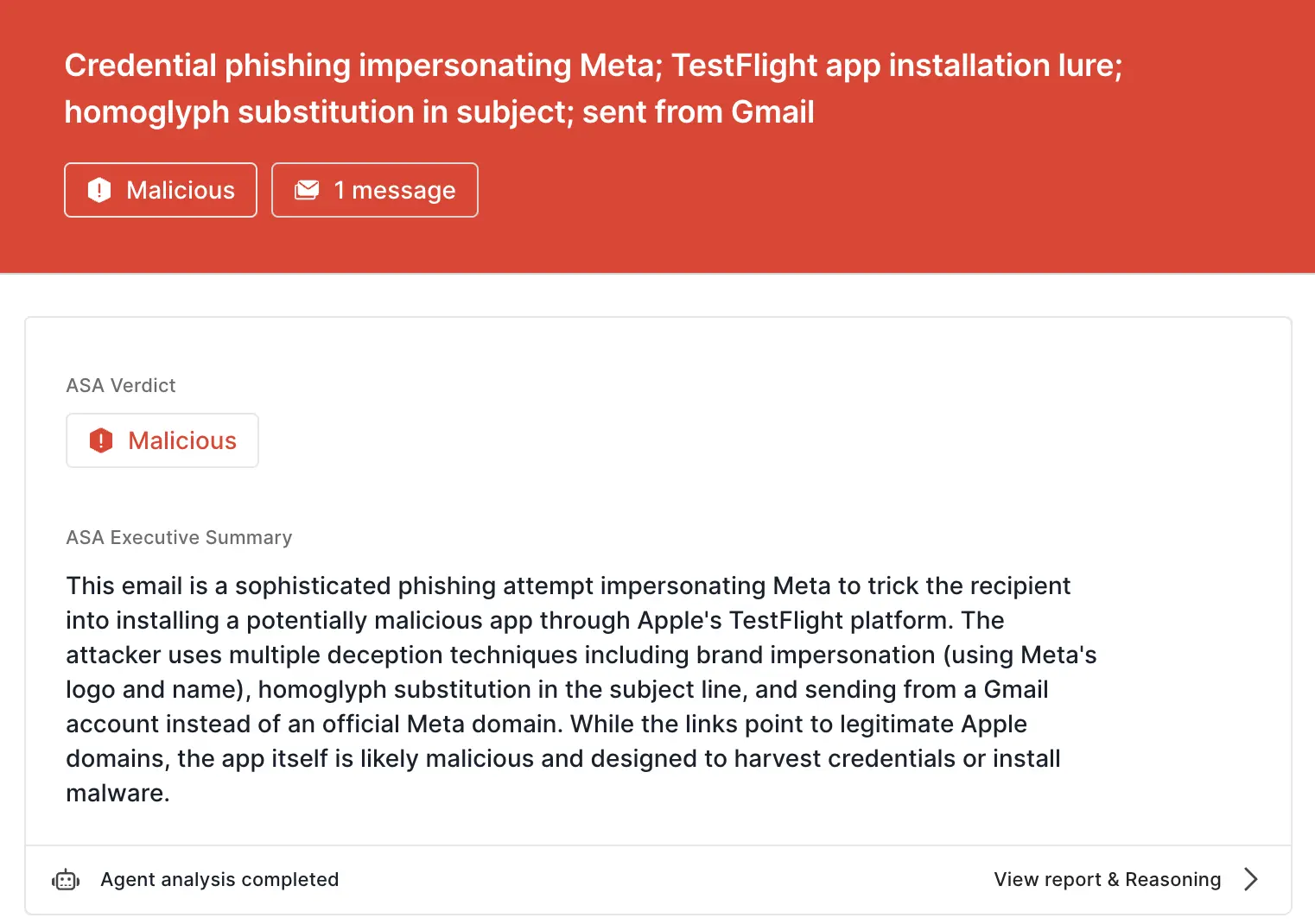
Detection signals for App Store variant
Some of the top signals for the App Store variant of the attack were:
- Brand impersonation: The email uses Meta's name and logo while sending from an unrelated Gmail account.
- Suspicious display name: Meta used in sender’s display name to create false legitimacy
- Freemail + first-time sender: The message was sent using a Gmail account from a sender that has never previously corresponded with the target’s company.
- App installation: The message is directing the target to install an app from the App Store.
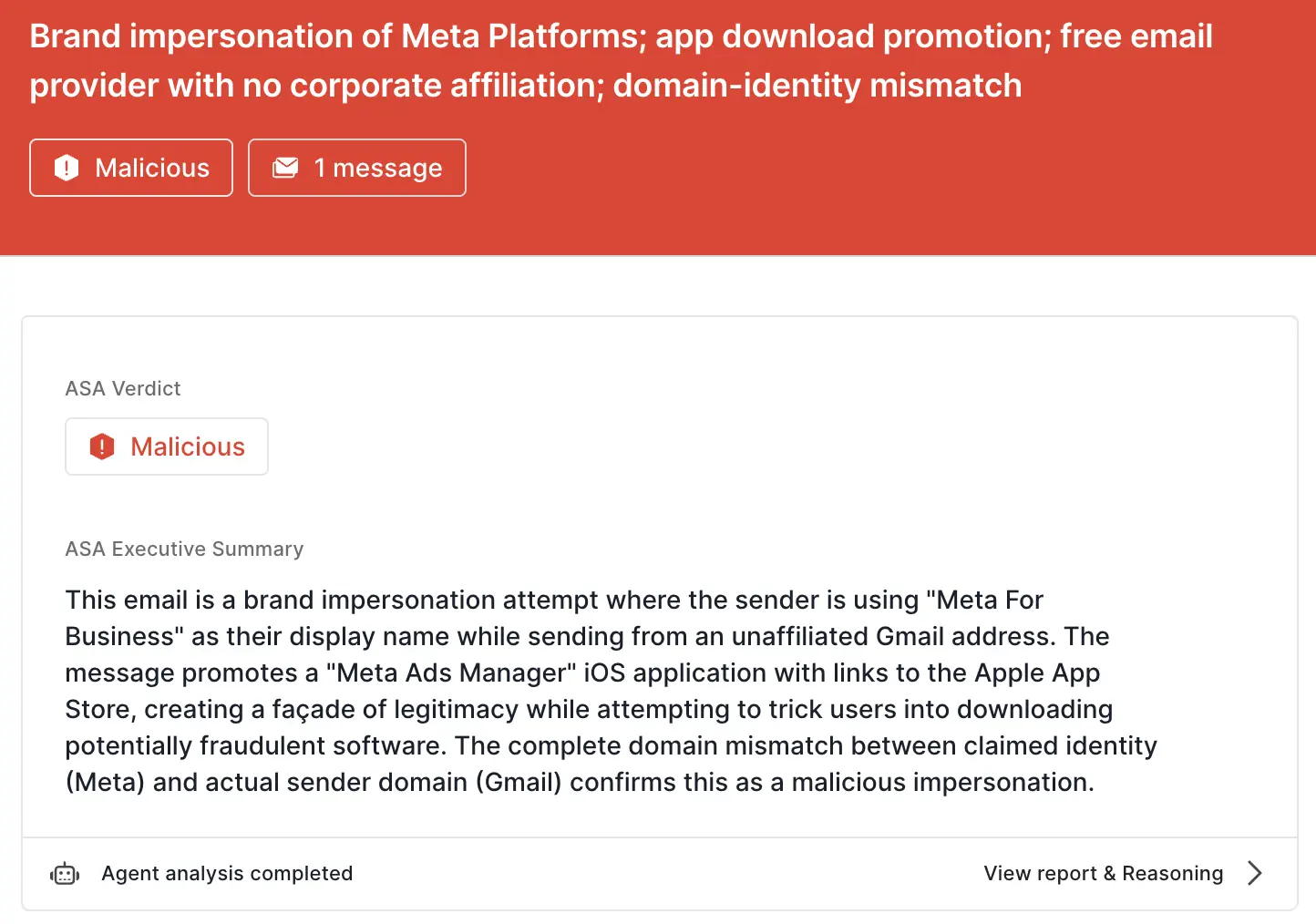
Here is ASA’s analysis summary:
Keep bad apps out of your inbox
While the scope of malware is extending from computers to personal devices, email can still be used to deliver the payload. That’s why the most effective email security platforms are adaptive, using AI and machine learning to shine a spotlight on seemingly minor discrepancies.
If you enjoyed this Attack Spotlight, be sure to check our blog every week for new blogs, subscribe to our RSS feed, or sign up for our monthly newsletter. Our newsletter covers the latest blogs, detections, product updates, and more.
Read more Attack Spotlights:
Get the latest
Sublime releases, detections, blogs, events, and more directly to your inbox.
.svg)
.png)
.png)
.png)
.avif)

