.svg)

.svg)
.png)
.svg)





.svg)
.svg)
Email investigation and response with CrowdStrike Falcon
Sublime email detection events in Falcon Next-Gen SIEM and Fusion SOAR mean a faster path to investigation, response, and novel coverage for Falcon analysts.








.svg)







Turn every investigation into better coverage
AI email attacks are probing for coverage gaps at speed and scale. When a Falcon analyst finds novel email attacks, they need to respond just as fast.
What Sublime and CrowdStrike do together
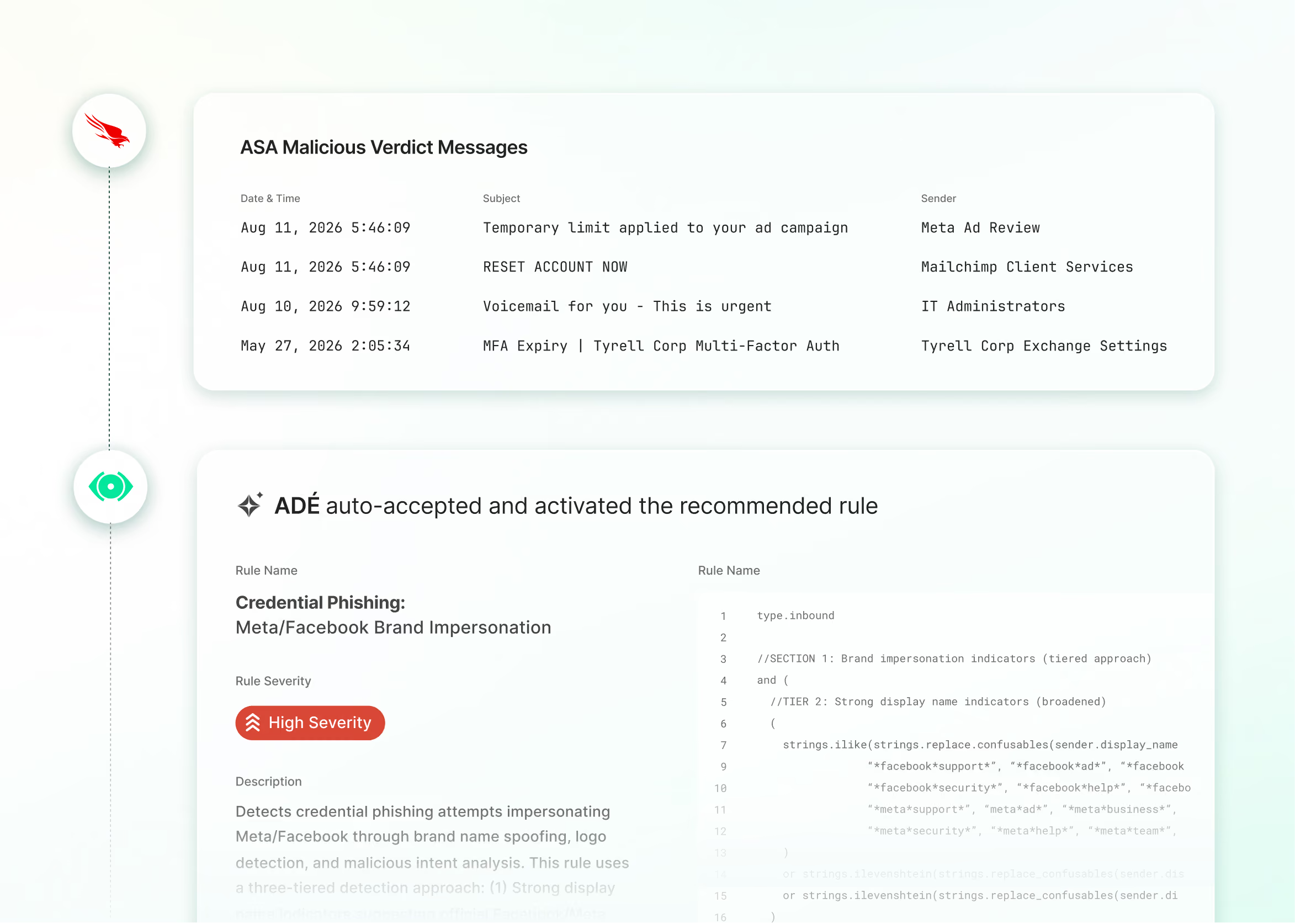
Sublime detection events flow into Falcon Next-Gen SIEM, where they correlate with endpoint, identity, and threat intelligence. When Falcon surfaces a new attack, analysts use Sublime to trigger ADÉ (Autonomous Detection Engineer), which generates, tests, and deploys new org-specific coverage in hours.
Email signals where your investigation already lives
Sublime detection events flow into Falcon Next-Gen SIEM alongside endpoint and identity data. Every verdict traces to readable detection logic analysts can inspect and act on. When something new surfaces, use Sublime to trigger ADÉ and close the gap.
.svg)
Response as native playbook steps
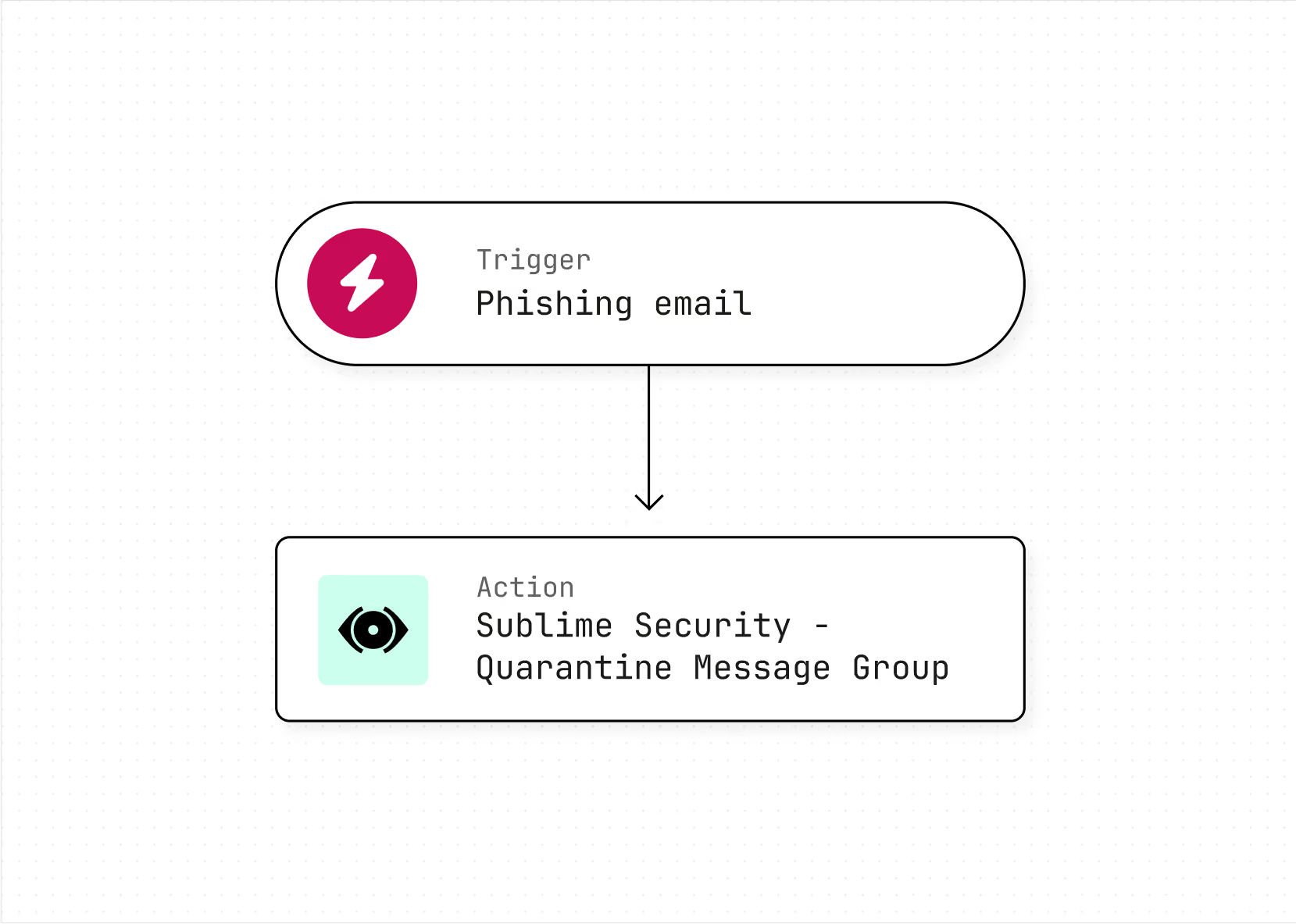
Sublime's investigation, hunt, and response actions run as native steps inside Fusion playbooks. When a Falcon investigation traces back to email, analysts enrich, expand, and remediate the full attack chain without leaving CrowdStrike.
.svg)
Detonate from the message view
Detonate suspicious attachments in Falcon Sandbox directly from the Sublime message view, using your existing CrowdStrike license. Verdicts flow back into Sublime automatically.
See the integration in action
.svg)
Finding a novel attack is only half the job. Security teams need the ability to act on it immediately. This integration extends the capabilities of the Falcon analyst to spot something new and close that gap in email themselves, without waiting on anyone else.

Frequently asked questions
How do Sublime and CrowdStrike work together?
Sublime detection events, both system-flagged and user-reported, flow into Falcon Next-Gen SIEM, where analysts correlate email signals alongside endpoint, identity, and threat intelligence in a single workflow. When that correlation surfaces a new attack pattern, analysts trigger ADÉ in Sublime to generate and deploy new org-specific detection coverage. Sublime's response actions are native steps inside Falcon Fusion SOAR playbooks, and analysts detonate suspicious attachments in Falcon Sandbox directly from the Sublime message view.
What does setup look like, and what do I need from the CrowdStrike side?
Connect your Sublime tenant to Falcon Next-Gen SIEM via the Sublime API. Detection events begin flowing from there, enriched with message metadata and verdict reasoning. Falcon Fusion SOAR actions and Falcon Sandbox detonation each require the corresponding CrowdStrike modules. Sandbox detonation uses your existing CrowdStrike license; no separate detonation infrastructure needed.
How does Sublime handle email triage for the SOC?
ASA (Autonomous Security Analyst), Sublime's triage agent, investigates and resolves user-reported email in the abuse mailbox without analyst involvement. The operational load that comes off the team goes toward novel threat investigation in Falcon, and when ASA surfaces something that warrants a new detection, ADÉ takes it from there.
Who can use the integration?
The integration is available now to joint Sublime Security and CrowdStrike customers. You need a Sublime Security account with API access and access to Falcon Next-Gen SIEM. Fusion SOAR actions and Falcon Sandbox detonation require their respective CrowdStrike modules. Contact your Sublime or CrowdStrike account team to get started.
What specific integration points does this cover?
Three components of the Falcon platform connect to Sublime. Falcon Next-Gen SIEM ingests detection events from Sublime APIs, enriched with message metadata and ASA's verdict reasoning. Falcon Fusion SOAR surfaces Sublime's investigation, hunt, and response actions as native playbook steps. Falcon Sandbox enables in-app detonation of suspicious attachments directly from the Sublime message detail view, with verdicts and indicators flowing back into Sublime automatically.
Now is the time
See how Sublime delivers autonomous protection by default, with control on demand.