.svg)

.svg)
.svg)
.svg)




Email security software
for Google Workspace
Sublime works alongside Google Workspace to add adaptive, org-specific detection and autonomous response, stopping sophisticated email attacks and cutting the manual work that slows your team down.
.avif)







.svg)







How Sublime extends Google Workspace security
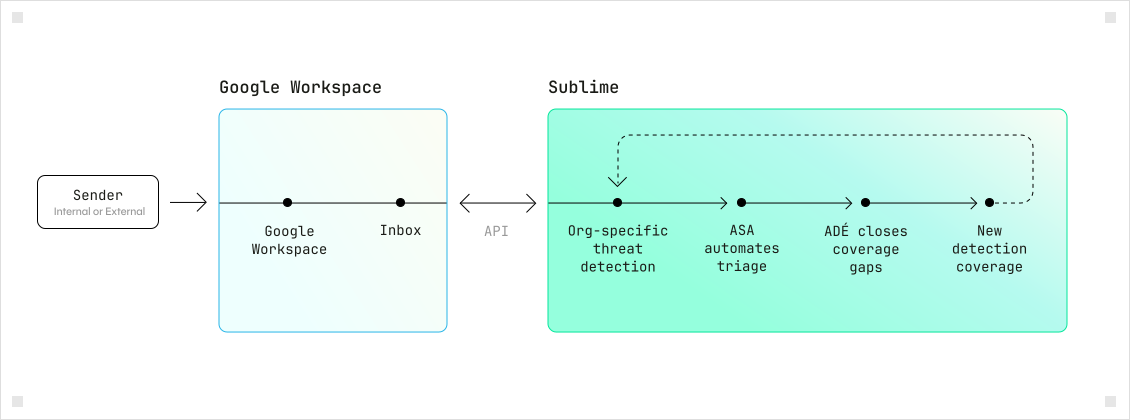
Google Workspace provides the foundation for email security. Sublime adds adaptive, org-specific detection and autonomous response on top, catching targeted attacks like BEC, thread hijacking, and vendor impersonation that exploit organizational trust and context.
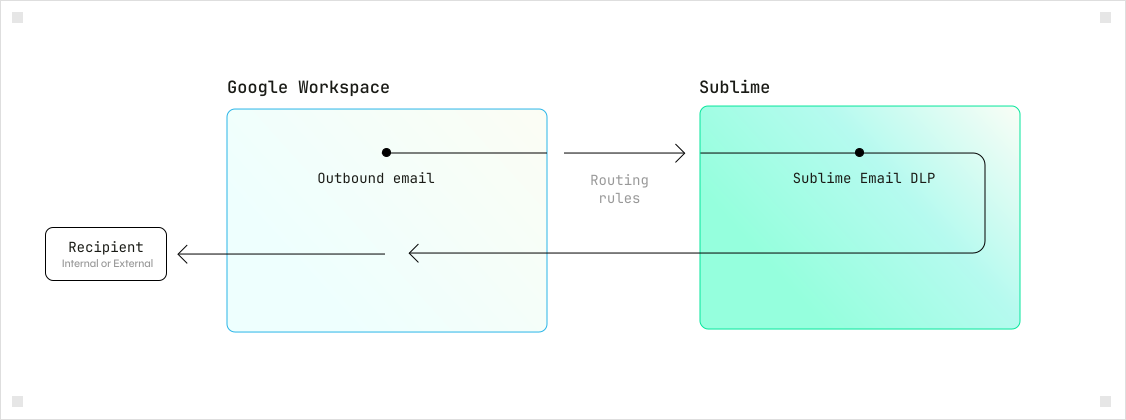
Detection and response built for Google Workspace
Autonomous, org-specific detection that adds a tailored layer on top of Google Workspace to stop targeted attacks and cut triage time.
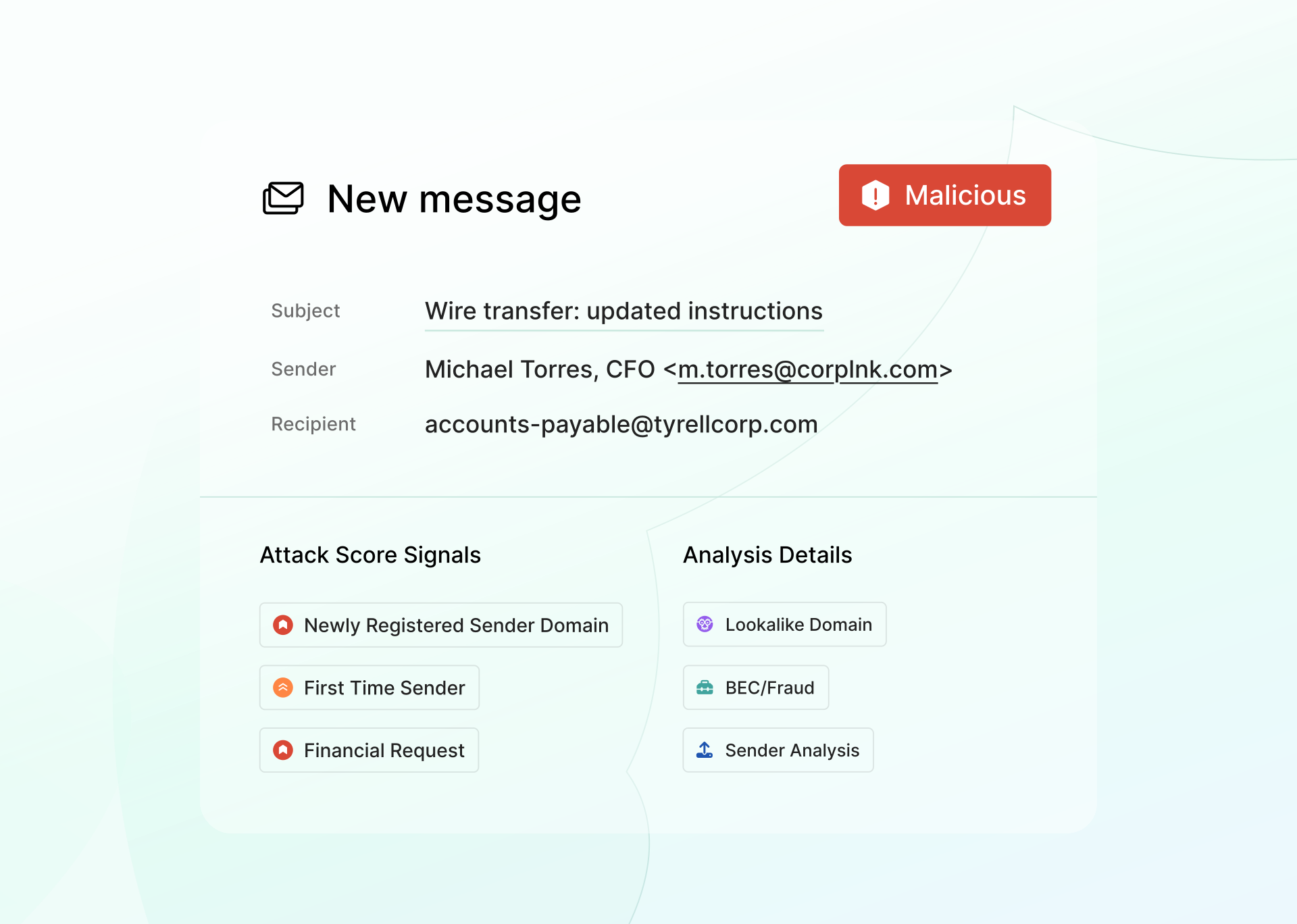
Detect and block targeted and novel email attacks
Org-specific coverage that reasons through the intent behind every message. Where one-size-fits-all models have to play it safe, Sublime can be precise. Full transparency into every decision.
.svg)
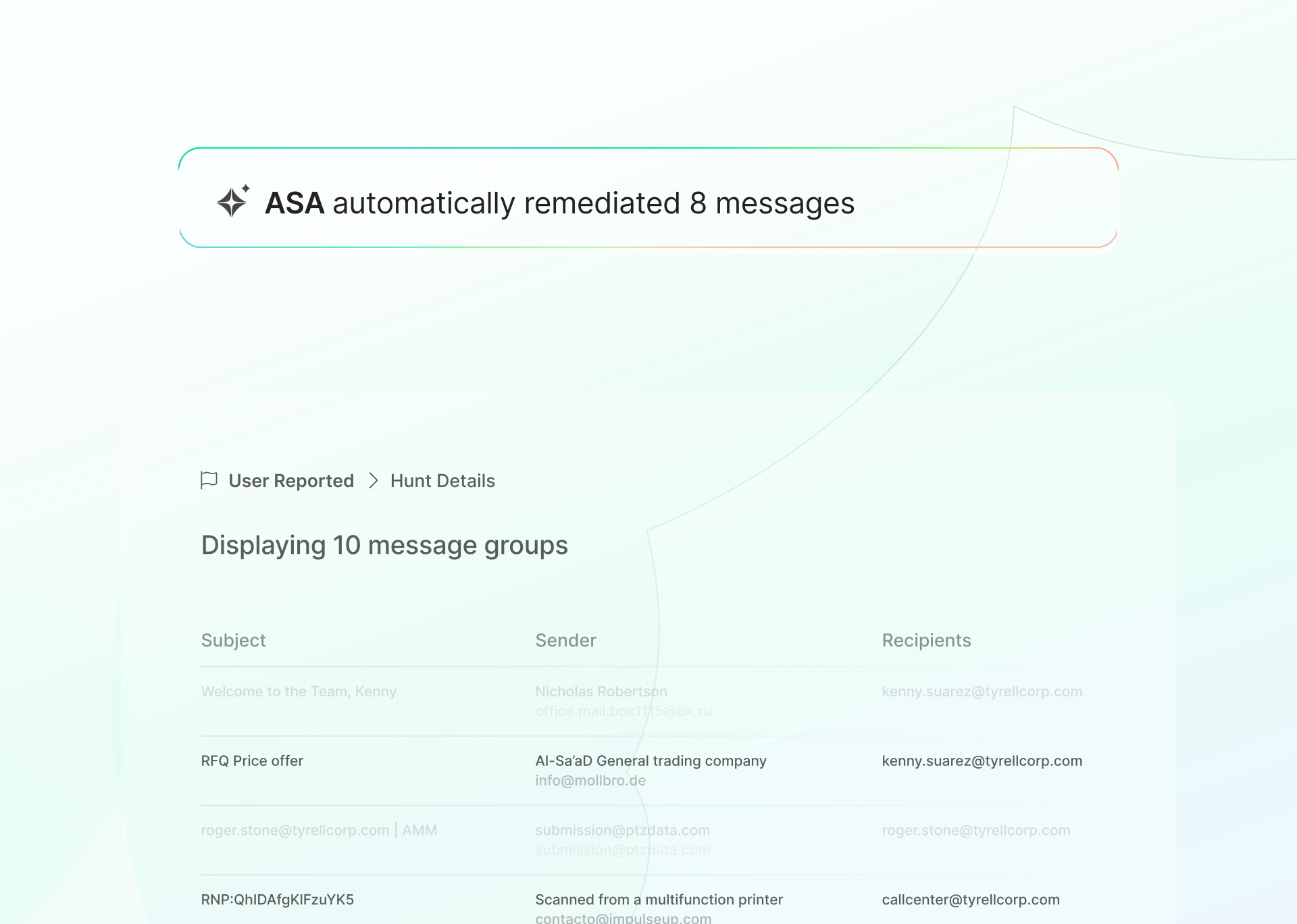
Automate abuse mailbox triage and investigation
User-reported email piles up fast, and manual triage doesn't scale. ASA (Autonomous Security Analyst) takes over the queue, investigating and remediating reported messages in seconds with auditable verdicts attached to every action. Analysts stop triaging and start spending time on the work that actually requires their attention.
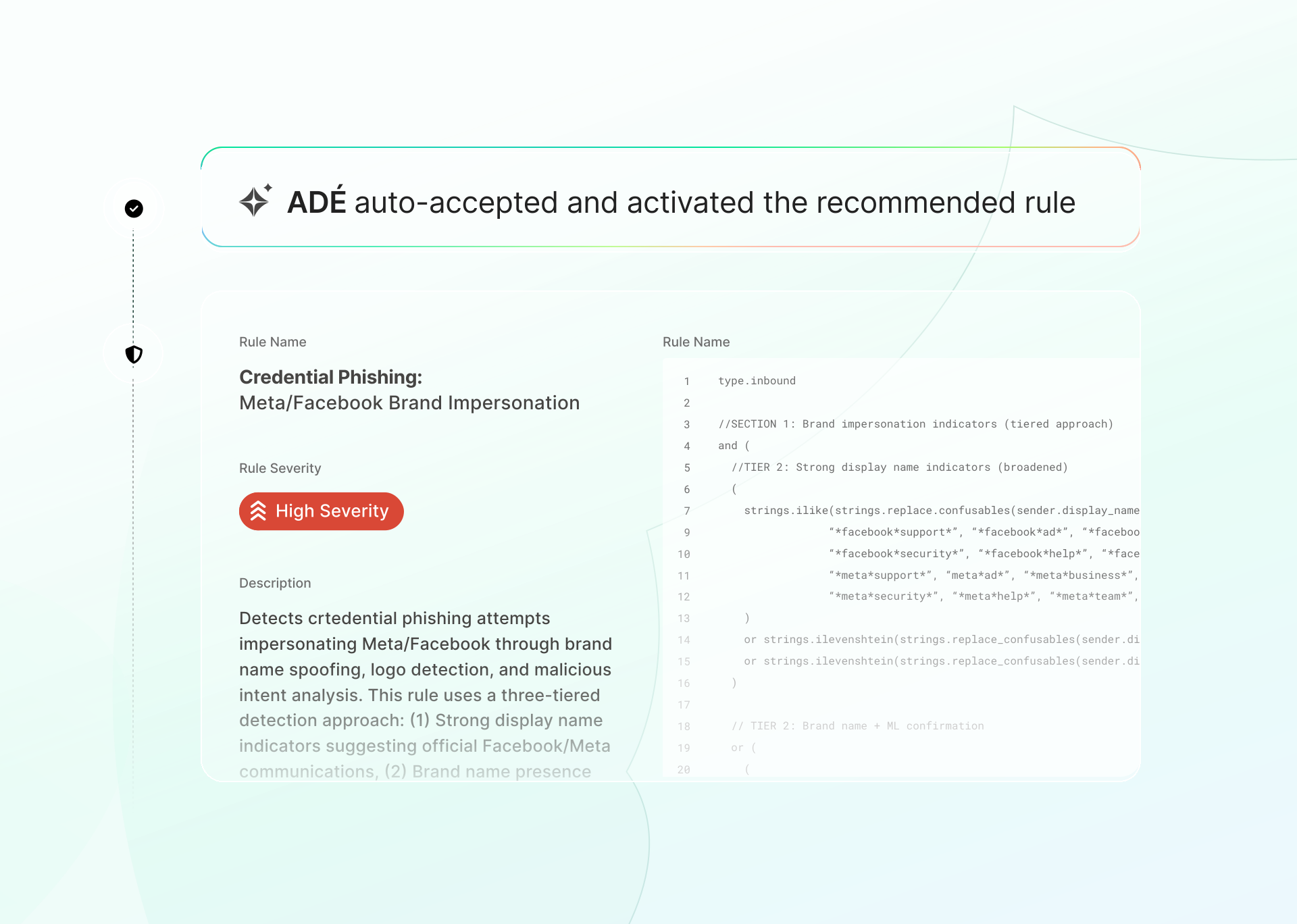
Continuously expand detection as threats evolve
Attackers probe static coverage and replicate evasions fast. ADÉ (Autonomous Detection Engineer) keeps pace by generating new org-specific detections, backtesting them against real data, and deploying in hours. No vendor queue, no manual tuning, full visibility into every detection.
Detect more targeted attacks
Centralized models generalize across every customer, which means everyone shares the same blind spots. Sublime runs org-specific coverage on top of your Workspace environment to catch targeted phishing, vendor impersonation, and BEC with higher precision and fewer false positives.
Give analysts their day back
The abuse mailbox is a daily tax on analyst time. ASA (Autonomous Security Analyst) triages, classifies, and remediates user-reported email in seconds, with a full audit trail on every decision. Your team stops working the queue and focuses on threats that need human judgment.

Close coverage gaps before attackers do
Every missed attack is a window of exposure, and static coverage gets probed and evaded fast. ADÉ (Autonomous Detection Engineer) generates new org-specific detections, backtests them, and deploys in hours. No vendor queue, no weeks of waiting, full visibility into every detection.
See Sublime in your Google Workspace environment
.svg)
Layered email security for Google Workspace
Keep Google Workspace native controls in place and add Sublime for org-specific detection and autonomous response that adapts over time.
Layered by design
Google Workspace provides the email security foundation. Sublime runs org-specific detection on top, using behavioral signals and multi-layered reasoning to catch the targeted attacks that generalized models miss. Two layers, each doing what it does best.
Start with visibility
Review Sublime's detections and verdicts before enabling autonomous action. Every decision comes with full context so your team can verify the logic, build confidence, and turn on remediation workflows when you're ready. No black box, no guesswork.
Reduces workload
Sublime eliminates abuse mailbox work and investigation overhead by automating the triage, classification, and remediation your analysts are currently doing by hand. The goal is fewer open tabs and less time in the queue, not another dashboard to monitor.
Proof from real teams
20x
attacks automatically prevented
.svg)
96%
reduction in manual investigations
62%
drop in investigations
What our customers are saying
.svg)

The black box approach to email security no longer works.
It reduces visibility on how
Brex may be attacked and
the tactics and techniques
used by attackers.
With Sublime, we now have transparency and the confidence to keep up with emerging threats.

Mark Hillick
CISO, Brex

The ability to automate remediations with high confidence and minimize manual reviews unlocks a new level of efficiency in our SOC. It’s hard to imagine going back to life before Sublime.

JJ Agha
CISO, Fanduel

What I love about the platform is that it just works. I’m so tired of all these tools I have to futz with, and Sublime is just easy.

Jason Kikta
CISO, Automox

With Sublime, we no longer wait weeks for vendor updates. Our team reacts instantly - which is critical for our fast-moving environment.
FAQs about Sublime Email Security for Google Workspace
Is Google Workspace enough to stop targeted phishing and BEC attacks?
Google Workspace provides strong protection against commodity spam, phishing, and malware. Targeted attacks like BEC, vendor compromise, and thread hijacking are harder to catch because they exploit organizational trust, abuse authenticated senders, and hijack real conversations rather than matching known patterns. Many security teams add an org-specific detection layer to close those gaps.
How does Sublime improve email security for Google Workspace?
Sublime adds org-specific detection on top of Google Workspace, plus ASA (Autonomous Security Analyst) for automated triage and investigation, and ADÉ (Autonomous Detection Engineer) for continuously expanding coverage. The result is stronger protection against targeted threats and significantly less manual work for abuse mailbox and response workflows.
Do we need to replace Google’s native protections to use Sublime?
No. Sublime is additive by design. Your existing Google Workspace security controls stay in place. Sublime layers on top with targeted threat detection, autonomous triage, and adaptive coverage that expands as threats evolve.
How does Sublime reduce manual work for security teams?
ASA handles the highest-volume workflow: user-reported email triage. It investigates, classifies, and remediates reported messages in seconds with a full audit trail, so analysts stop working the queue. At Elastic, this drove a 96% reduction in manual investigations and freed up hundreds of analyst hours per year.
How quickly can Sublime be deployed in a Google Workspace environment?
Sublime connects via the Gmail API and can be up and running in minutes without changing mail flow. Teams typically start in visibility mode to review detections and build confidence, then enable remediation workflows when ready.
Is Sublime suitable for enterprise environments?
Yes. Sublime is built for security teams managing complex environments at scale. It delivers high-fidelity detection with full transparency into every decision, autonomous operations that reduce analyst burden, and flexible deployment as cloud SaaS, single-tenant SaaS, or self-hosted depending on your requirements.
What email security features should Google Workspace organizations look for?
Look beyond spam and malware filtering, since Google Workspace already handles that well. The gaps show up with targeted attacks: BEC, vendor impersonation, and thread hijacking that abuse authenticated senders and real conversation history instead of matching known patterns. Look for detection that reasons about intent and behavior specific to your organization, not a generalized model shared across every customer, plus full visibility into why a message was flagged so your team can verify and act on it. Also look for coverage that closes gaps in hours instead of waiting on a vendor's update cycle, and automated triage for the user-reported email that otherwise piles up in the abuse mailbox.
How does Sublime protect Gmail from advanced email threats?
Sublime connects to Gmail over API, without changing mail flow, and layers org-specific detection on top of Google's native filtering. It reasons through the intent, behavior, and content behind each message to catch BEC, vendor impersonation, and thread hijacking that generalized models tend to miss, and every verdict comes with the exact signals and logic behind it. ASA (Autonomous Security Analyst) takes over user-reported email, investigating and remediating messages in seconds with an auditable verdict attached, while ADÉ (Autonomous Detection Engineer) generates and deploys new detection coverage as attackers change tactics.
Now is the time
See how Sublime delivers autonomous protection by default, with control on demand.
.avif)