- URL screenshot
Attack Types
BEC/Fraud
Callback Phishing
Credential Phishing
Extortion
Malware/Ransomware
Reconnaissance
Spam
Tactics and Techniques
Encryption
Evasion
Exploit
Free email provider
Free file host
Free subdomain host
HTML smuggling
Image as content
Impersonation: Brand
Impersonation: Employee
Impersonation: VIP
IPFS
ISO
LNK
Lookalike domain
Macros
OneNote
Open redirect
Out of band pivot
PDF
Punycode
QR code
Scripting
Social engineering
Spoofing
Detection Methods
Archive analysis
Content analysis
Computer Vision
Exif analysis
File analysis
Header analysis
HTML analysis
Javascript analysis
Macro analysis
Natural Language Understanding
Optical Character Recognition
OLE analysis
PDF analysis
QR code analysis
Sender analysis
Threat intelligence
URL analysis
URL screenshot
Whois
XML analysis
YARA
Detection Method: URL screenshot
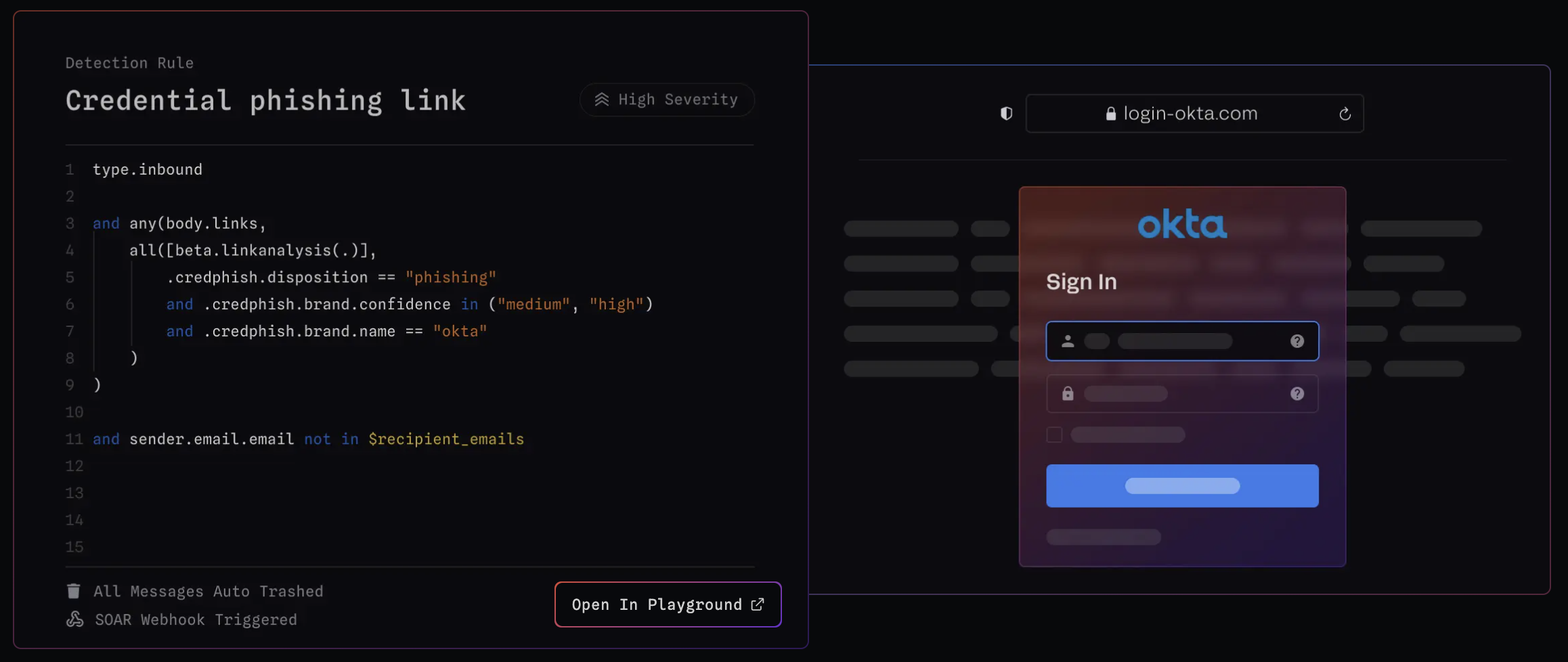
URL screenshot captures and analyzes the visual elements of web pages linked in emails to help you spot phishing attempts or suspicious content that might slip past regular URL analysis. By rendering these web pages in a safe, isolated environment, it gives you a sneak peek at the content—without putting you at risk.
URL screenshot can help you detect:
- Fake login pages pretending to be from trusted services
- Brand impersonation using logos or design that don’t belong
- Malicious forms trying to steal your credentials
- Content that’s designed to trick you but can’t be caught by regular text analysis
- CAPTCHA forms or other elements trying to bypass automated detection
For example, attackers often create exact replicas of login pages from banks or email providers. URL screenshots make it easier to spot these deceptive pages, whether you're reviewing them manually or relying on automated systems.
This method is crucial for spotting phishing attempts that rely on visual tricks, helping you prevent falling for malicious links that look convincing at first glance.
Blog Posts

Attack Types (4):
Tactics & Techniques (12):
Page 1 of 2